← Browse Dives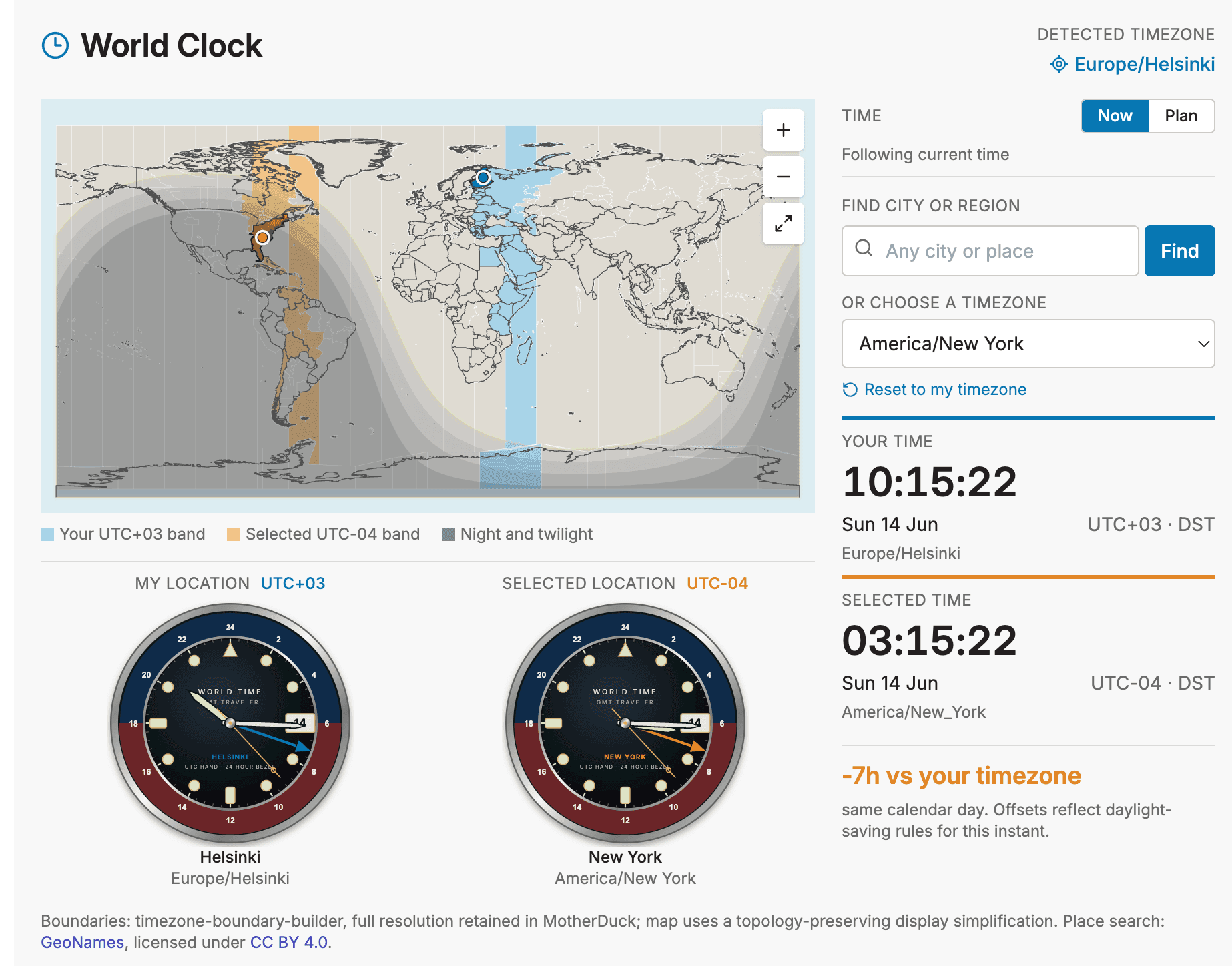
Loading Interactive Dive...
World Clock
Interactive zoomable world clock with live solar day/night shading, GeoNames place search, timezone offset bands, and paired GMT-style analog watches.
MapToolAstronomy
Author: Jaak L · June 14, 2026 Region: us-east-1
AI Prompts Used
1Prompt 1
Grab world timezones from my local postgis database (jaak - geo-tz-countries-with-oceans table) and copy it to the @motherduck . Create there then a nice "world clock" Dig, which knows user current timezone, colors it on map specifically, allows to select other time zones, shows timezone differences etc
2Prompt 2
I think the map should be interactive/zoomable and country borders are not well visible. Also it should highlight not just the specific time zone (country), but whole TZ offset "column".
3Prompt 3
It is much better now. But some click functions are not good - when I click on ocean then it works ok, but with click on e.g. India (or most countries, except European ones) it seems to select most of the world (displayed as GMT+6?) which is wrong - it should highlight India (specific timezone) and half-highlight offset (if this is beyond India). It
4Prompt 4
Search city or region does not seem to work. I think it should use general geocoder to find any city, not just ones in the database?
5Prompt 5
ok thats good now. The layout has empty area below map. What about adding there two analog clock style views (hour, minute, second hands) - my location, selected location. Use "Rolex GMT" watch style
6Prompt 6
can you add to map also subtle Day and Night overlay, as in https://www.timeanddate.com/worldclock/sunearth.html ?
7Prompt 7
Next enhancements:
1. remove also "Country borders" from map label, thats obvious.
2. make second hand on analog display to run smooth (28,800 vibrations per hour like real Rolex).
3. make analog displays a bit smaller, to keep all main info on screen without scrolling
4. feature: allow user to select between current time (as now) and time-travel to another time easily, so they can use it for calendar planning.
8Prompt 8
small tweak: add button "now" between -1h and +1h to jump easily back to the current time in Plan mode
9Prompt 9
another small tweak - add to your time and selected time UTC offset info also DST state when and where applicable.
Comments
Log in to leave a comment.
No comments yet. Be the first!