Microbatch: how to supercharge dbt-duckdb with the right incremental model
2026/02/02 - 9 min read
BYWhy We Built Microbatch Support for dbt-duckdb
I like a good benchmark as much as anyone, as long as it's not benchmarketing. But benchmarks don't tell the whole truth about your production workload.
They don't tell you what it's like to stay late on a Friday evening while everyone's heading home, just because the table that was 10GB last year is now 4TB—and it takes forever to replace the columns that had a bug in them.
Benchmarks measure single runs. Production is not a single run. It's people finding bugs, replacing parts of tables, making mistakes along the way. It's discovering three months later that a column was calculated wrong and needing to fix it without rebuilding three years of data.
That's why we contributed microbatching to dbt-duckdb. dbt introduced microbatch as an incremental strategy in version 1.9. Instead of one big table update, it works in smaller time-based batches. Smaller batches mean you can work with smaller compute instances, reprocess specific time ranges, and recover from failures without starting over.
Microbatch isn't always the fastest option on the wall clock. But it's recoverable, parallelizable, and backfillable. That might save you hours somewhere down the road. Or, as I dad-joke to my kids: slow is smooth, smooth is fast.
How DuckDB Stores Data: Row Groups vs Partitions
To understand why microbatching behaves differently in DuckDB than in other systems, you need to understand how data is physically stored.
In systems like BigQuery or Spark, data is organized in physical partitions—literally separate files in folders. A table partitioned by date might look like year=2024/month=01/day=15/ on disk. When you query for January data, the engine only reads the January folders. This is partition pruning, and it's very efficient.
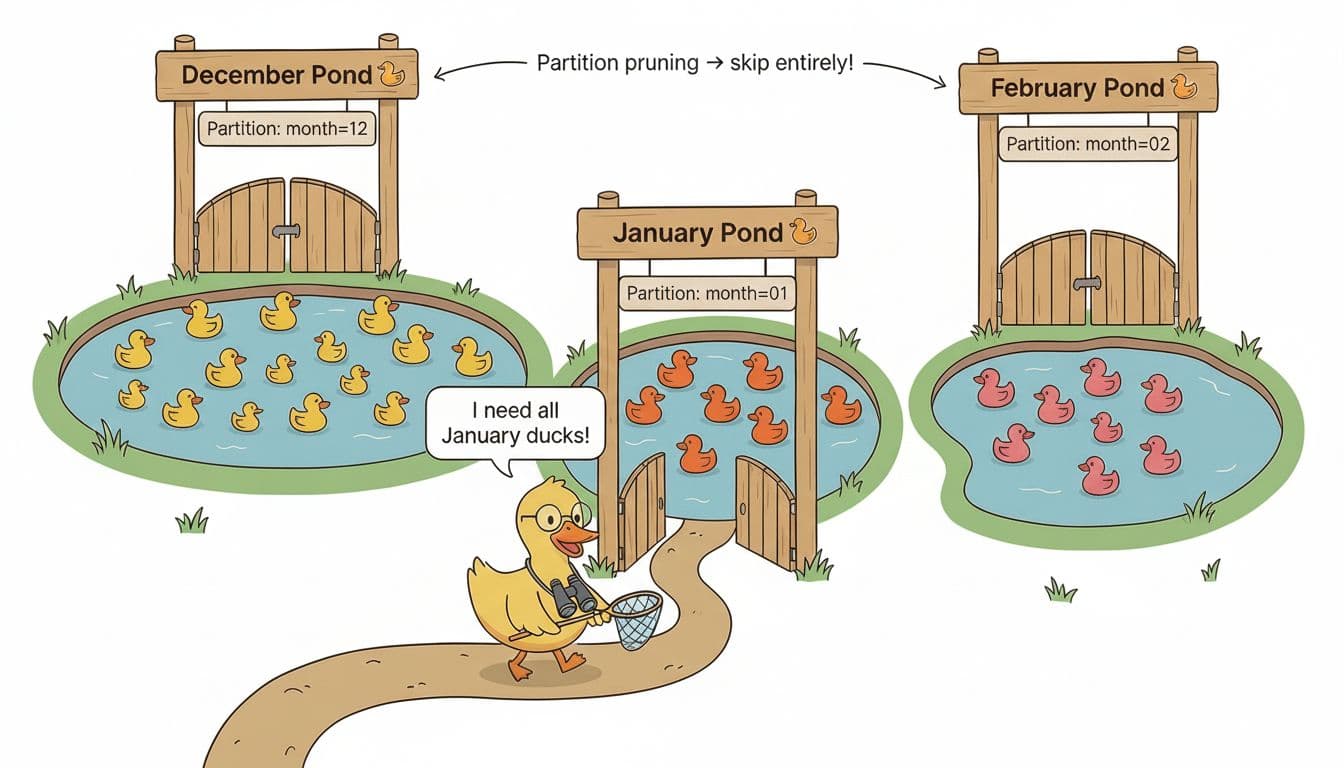
DuckDB works differently. Data is stored in row groups. These are chunks of roughly 122,000 rows each. Just like in a Parquet file, there are many row groups that don't necessarily align with your time boundaries. January data might be spread across dozens of row groups, mixed in with December and February data. Not every day has the same number of rows either. This might seem slower than partitions at first, but don't forget that the downside of partitions is that not all of them are equal in size. With many small partitions you end up slowing down, especially when you also have to traverse through folders on your filesystem for each partition.
DuckDB uses zone maps to filter row groups. Zone maps are metadata that tracks the min/max values in each group. If a row group's max date is December 31st, the engine skips it when you ask for January. But this isn't the same as partition pruning. You're still potentially scanning row groups that contain a mix of dates.
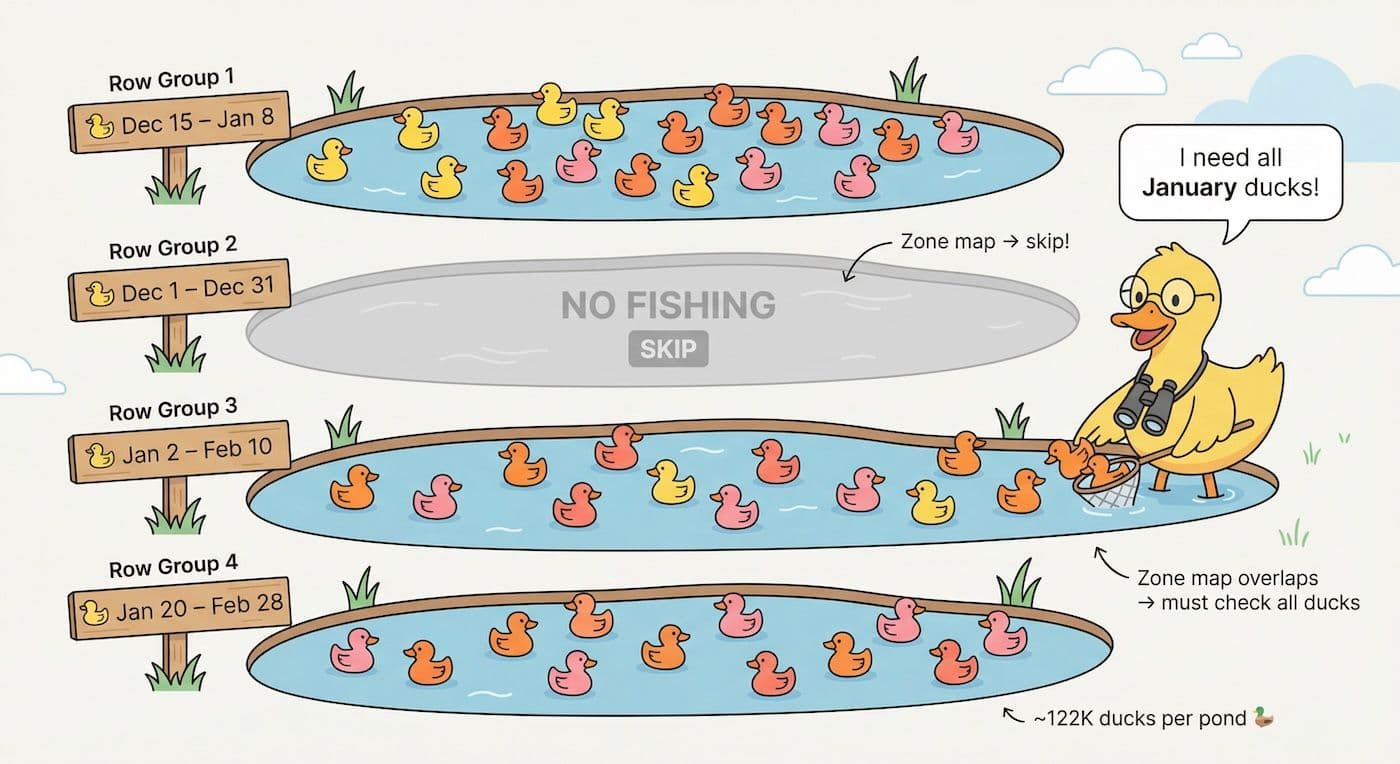
This also affects parallelization. DuckDB can process different row groups in parallel, but you can't have simultaneous writes to the same row group. When your batches don't align with row groups, you lose some of the parallelization benefits.
The exception: If your data lives in physically partitioned storage like Parquet files in S3 organized by date, or in a DuckLake, then microbatching can leverage true partition pruning. This is where microbatching shines bright like a diamond.
Comparing dbt Incremental Strategies: Full Refresh, Merge, Delete+Insert, and Microbatch
Different incremental strategies have different use cases. Before diving in, two things apply to all of them:
- Multi-threading is almost always better. The difference between single-threaded and multi-threaded execution is often larger than the difference between strategies.
- Optimize RAM for your data. More isn't always better. DuckDB is good at spilling to disk, but there's a sweet spot.
If you want to test this yourself, I put together a benchmark project specifically for dbt using ClickBench data: dbt-duckdb-clickbench.
Full Refresh
Drop the table. Rebuild from scratch. Simple and reliable.
Copy code
DROP TABLE target;
CREATE TABLE target AS SELECT * FROM source;
This is often the fastest option in DuckDB for a single run. The engine is optimized for bulk operations, and there's no overhead from checking what already exists.
| threads | RAM | runtime |
|---|---|---|
| 8 | 8GB | 28s |
| 3 | 8GB | 31s |
| 1 | 16GB | 146s |
| 1 | 8GB | 148s |
The problem: you rebuild everything, every time. Fine for small tables. Not fine when your table is 4TB and only yesterday's data changed.

Append
Insert new rows. No deduplication, no lookups.
Copy code
INSERT INTO target SELECT * FROM source WHERE ...;
Fast because there's nothing to check. But run it twice and you get duplicates. Good for immutable event streams where deduplication happens downstream.
Merge (Upsert)
Match on a unique key. Update existing rows, insert new ones.
Copy code
MERGE INTO target USING source
ON target.id = source.id
WHEN MATCHED THEN UPDATE SET ...
WHEN NOT MATCHED THEN INSERT ...;
Requires DuckDB >= 1.4.0. Good for dimension tables—things like user attributes where you're updating properties of known entities.
Delete+Insert
Delete matching rows, then insert fresh data.
Copy code
DELETE FROM target WHERE date_partition = '2024-01-15';
INSERT INTO target SELECT * FROM source WHERE date_partition = '2024-01-15';
Simpler than merge. Often faster for bulk updates because you're not doing row-by-row matching. The delete requires a lookup, but you can narrow it down with a WHERE clause.
Note: deleted rows aren't physically removed until you run CHECKPOINT. Only then is the actual space on disk reclaimed.
| threads | RAM | runtime |
|---|---|---|
| 3 | 8GB | 79s |
| 8 | 8GB | 91s |
| 1 | 16GB | 264s |
| 1 | 8GB | 292s |
Microbatch
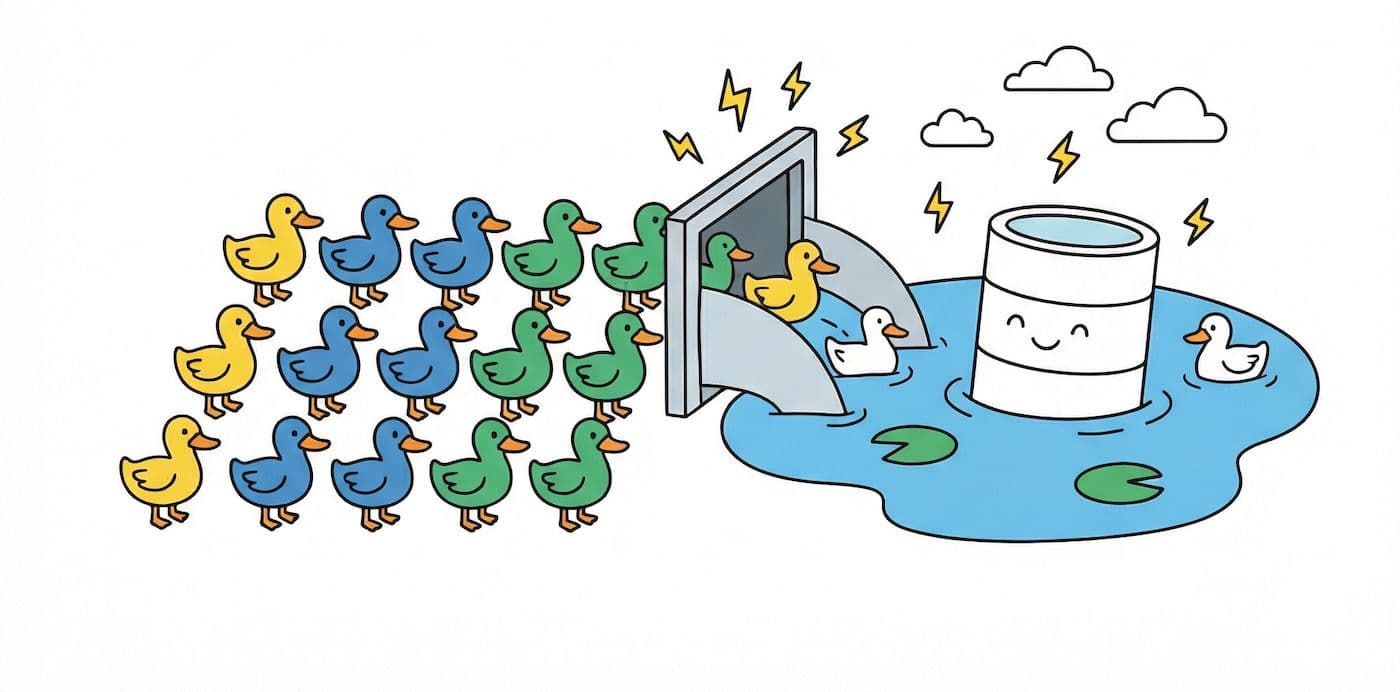
Delete+insert, but scoped to time windows. Each batch is independent.
Copy code
-- For each batch:
DELETE FROM target
WHERE event_time >= '2024-01-15' AND event_time < '2024-01-16';
INSERT INTO target
SELECT * FROM source
WHERE event_time >= '2024-01-15' AND event_time < '2024-01-16';
No unique key. This is purely time-based. If you need key-based upserts, use merge instead.
| threads | RAM | runtime |
|---|---|---|
| 8 | 8GB | 71s |
| 3 | 8GB | 73s |
| 1 | 8GB | 204s |
The batches can run in parallel, and each batch operates on a smaller slice of data. You trade some overhead for the ability to reprocess specific time ranges without touching the rest.
How to Configure Microbatch in dbt-duckdb
Here's how to configure a microbatch model in dbt-duckdb:
Copy code
models:
- name: events_enriched
config:
materialized: incremental
incremental_strategy: microbatch
event_time: created_at
begin: '2024-01-01'
batch_size: day
Required settings:
event_time: The timestamp column used for batchingbegin: Start date for batch generationbatch_size: Granularity—hour,day,month, oryear
When you run dbt run, it generates batches from begin to now. Each batch gets its own delete+insert cycle scoped to that time window.
How It Works Under the Hood
- dbt calculates batch boundaries based on
begin,batch_size, and current time - For each batch, it sets
event_time_startandevent_time_endin the context - The macro generates a DELETE for that window, then an INSERT for that window
- With multiple threads, batches execute in parallel—each batch gets its own temp table to avoid collisions
Source Configuration
Important: set event_time on your source too. This tells dbt which data to include in each batch.
Copy code
sources:
- name: raw
tables:
- name: events
config:
event_time: created_at
Running Specific Batches
You can reprocess specific time ranges without touching the rest:
Copy code
dbt run --select events_enriched --event-time-start 2024-06-01 --event-time-end 2024-06-30
This only processes June—leaving the rest of your table untouched.
Common Pitfalls: dbt Microbatch with DuckDB
We learned a few things the hard way during implementation.
Type Casting Causes Full Table Scans
Our first implementation cast batch boundaries to timestamp:
Copy code
WHERE event_time >= '2024-01-15'::timestamp
This caused DuckDB to scan the entire table instead of using zone maps for filtering. The query planner couldn't push down the predicate efficiently when types needed conversion.
The fix: don't cast. Let DuckDB infer the type from the literal. If your event_time column is a DATE, comparing to a date string works fine. If it's a TIMESTAMP, same thing.
Row Groups Don't Align With Batches
Even with microbatching, you won't get true partition pruning in DuckDB. Your daily batches don't map to physical storage boundaries. Zone maps help, but you're still potentially touching row groups that contain data from multiple days.
This is different from BigQuery or Spark where partition pruning means entire files are skipped.
Temp Table Collision
Early in development, our temp tables were named based on the model only. With parallel batch execution, multiple batches tried to use the same temp table. Not good.
Simple fix: include the batch timestamp in the temp table identifier. Each batch gets its own workspace.
UTC All The Way
dbt converts all times to UTC before generating batches. Don't fight it. Use UTC in your event_time columns, or at least be aware that batch boundaries are calculated in UTC regardless of your source data's timezone.
Choosing the Right dbt Incremental Strategy
| Strategy | When to Use |
|---|---|
| Full refresh | Small tables where rebuilds are fast; need guaranteed consistency; incremental logic would be more complex than it's worth |
| Merge | You have a unique key; need to update existing rows in place; dimension tables, slowly changing data |
| Delete+insert | Replacing chunks of data, not individual rows; simpler logic than merge for your use case |
| Microbatch | Time-series or event-based data; need to backfill or reprocess specific time ranges; want parallel batch processing; recovery from partial failures matters; physically partitioned sources (S3, DuckLake) |
Don't use microbatch when you need key-based upserts (use merge), your data isn't time-based, or you're optimizing purely for single-run wall clock time.
Conclusion: Why Microbatch Matters for Production dbt Pipelines
Microbatch isn't the fastest strategy in our benchmarks. Full table rebuilds often win on wall clock time for a single run.
But performance over the lifecycle of a data product includes more than execution time. It includes recovery time when something fails. It includes the ability to backfill without rebuilding everything. It includes operational simplicity when someone finds a bug in three-month-old data.
We deliberately implemented microbatch as delete+insert rather than merge because that's what makes sense for time-series data. You're replacing windows of time, not updating individual records by key.
The implementation is available on dbt-duckdb master now and will be included in the next release. To try it today:
Copy code
uv add "dbt-duckdb @ git+https://github.com/duckdb/dbt-duckdb"
Resources
- Microbatch PR #681 on GitHub — The original implementation
- dbt-duckdb-clickbench — Benchmark repo to test strategies yourself
- dbt Microbatch Documentation — Official dbt docs on microbatching
- DuckDB Incremental Models — MotherDuck documentation on dbt integration
Start using MotherDuck now!