TL;DR: This hands-on workshop walks through building a serverless lakehouse using DuckLake—an open-source table format that eliminates Java dependencies and exposes all metadata through SQL for easy inspection, time travel, and maintenance operations.
What is DuckLake?
DuckLake is an open table format built for DuckDB that combines the catalog and metadata store into a single component. Key benefits:
- No Java required: Pure SQL interface for all operations
- Flexible metadata storage: Supports PostgreSQL, MySQL, DuckDB, or SQLite as the catalog backend
- Full SQL access to metadata: Query snapshots, file information, and table history directly
- Built-in time travel: Every operation creates a snapshot for historical access
Getting Started: Creating a DuckLake
Copy code
-- Attach a DuckLake with DuckDB as the metadata store
ATTACH 'ducklake:lake.db' AS lake;
-- Set the data path for parquet files
SET ducklake_data_path = 'data/lake';
Adding Data: Two Approaches
1. Metadata-Only Registration (add_files)
Copy code
-- Register existing parquet files without copying
CALL add_data_files('lake.orders_raw', 'tpch/orders/*.parquet');
This is instant—it just records the file locations in metadata.
2. Insert Operations
Copy code
-- Create a partitioned table
CREATE TABLE lake.orders (...);
ALTER TABLE lake.orders SET PARTITION BY (year);
-- Insert with partition columns
INSERT INTO lake.orders
SELECT *, YEAR(order_date) as year FROM lake.orders_raw;
Inserts physically write new parquet files into the lake's data path.
Time Travel and Snapshots
Every operation creates a new snapshot:
Copy code
-- View all snapshots
SELECT * FROM lake.ducklake_snapshots();
-- Query historical data
SELECT COUNT(*) FROM lake.orders AT VERSION 4;
-- Compare versions
SELECT * FROM lake.ducklake_table_changes('orders', 5, 6);
Pro tip: Wrap multiple operations in a transaction to create a single snapshot:
Copy code
BEGIN TRANSACTION;
-- multiple inserts/updates
COMMIT;
File Compaction and Maintenance
Small files accumulate from incremental inserts. DuckLake provides maintenance operations:
Copy code
-- Merge small files together
CALL merge_adjacent_files('lake.line_item');
-- Mark old snapshots for deletion (keep only recent)
CALL expire_snapshots('lake', INTERVAL '1 day');
-- Delete unreferenced files
CALL cleanup_old_files('lake');
-- Remove files not tracked in metadata
CALL vacuum_orphan_files('lake');
-- Or run everything at once
CALL checkpoint('lake');
Inspecting Metadata
All metadata is queryable via SQL:
Copy code
-- File information
SELECT path, record_count, file_size_bytes
FROM lake.ducklake_table_files('orders');
-- Table partitions
SELECT * FROM lake.ducklake_table_partitions('line_item');
DuckLake with MotherDuck
Copy code
-- Create a MotherDuck-managed DuckLake (uses managed S3)
CREATE DATABASE my_lake TYPE ducklake;
-- Or use your own S3 bucket
CREATE DATABASE my_lake TYPE ducklake
DATA_PATH 's3://my-bucket/lake';
When to Choose DuckLake vs Iceberg
| Consideration | DuckLake | Iceberg |
|---|---|---|
| Setup complexity | Simple (SQL only) | More complex (Java ecosystem) |
| Scale | Terabytes | Petabytes |
| Metadata inspection | Native SQL queries | Requires separate tools |
| Ecosystem maturity | Newer (approaching 1.0) | Battle-tested |
What's Coming
- DuckLake 1.0: February 2025
- Spark connector: Write to DuckLake from Spark
- Optimize operations: Intelligent file rewriting based on sort order and zone maps
- Inline storage: Small writes stay in the relational catalog until flushed
Transcript
0:01Hi everyone. Good morning, good afternoon, good evening wherever you're at. Thanks for joining our I guess it's not even a webinar today. Today it's a a workshop. It'll be you can follow along hands-on keyboard. Today we'll be building a serverless lakehouse with Duck Lake. My name is Gerald. I'm on the marketing team here at Motherduck and I'm joined by Jacob Matson.
0:24 >> Hello. >> Couple of housekeeping items. So yes, we we'll be recording this uh and sending out the recording uh so you can go back and watch it over again. Uh when we get to the beginning of the workshop part, I'll post a link to um the GitHub repo that you can so you can follow along with it. Um and yeah, I mean I'd also
0:42just love to hear from you guys. Uh maybe uh love to hear you guys' experience so far. Are you guys using Open Table formats? Are using Iceberg, Delta Lake? Have you tried out Duck Lake? uh go ahead and post in the chat uh you know what you've worked with so far if anything or what you're you know
0:57uh what you're looking forward to working with if you haven't tried anything yet. So um and uh with that I'm
1:05just going to give a quick overview of uh Motherduck if you haven't heard what Motherduck is. Uh Motherduck is a cloud data warehouse uh built on top of DuckDB using DuctTb as the query engine. Um, and we're kind of rethinking the way the data warehouses work for really just like pretty much all data. And we used to say small data, but now it's not
1:26really small data anymore. Pretty much, you know, most any most anyone's data data sets can fit on on a single node as whether it's locally on your laptop or sometimes uh, you know, on these beefy nodes in in the cloud. Uh, and so with that, you know, we can kind of eliminate distributed uh overhead and the complexity that comes with that. uh we
1:44can really just make it uh fast to get going to ask questions of your data to get answers back from your data. Um and like I said, we're you know we we built uh built on top of duct DB which is an open- source OLAP database making the most use of kind of the modern infrastructure as well that's out there
2:02in terms of being able to use you know all of the cores for these big beefy machines in the cloud. Um with that you know we have you know a few kind of architectural differences that kind of set us apart from the the other data warehouses that are out there. Uh you know the first one is just that we're
2:18really you know fully serless. Uh we uh because it's really duct DB uh on the on the back end it can spin up and down really quickly. Uh you know sub 100 millisecond cold start response. uh you're only paying for really kind of when you're when you're using the server when you're running a query and not not
2:36for anything else. Uh similarly um you know you can kind of scale to uh you know scale up on a single machine get larger machines or you can scale out and have as many nodes as you need uh instead of you know in our case instead of scaling a single query across mult multiple nodes what we do is we give
2:52multiple users or service accounts uh their own node to work on. So that way they're not running into you know resource contention um noisy neighbor problems. Uh you can you know if you want you can give your boss a big beefy node so he doesn't have to worry about uh you know running out of resources and you can give you know maybe someone else
3:09who doesn't need a whole lot of resources a smaller node uh and kind of mitigate costs that way as well. Uh and lastly we have what we call a dual uh execution query engine which allows you to run ductb queries locally on your own machine if you want or query the cloud or even query both at the same time. So
3:29you can pull data from your from your local laptop or um something something locally uh and then join that with data that's in the cloud and our adaptive query plan planners will write the most optimal query plan based off of where the data lives. So >> awesome. Looks like Daniel says he's been you know used a little bit of uh
3:49delta data bricks um you know but it can be you know expensive which is definitely what what we've found. Um, you I'd love to hear, you know, has anybody else here, you know, uh, you know, you guys using iceberg. Has anyone else here tried out Duck Lake? I'd love to hear, um, you know, your experiences so far. We'll also have, you know, a
4:07little bit of time at the end for after the workshop for, uh, a little bit of a Q&A for you to ask some questions, uh, you know, about about Duck Lake. So, uh, keep, you know, posting here in the chat if you you want to share kind of your experiences with open table format so far. And then with that, let me hop into
4:23now. We're we're kind of done with the mother duck pitch and now it's time for for the workshop. So, let me paste in here. I think I still have it saved. Uh here's a link to um the GitHub repo that Jacob will be working through. Um so, if you want to, you can follow along. Uh now, we can do do it afterwards as you
4:41watch the recording. Uh and with that, let me hand it over to Jacob. Let me get this slide off here and then Are you ready to share your screen, Jacob?
4:49 >> Oh, I'm ready. Put it up. Let's go. All right. Um, thanks Joel for the intro.
4:54Um, uh, so everything I'm going to be demoing today is open source.clake. Um, and so go ahead and, uh, you can follow along in the repo. Um, you will need a postgress server running locally. And I'm using Python, a little bit of Python, using UV for my uh, package management and to run my Python scripts.
5:16Um, we won't really be doing actually a lot of that. It's all going to be SQL, which is some of the magic of Duck Lake, right? No Java. Um, duck leg means no Java, which is very makes me very happy, uh, as someone who, um, has only experienced pain when using Java. Um, it's not my primary language. So, um,
5:37let's hop in here. So, the first thing I'm going to do in my terminal is I'm just going to first thing I'm going to do is start is start my ductb UI. And so, that's going to open it, of course, in the wrong tab, which I'm going [laughter] to bring over here. There we go. Okay, great. Um, so you can see I
5:54have a notebook here. Uh, and then I have some make files set up. Again, you'll see these in the readme. Uh, it's not super important what we're doing right now, but I'm just going to show you what it's going to do. Make tpch.
6:04And so, what you'll see is data is going to flow into the bottom here. Now, why I like having um uh this finder view open here is so that we can just um kind of see what operations are actually happening on the table as we do this, right? Or or on the kind of the backend metadata management
6:24here. Um one of the really cool things about uh Ducklake is it exposes all this metadata to us so that we can do some pretty neat things. Um and again all SQL
6:37which is really cool. So first thing I've done here is I've created some data and so this is using the this uh TPCH
6:46um this is using the TPCH uh data set uh
6:51and we're just generating uh line items and orders. We're just again these are just like decent kind of decent reasonably large size data sets that we can use to show off what this looks like kind of in a very nice local manner where we're not waiting around for a bunch of stuff. So we have our line item
7:08table. We've got 100 parts to it and we have the same which is our orders table and 100 parts of parkquet. Okay, let's get started with Duck Lake. So uh here the first thing we're going to do is this.
7:21Um so uh you know what this doesn't even need Postgress. We are using a duct DB database now that I'm looking at this with fresh eyes this morning after doing some runs last night. Um so we are defining our ducklake [clears throat] as this uh this duct DB file and then we're calling it lake and then we're
7:42setting our data path. So, if I go back here, you'll see that this is uh there's nothing in here yet, but the data path, we will see a lake folder kind of come up in here as we actually start writing data into our lake. Um, I'm going to set a few options here that just make the experience a little bit better. The
7:57first one is per thread output. Uh, the next one is we're going to set the procession to Z standard. Uh, there is by default it's snappy. For those of you who are paret enjoyers, you know that already. Uh, I'm setting it there. And I'm also going to use parket version two just a little bit faster. Um we want the
8:14we want the good experience, right? Okay. So we've got some data. Let's create some tables. I'm just going to define it. So you'll see I'm creating this table called orders raw. This is all SQL, right? Um so we ran it there.
8:27Uh and then we can add some files. So the first thing here is this add data files function, right? And so we pass our object into it. We pass uh the table we want to the table we want to use inside that lake and then we say here's the folder right and we just use star.park and so it'll put them all in
8:45here. Now all this does is basically it's a metadata only operation. It just says hey these files in this folder here this orders folder these are uh now part of our lake. Okay. And so then when we do a select count from this object we can see that we've got our is this 1.5 million? know 15 million rows um in the
9:07data set. So um that's really cool, right? So this this was a 100 millisecond operation to bring 15 million rows into our into our data set here or into our into our uh duck lake.
9:22Okay, so we have our raw table which is great. Um let's create a uh orders
9:28table. So I've just done that again all SQL. Um and I've also set a partition.
9:33So we've defined our table and then we've set the partition. Those are indeed separate operations. Um one thing that's really really interesting about ducklake is that um and this probably makes sense for those of you who have used um open table formats before is when we make these types of changes to our the structure of our table, they
9:49only apply on a forwardgoing basis, right? Um so when you make a change like a adding a partition to a table you have to uh either do a maintenance operation for that partition to be enforced or um
10:05or it will not be. So that that kind of makes sense I think like it's not uh there's not a like um a vacuuming operation or an optimize opt um uh operation happening in the background obviously like that happens in data bricks for example or you can schedule optimize on certain tables um okay so let's do our insert so uh I'm
10:26gonna I have my insert here uh I'm adding some columns for year month and day to it when we do our insert so this is just going to take the data that's in our orders uh or sorry that's in our orders raw table and put it into the orders the orders table and so we'll just do this
10:42um and you so you see what happened when I hit enter is this lake folder was now populated okay so let's see what's actually in here okay and so here we can see that we have
10:56um partitions and so then we've got you know probably for each yeah that's interesting so for each um We get one file here. In this case, the file optimal file size for ducklake is about 500 megabytes. So these are below that.
11:11So just creating one file in each. Now again because we did an insert from one table to another, all the data in this underlying um orders table is unaffected, right? So we've not done anything with this data that we registered up above with our add files
11:27to the lake function. So this data is still hanging out kind of in the TPCH um underlying folder, which is cool.
11:35 >> [sighs] >> Um, all right. So, we've done an insert. Let's just double check that all of these match each other. And you can see that it runs and it's super fast. 15 million for each of these different table types. Um, again, this is what's really cool about this. This is a metadata only operation, right? So, all
11:52of this metadata is actually in our metadata database, which you can see here on the left. Um, we're going to look into some of those tables um a little bit more in a minute, but you can kind of see here's what we have. This is just information about the files kind of in a tabular format.
12:08Um, okay. So, let's start looking at the actual metadata. So, here's a list of those tables, right? I'm just using the information schema, but you can also do it by just querying over here, which is great. Um, and then we can like get information about our files by querying it as well, right? So I can see this information
12:30like my orders table is made up of these this set of paths with this many records in each file and then um you know four four to five megabyte size um files kind of in each in each partition right um so that is really cool that's the kind of information we have in here um let's see the snapshots right so every time we do
12:55an operation In Duck Lake, a snapshot is created in the background, right? Um, and this lets us uh this unlocks, you know, things like time travel and checking differences between um historical uh table changes. Also tracks like schema evolution. So, as those things change, we have a record of all of these um events.
13:18So, um let's just see what we have in here. So we can see if we look at snapshot 4, that's actually before I inserted data into the lake orders table. So we can see that it has zero rows in it, right?
13:29Count star from row at version 4. Um that has zero rows and the current table has 15 million rows, right? So right off the bat, we have time travel um available to us as part of what's happening um in this uh in our duck
13:46lake. So now let's double the amount of rows in the table. Right? So, we're just saying take whatever's in this table and insert it into lake orders. Um, cool.
13:56So, we did that. So, we should in theory have 30 million rows. Now, let's take a look. We'll see. Ah, we have another snapshot. So, we went from five snapshots. If I go up a little bit, we can see we had five snapshots, right? And we can see that we now have six snapshots. So, when I did that
14:12insert, a new snapshot was added. Right? Now, one thing that's really cool about ducklake I'm not that I'm not doing in this uh workshop today is um uh
14:25we can do multiple table transactions in a single commit. I'm not using explicit transactions here, but you could do like begin, you know, begin transaction, do a bunch of work on a bunch of different tables, commit, and then it would put that all onto one snapshot, right? So if you're doing like if you're updating a bunch of rows in in a bunch of different
14:43tables or maybe doing like a big schema migration you can wrap that into a single snapshot. Uh and if you need to obviously you can roll it back. Um all that type of stuff is possible.
14:54Um okay so one thing that I love as somebody who uh came from a accounting background is uh we also get ledgers available for free. So we can look at the differences between um our version.
15:11So you can see that we have uh
15:16version five to six that I'm going to check some differences on. You'll see that I'm actually using variables in um
15:24uh here in uh uh duct DB so that I can kind of pass these between SQL statements. So you can see I have a git variable for from version and to version and I'm setting a variable for order so that I can you know dynamically potentially use these things um when I want to. Um so very very cool there. So I can see now I'm
15:46setting these setting these variables right as a single value. You can also use tables in your variables if you so desire. Um cool. So again we're just interrogating this information. We're looking at our snapshot table. We just want to see what the difference is between them. We can see here's snapshot five which is at 10:12 and we can see snapshot 6 here at
16:0810:15. Um let's just like take the snapshots of the data using temp tables and then we can actually diff them. Right? So once we have these two tables, right? So it only returns it runs both queries but then only returns the second results results for the last query. um to my view here. Um and then uh we can do some difference
16:35checking. So here we're looking at our from and two snapshot data tables which we created as temp tables right here in our local duct DB, right? Those are not those are just part of duct DB. They're not part of my duck lake. They're just temp tables. Um this lets me just do a little bit of math. It's not that
16:51interesting unless you are an accountant like me. Um and you can see um our
16:58version count here where we we can see the first version was 15 million then we went to 30 million and there were 15 million uh insertions and we can see if we add these two together we get to 30 million which is amazing. So we have a match right? So these are in sync here.
17:13Um I'm going to pause for a second because I see a really interesting question in the chat. Gerald you want to highlight that question.
17:20All right, Jason asks, "What would happen if you added new file directly in TPCH orders?" That's a great question.
17:27Nothing would happen, right? Um those once we've since we've registered um a specific list of files in our call function, um only those files are added to the duck lake. There's no um
17:43everything that happens in the duck lake are things we're going to make happen to it, right? Um uh so that is definitely
17:51an interesting um uh question. Uh so you
17:56would have to explicitly add those uh if you're going to add files you'd need like to a folder you'd already used call um call add files you'd need to uh explicitly add it. But it's again you can it's just to add it to an existing table. You could indeed do let me go up to my inserts.
18:16You can do an insert from parquet for example and it would put it right on the end of the table. So like right here. So when I do this insert into lake if I did like an insert into this orders table or even the orders raw table like raw orders table um those files would then show up in the folders in my data lake
18:32right if it's an insert a specific insert um this call the call ad file is
18:38um uh um uh a metadata only operation. Okay. Uh, I see some follow-up questions on here. Um, uh, let's see. Uh, can you highlight the question? Yeah, thank you, Gerald. Um, what happens to you ad files that already get added? They get added twice.
19:00That's what happens. Uh, there is no dupe checking or primary key enforcement or whatever on ad files. So, it is up to you to make sure that you uh maintain maintain that uh list. Um, again,
19:17typically it's kind of used in like a one-time uh onetime operation and which I and it will make more sense kind of once we're in uh once I show you some of the maintenance operations, it will make more sense why it behaves this way actually is what I would say. Um, you know, but getting dupes in your duck
19:32duck lake in general or in your data lake is probably something that I would expect. um they are not generally designed to enforce keys, primary keys and they are designed to handle loads of data from unreliable endpoints. So um yes you may get duplicates and it is fairly fast to ddup them but uh totally totally understand that you know across
19:56billions or trillions of rows dduplication is a very expensive operation. Um, that's actually why I showed partitions at the beginning too because we probably want to think about all that stuff um together, but really really good call out. Um, yeah. Uh, yeah. No, the metadata store would not exclude them. Um, again, I think there's probably some actually
20:17good good conversation about this. There might be modifications to the function to like check for file name uniqueness uh in the Ducklake um uh in the Ducklake open source repo.
20:29Definitely worth checking. I know it's been talked about before. We you know this is not the first time I've heard of uh this this question. Um yeah, you want
20:39to go to the next one? Okay, great. Uh use copy. Copy is fine. This all works.
20:44Everything you know uh because it's SQL and it's very kind of uh Postgress based. Um all those all work. Uh
20:54that is you know one of the advantages of SQL. It's also one of the disadvantages right? Lots of different paths to uh get there. Okay, let's keep
21:03rolling here. Back down here. A little diversion. It's very fun. Um, good questions by the way. Uh, you ask at any time if they're relevant to what we're talking about. Um, we will pick it up uh as we come and then we'll come we can uh we'll we'll do some questions uh at the end. Um, I see
21:23the question about uh will copy generate new files? Yes. Yes, of course. And again, add files. Will it reuse the files you already have? Also, yes. Um, so, uh, how I would think about it is,
21:41uh, I don't know, like at a previous company, we did not use ducklike obviously did not exist yet. We, you know, we kept a, you know, two process folder and a 2B proc, you know, and then, you know, processed folder. So, you we that would and we'd move between them. Again, this will make more sense once I go into the maintenance
21:59operation. Um, which in the maintenance operation, it will actually physically rewrite the files into our duck lake, so they're no longer in the the underlying folder, right? Um, so that is a different operation. Obviously, if you're using iceberg already, there's iceberg import functions which behave a little bit differently. Um, let's see.
22:18Can you pull up that question for Brian? Um, uh, is there an open PR? So, um I think
22:27that the next version of Duck Lake will ship with that feature. I am fairly certain. Um I think it technically works today. It's just there's no optimizations on like the geometry column types and so they can be a little bit um too uh they take up a little too much space I think. But there will be I expect
22:49there to be more. Um Oh, perfect Gerald. Thank you.
22:57Um, okay, Ben, we're going to hold that question. Let's get let's get through a little bit more here and then we will circle back on that because I have an exact demo on that um that we'll pull up when we get there. Okay, got to keep scrolling down. Okay, we looked at our ledger. Okay, I have a
23:14truncate table. Sure, I don't need to do that. All right, let's go to my line item. So, this one is in is a little bit more interesting. Um, this line item table. Uh that's because it's much more rows. So again, we have our ducklike attached already. We don't need to do this again. Um but we can why not? It's
23:31already attached. So attach it again. Great. We'll create the table. And then again, I'm setting my partition on year, right? So the table's created. You'll see there's no folder in here with line item yet. Um and then uh let's just take a look at our data. So again, here is just a read parquet query. That's a count. So, we
23:50can see we've got 59 million rows in there and none in our lake yet, right?
23:55Um, all right, let's do an insert. So, these are I'm intentionally doing this as atomic inserts. So, we're going to run this. This is actually going to take a little bit uh a minute to do. So, um, it's going to run here, but we'll see if we open our line item table, we'll see that it is splitting our files
24:15and it's adding more of them into each partition because these underlying files, these um, are not partitioned already. So, it's reading each file and then splitting it up into one of what is this seven different partitions it could possibly be in. So what's happening here is uh these files are indeed below the size limit but each uh each operation is
24:35designed to be um uh kind of discreet from each other right so uh everything that you do or that that I'm showing you here if you run it if you go to that repo and you run uh run the make commands for each of these steps um you'll get the exact same results that I get right there is no
24:56intelligence that says oh like automatically merge these files. Um uh but we will get to why that is in a little bit. Okay. So you can see here's my very excellent um SQL loop. There are no store procedures in um uh duct DB yet. Who knows maybe in the future. Um so we are uh unrolling a loop. Um so
25:16we've inserted bunch of data here. Yes, we will get to compaction indeed. Um okay. So now we can run this and we can see again uh now we have matching data sets. Amazing, right? Um okay. So
25:32let's take a look at this. I'm just going to throw a view into our duck lake or a view, excuse me, that just shows us what information is in our metadata tables about this info. So let's run it.
25:45Okay, great. So we can see for each year because we had a 100 files and our dates were randomly between each file we ended up with 100 uh 100 files in each partition right so the partitions are around you know um uh 150 to 200 megabytes but um uh they are a bunch of files these are not
26:10great right we got a bunch of small files hanging out now um we don't really love we don't really love that. So, what do we do in those scenarios? Well, now let's take a look at maintenance. Let's start here.
26:24Okay. So, again, I'm just going to throw this throw some stats into a temp table so we can take a look at it. Um, okay.
26:31We've got 960 files. They are an average file size. This is actually megabytes. Anyways,
26:42what is it doing? Okay, whatever. Doesn't matter. Wrong size. I think this is the wrong size, but um yeah, we've got 27 or 20 2.7 gigs and the average
26:52file size, let me just fix this MB, is 2.8 megabytes per file. That's not great for my lake, right? Um uh John, let's Can you throw John's questions up up here? Great. Did that insert loop create hundreds of new snapshot versions run for each insert?
27:13Yes. Uh if we wanted to avoid that, we could create a snapshot, right? And then
27:20uh or sorry, not create snapshot, uh begin a transaction, do the inserts, and then commit, and it would show one uh one snapshot.
27:28Um we'll we'll actually get there um in a minute as we start to look at this information. Okay, so now I'm just surveying what data is in my metadata store for each of these. You can see orders raw is 100, orders is 160. Um,
27:43and that's because we inserted the data twi. We we we did a uh we inserted it twice. If you recall, we did a insert of 15 million rows and we just duplicated it to show an increment in the snapshot.
27:54[sighs] Um, okay. So, here's what we got. Here's our kind of current state. So, the first thing I'm going to do is, uh, I'm going to turn off this flag called per thread output. Um, and I'm going to merge my
28:10adjacent files. Right? So, what's happening here is it is writing new files for uh for files that are together
28:19um with each other. Now, when it does this when it does this compaction um uh so we can see here I still have a
28:28okay what? Okay, I clicked on the wrong wrong one. Anyways, we can see we have a bunch of files in here and then I should at the very end have one big file.
28:38There it is. Okay. So, what's happened here is um it merged those adjacent
28:46files as a brand new file. Right? So, the deletes the delete operation is a separate operation than the merge operation. Right? So we because we may want to keep those files around for a long time uh for time travel reasons etc. Right? So it's just going to create a new file um um and then we keep the
29:06old ones around too. So now let's look at our snapshots. Um if you want to pull up John's question just so we can put this in context. You'll see that um here's some of the recent uh data that I was messing with. Here's I think this is going to be my merge adjacent files for line items and orders are these two
29:25snapshots. And then you can see here's our here's our inserts in a loop to our line item table. Right. So each one of those created a new snapshot. Yeah.
29:34Yeah. Yeah. Um really cool. Okay. So I'm going to set a variable and I'm just going to say you probably would never do this in practice. I mean maybe you would, but I'm going to do it. Um and I'm going to expire old snapshots. Okay. So, I'm just going to run this. And so, all of these snapshots, these 110 rows, right?
29:55Because we had 111 uh are getting expired. Oh, it's one indexed or zero indexed. That's super fun. Um there you go. Zero index. So, we have one snapshot left, which makes sense. Um
30:11uh now all this does is mark that these snapshots can be deleted. We are not actually deleting the files. So you'll see all these little files are still in here. They're not deleted yet because all we've done is said, "Hey, there's a bunch of old snapshots in here. We want to delete everything that's older than, you know, this difference here, right?"
30:30Um, and again, we can learn learn information about them, all these other things. Very cool. Okay, so let's take a look at our snapshots. We will see only our last snapshot remains.
30:43Um, which makes sense to me. Um okay. So
30:48this operation this clean up old files this is the operation that is going to um uh remove any files that are not
30:58needed now. So this is going to delete those files right um in here. This is our line item partitions. It's also going to clean up these order tables. These files that were added to our lake. These files now also exist in orders raw because we compacted them together into two different uh into two files um of about
31:22200 looks like the file size max for this one was about 270 megs for whatever reason. So that compaction took all of these files that were outside of our kind of governed space and made a copy of them into our duck lake. Right? That is a key thing to understand that add files basically says I'm going to mark
31:40all of these files as now managed by my ducklake. So when we were asking earlier I was like well what does it you know uh when I do this add files like does it add the files twice and it's like both yes and no because what we will do when we do this clean up old files is you
31:56will see this t this tpch orders folder is going to get the data is going to get deleted. So let's run it. Okay. Um
32:05great. So you can see our orders table is now this orders um kind of source
32:11data no longer exists here and it now exists in the only these two parquet files right um and then if we go into our line item table for example we go by year we will see perfect now it's only one file um one file per year because we've just compacted all of those so we did all of
32:32our inserts kind of however we wanted to do our inserts right? We just kind of inserted data in there kind of in a way that was not super efficient. Um, and then the uh cleanup that, you know, kind of our our marking snapshots for deletion and merging adjacent files and now cleaning up those old files. Um, that all just got handled. Now, from
32:51time to time, um, you can also end up with just stuff in your data lake that like who knows how it got there. Maybe like someone added a table and then like for some reason did a metadata only operation to drop those rows. shouldn't do that, but like let's just say they did that. Um, then you have some orphan
33:08files in there. There's also an orphan orphan file um clean up. So everything that's in your it looks at the list of files that's in your governed folder, which in my case is data lake, and says, "Okay, here's a list of files in my lake. Here's all the files I know about.
33:22Let's delete all the files I don't know about." Right? Um, so that is actually a great function if you're, you know, screwing around with, uh, you know, doing a bunch of test data loading, whatever. you can end up with a bunch of old versions of things or tables that you've deleted or maybe parquet files you dropped into your S3 bucket just out
33:40of convenience. Um it'll clean it'll clean all of those up. Um, okay. So, of course, uh, one thing I'll call out is, um, in ductb, I think 0.3, they launched a function called checkpoint. And checkpoint runs all of these things, uh, in a single command, right? Um, merging files um, uh, marking them for delete uh, uh, and
34:09and then actually deleting the files and cleaning up the orphans. So everything I just showed you can also be done in a single uh operation. One thing that's really cool and that for those of you who are um at home may be wondering about like what what does it do um or we didn't talk about like optimize um so they are
34:27working in the open source ducklake right now on um something that can do an optimize type of um compaction where it
34:36doesn't just compact the files together. It also reviews what your you know uh what your keys are and the sort order etc. Maybe does some analysis and rewrites the files in a specific order.
34:47Um that is very very helpful obviously for those of you who are familiar with zone maps in parquet and duct db uh
34:54means that we can get files that have related data or data that's commonly queried together in the same file and we can prune our query querying even tighter so we look at even less and less data. Um, great. That's all I had for now. Um, it looks like we are right on time. We are happy to take questions um
35:16about Duck Lake or DuckDB or Mother Duck, any of that any of that stuff's all all available. So, um, yeah.
35:27 >> Yeah. But any questions you have, put them in the chat and we'll get to them.
35:30Uh, looks like Alex has a very long question. I think it fits all on here.
35:36here. >> Does Duck Lake Cadillac support iceberg rest protocol allow
35:44um that's such a good question. So the answer today is no. We are not uh in
35:55order to interact with Ducklake you need to have DuckDB running somewhere, right? It's an embedded process. You can put it wherever you want. So it's fairly flexible in that regard. But you're right, it's um uh not uh there there is a ductb dependency. In the future, we are actually working on the motherduck side on building a uh spark connector for
36:15ducklake, right? And so once uh once that exists, you'll be able to write into your ducklake without using duct tb at all. Um or or somehow ductb will be
36:24involved in the in the pathway there, but it would just be like a part of the the code. I'm not exactly sure how the implementation would work, but um you could you know write write spark directly into ducklake which would be which would be awesome. Um we are definitely considering and when I say we I don't really mean we I guess because
36:41I'm not part of ductb but um the ductbs folks are definitely considering what the catalog integration looks like. You know obviously one thing that's happening here in um I'm going to stop sharing.
36:55Um, one thing that's happening here from a uh ductte perspective that's different from iceberg or delta is that um the catalog is um uh
37:09the catalog and the metadata store are together right in iceberg they are not. And so that challenge um we we have to
37:18think about what the pathway is to make the cataloges inter interoperate um together. Uh anyways, so yeah, good good
37:27question. Um, you know, I think uh uh uh I think the the way that you would write into that, you could definitely write into Duck Lake and it would make catalog registration into the Duck Lake catalog, you know, in a streaming manner, but there would need to be some sort of way to sync your Ducklake catalog into whatever your kind of
37:49parent catalog like Glue or or whatever. Um, I'm not exactly sure on the details there as of yet, but I do know that like that type of stuff is being worked on.
37:58 >> Cool. >> Martine, [clears throat] >> I think um that got merged into latest and I think is available as 0.4. I don't know if we have a 0.4 release date yet.
38:10Let me just look.
38:16 >> Let's see. What does Google say? Late 2025, it says. Okay. Well, >> I mean 1.0 is February.
38:24 >> Yeah. Yeah. Okay. They've committed that. That is relatively new actually. That's an and an important call out.
38:28Thank you, Gerald, for mentioning. Um but yes, so inlinining today. Um actually we didn't talk about inlining at all. Um so we will now um this is actually very relevant if you're doing streaming. So you can set inlinining in um duck lake. What this means is that small writes writes under uh whatever the row count that you define for your
38:48inlining threshold. I think the default is 10. Um, those will stay in your relational database that is used for a catalog. Um, Ducklake supports multiple cataloges. We didn't really talk about this, but Ducklake supports U MySQL, Postgress, DuckDB, and SQLite cataloges.
39:04Um, so, uh, it can put that those rows into your Postgress or your duct DB or your MySQL as of 0.4. Um, I don't think SQLite is there yet. um and uh that will be releasing soon. And so what you do is those rows just hang out there. When you query the data, it it brings it together, those two data sets together.
39:26And then you run a flush operation. And that flush operation pushes those rows out of your relational DB and into uh
39:34into object storage or what you know, wherever you're wherever you're writing it to um as a parquet file. Really good question. Not available yet.
39:47Cool. Uh, any other questions? I got a few more minutes left. All right, D. Uh, actually, no, there's one more out of that. Xavier asked, uh, basic question. Wendy is Iceberg and Wendy is Duck Lake.
40:03 >> This is such a good question. Um, so um, I don't have any heruristics yet. What I would say is that um the setup for ducklake is much much simpler to get started and the interface is all SQL and there's much much fewer uh dependencies.
40:24So um it's much simpler to get started with. Uh, you know, I will say that like, uh, you know, iceberg was designed by default, um, I believe at Netflix, you know, in the scale of pabytes. And so, um, you know, if that's where you're at today, uh, I think I would have a hard time saying you should use Douglake
40:46immediately, you know, where it's not 1.0 yet. Um, but like certainly I think for ter we use it internally for many many terabyte sized loads. Um, it works great. Um, uh, you know, one thing that's really cool about it is because it's so easy to look at and inspect the metadata, like I was just showing you in a lot of the
41:06queries that I was using. Um, uh, we have people who, who honestly, we probably would just be like, you should just use regular duct DB. And they're just like, oh, well, I like being able to like see all this stuff and like have the have the ability to be able to like have like, you know, very very fine
41:21grain control on time travel and snapshot expiration, etc. Um and so we see people who who like to choose it there. Um but I think I think like you know the rule of thumb that I would say at the moment is like um you know uh I I
41:36would if you're generating you know hundreds of terabytes a day I think I would not I would not consider Ducklink at all. Um but I would use I would use iceberg.
41:45 >> Cool. >> Um Dave asks if the files are local to your computer how does this work with motherduck?
41:51 >> Oh super great question. Thanks. Thanks for asking, Dave. Um, did someone tell you to ask that question? This is great.
41:56We'll send you some swag, Dave. Um, so, Mother Duck, um, uh, all the commands.
42:02I'll just hop in here. Um,
42:06let me just share my screen again.
42:15Sure. This right one. Yes. Okay. So ah
42:22um let me go back just to the very top of this. Um so this is what it looks
42:28like to um actually let me just sign into mother duck. Hopefully I go into the right instance.
42:40Um okay I'll just create a new notebook. Uh, duck ducklake. Um, so we just do create database my ducklake test. Um, uh, type
42:56ducklake. Okay, so if I do this, this will create a ducklake for me. Let's just go. Let's Okay, stay in here. Um,
43:06so now I have a duck lake called my ducklake test. If I go to my browser here, you can see here's my ducklake in motherduck. So I did not define a file path. That file path go by default is a mother duck managed S3 bucket. If I define a file path or sorry a data path, I can define a S3 data path and it will
43:24write into my own bucket. Um so really uh really great uh uh question there. So you can just use it. Uh everything that I just showed in in my demo also works um on motherduck. Um
43:39just with a you'd be using object storage. Um anyways, yeah,
43:48hopefully that answers Dave. I think that's good. Um there was another question about mother duck. I wanted to take that one too real quickly. Uh from John um patterns for putting it behind a service. So um basically you can think about ducklake as two parts. So there's a metadata catalog which is going to be uh ductb or
44:09postgress or um my SQL or or SQLite. And so you need to run that as a persistent service somewhere. And then you also need to have some sort of way to let your users m maybe you have a managed um managed way to like spin up and down duct DB pods so that users can connect to um to
44:29that metadata catalog and do reads and writes. Um obviously like that's what we're doing at motherduck. Um but you know we do we we are aware of people who uh have have deployed that um um themselves you know on on typically typically we're seeing postgress as the catalog in in that case.
44:50 >> Cool. Um we'll go back up here.
44:54So I'd love to know whether Fiverr supports integration with ducklake either directly. >> Yeah I mean um this a really good question. So because Fiverr train supports mother duck, it supports ducklake. Um I do not believe at the moment there is there is like duck like nonm motherduck ducklake support in fiverran. Um I could be wrong on that
45:14but I think that they have not yet built a adapter in there that uh is is uh
45:21ductb like just kind of like a ductbon only adapter that would would connect to um to a catalog.
45:27 >> Cool. A couple more and we can wrap up. Uh, how is the DBT support for Ducklake?
45:34 >> Um, I'm just going to jump into let's see what's what. Let me just jump into the Motherduck examples repo. Um,
45:43I'm going to share this link as well if I can get over to the right window.
45:49Um, so let me share this tab.
45:53Um, so DBT Ducklake works great. Um I have there's an example in the repo that I shared. Um uh the fundamental thing that we had to or there there's kind of two things to know about um in uh ducklake for dbt that are different from dbt and ductb together. Um the first one is that
46:16uh cascade drop is not supported in uh ducklake. So because there's no F key foreign key support or sorry P primary key foreign key support um uh there's no way to do a cascade drop right we don't know what objects are related to each other um so uh we don't really have a
46:37good um uh or there there's no there's no way to to do that and so what we did instead is is basically reworked that how that would work in DBT and uh as a result you have to tag your database type as um as uh uh
46:55is ducklake like this. So if you mark is ducklake in your profiles.yaml file uh it will know that and it will make the appropriate um appropriate changes. It's actually been really interesting using dbt with ducklake. Um uh it's been a really nice uh journey to kind of get here. Um originally there was a lot of really interesting
47:16concurrency issues with with Ducklake in 0.1. For those of you who've been from the beginning, you probably remember those days. Um if you tried to run multiple alter table commands at a time in um concurrently, uh the ductb or ducklake did not like that. Um that has all been resolved at least in 0.3. Um and we've added this is ducklake flag so
47:38that you can use your ducklakes with um
47:42uh with dbt no problem. And that is supported both on uh hosted like motherduck hosted duck lake or motherduck managed duck lake and on self-hosted uh duck lake.
47:53 >> Cool. All right. I think last one before we close up uh apart from the spark connector are there other plan and contributions to to duck lake um supported by external software services?
48:06I don't know if you know. So our goal at Motherduck is that like anything that works with um at least from like so so I'll start with motherduck right since we have a commercial incentive is that anything that works with duck lake just works with mother duck like so that you're you can use whatever connection you use to duck DB that those that exact
48:25same syntax maybe with some minor variation around cascade as I discussed earlier basically just work like to mother duck douglake is just a storage format right um and because of that um
48:37everything that can connect to mother duck uh can connect to to uh a duck lake
48:43table using the exact same primitives that you are using to connect to duct db itself. Um, for things that are using like thirdparty connectors, I think like SQL Alchemy and others, they can get a little bit hairy for Ducklake basically because what they do is the first step they do is they they spin up a DuctTB instance and the step second step is
49:00they attach the catalog and so that can be a little bit hairy. A lot of them work out of the box. Um, uh, if you have specific requests, happy to happy to chat, um, more about more about those, but like for the most part, I think a lot of them work well. Um what I have noticed is that certain Python
49:20adapters um treat ducklake separately from duct DB and in that case they can get a little bit hairy because uh if someone built like I don't know SQL alchemy ducklake connector that has different parameters than than ductb they might not work with you know uh a third party tool that only has ductbql alchemy working or whatever.
49:43Um yeah >> cool. All right. Well, thanks everyone. Uh, if you guys have any other questions, you want to keep the conversation going, you feel free to join us, uh, on our Motherduck community Slack. I think there's a Duck Lake channel there as well for Duck Lake specific questions.
49:58Otherwise, you know, if you have general questions, Jacob and I and all the rest of the Motherduck team hang out there all the time. So, uh, with that, we will end it here. Thank you so much. Uh, and we'll send out a recording of this in a little while. So, thank you. Take care.
FAQS
What is DuckLake and how does it differ from Apache Iceberg?
DuckLake is an open-source lakehouse table format that stores metadata in a relational database (DuckDB, PostgreSQL, MySQL, or SQLite) rather than in JSON/Avro files on object storage like Iceberg does. This means you get proper ACID transactions, fast metadata lookups via SQL, and a much simpler setup. Just CREATE DATABASE type ducklake and you're running. DuckLake requires no Java dependencies and works entirely through SQL, whereas Iceberg connectors typically involve significantly more boilerplate code.
How does DuckLake handle time travel and snapshot management?
Every write operation in DuckLake automatically creates a snapshot. You can query any historical version using SELECT * FROM table AT VERSION N syntax, compare snapshots to see exactly what changed (insertions, deletions, schema changes), and expire old snapshots with CALL ducklake_expire_snapshots(). Snapshots can also be wrapped in transactions, so a BEGIN/COMMIT block with multiple table modifications creates a single atomic snapshot that can be rolled back if needed.
How does DuckLake compaction and maintenance work?
DuckLake provides three maintenance operations: merge adjacent files combines small files into optimally-sized ones (target ~500 MB), expire snapshots marks old snapshots for deletion while preserving time travel until explicitly cleaned up, and clean up old files physically removes orphaned or expired parquet files from storage. As of DuckLake 0.3, a single CHECKPOINT command runs all these operations at once. Future versions will add an OPTIMIZE operation that also rewrites files in optimal sort order for better query pruning.
How do you use DuckLake with MotherDuck?
On MotherDuck, creating a DuckLake is as simple as CREATE DATABASE my_lake TYPE ducklake. The data path defaults to a MotherDuck-managed S3 bucket, or you can specify your own S3 path. Everything shown in the local workshop also works on MotherDuck, including partitioning, compaction, time travel, and dbt integration. The dbt adapter supports DuckLake via an is_ducklake flag in your profiles.yml, enabling standard dbt workflows with DuckLake's snapshot and transaction capabilities.
Can DuckLake import existing data without copying files?
Yes. DuckLake's CALL ducklake_add_data_files() function is a metadata-only operation that registers existing Parquet files (e.g., from an S3 folder) into your lake without copying them. In the workshop demo, 15 million rows were registered in about 100 milliseconds. When you later run compaction and cleanup, DuckLake physically rewrites those files into its governed storage and removes the originals, completing the migration from unmanaged files to a fully governed data lakehouse.
Is there a comprehensive guide to building with DuckLake?
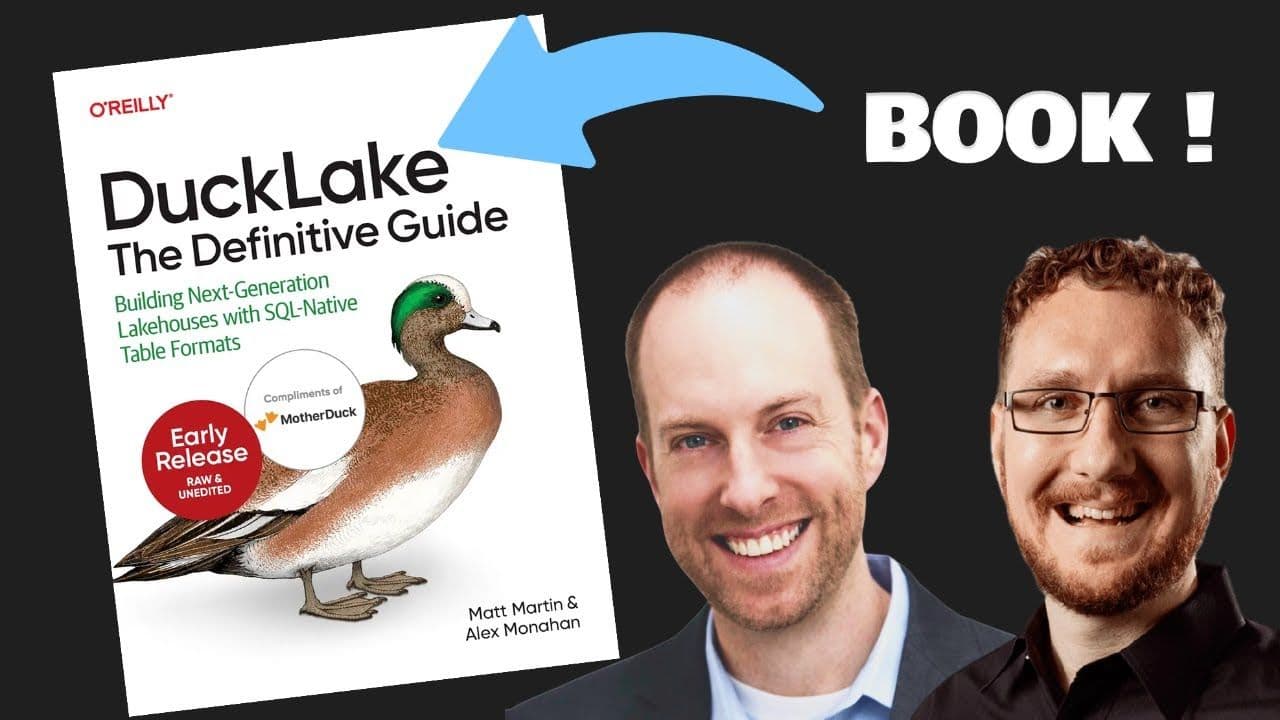
Yes — download the free O'Reilly book DuckLake: The Definitive Guide for detailed coverage of DuckLake architecture, time travel, compaction, Iceberg interop, and production deployment with MotherDuck.

Related Videos
55:29
2026-04-02
All About DuckLake: The O'Reilly Book
Matt Martin and Alex Monahan, coauthors of O'Reilly's DuckLake: The Definitive Guide, discuss what DuckLake is, how it simplifies lakehouse architecture, and why it replaces file-based metadata with a SQL database. Includes a live Q&A and the release of Chapter 1.
Webinar
Ecosystem