TL;DR: You can use the DuckDB CLI to directly query Parquet and CSV files in S3 without downloading them. For public files, it's as simple as
SELECT * FROM 's3://bucket/file';. For private files, install thehttpfsextension and configure your AWS credentials. When you're ready to scale your analysis, you can use MotherDuck.
Ever found yourself with a CSV or Parquet file in an S3 bucket, just needing a quick look? You want to check the schema, peek at a few rows, or run a fast GROUP BY. The usual options feel too heavy.
You could download the massive file. You could spin up a Python script with boto3 and pandas. You could navigate the AWS Console. None of these are great for just inspecting your data.
Here's a better way: query that remote S3 file directly from your terminal in three lines of code.
The Simple Solution: Meet DuckDB
DuckDB is a fast, in-process analytical database. It's incredibly lightweight, requires no server, and installs easily. It runs anywhere, including your local terminal, and natively reads and queries remote files directly.
The 3-Line Challenge: Querying a Public S3 Bucket
We'll install DuckDB, launch it, and query a public Parquet file on S3. No downloads, no setup, just SQL.
Step 1: Install DuckDB
If you're on macOS, you can use Homebrew. This is our first line of code.
Copy code
brew install duckdb
For Windows, Linux, and other installation methods, check out the official DuckDB installation page.
Step 2: Launch DuckDB
Just type duckdb into your terminal to start the command-line interface (CLI).
Copy code
duckdb
You'll be greeted with the DuckDB prompt. That's line two.
Step 3: Run Your Query!
You can run a SELECT statement and point it directly to the S3 URL of your file. DuckDB handles the rest.
Copy code
-- This is our third and final line!
SELECT *
FROM 's3://duckdb-blobs/data/lineitem.parquet'
LIMIT 10;
That's it. DuckDB connects to S3, streams the data, and shows you the results right in your terminal. Notice what you didn't have to do:
- You didn't have to download the file.
- You didn't have to define a table schema.
- You didn't even have to tell DuckDB it was a Parquet file.
DuckDB automatically infers the file format and schema on the fly, making ad-hoc exploration fast and efficient.
Querying Private S3 Buckets with AWS Credentials
This approach works great for public data, but most of your important data is probably locked away in a private bucket.
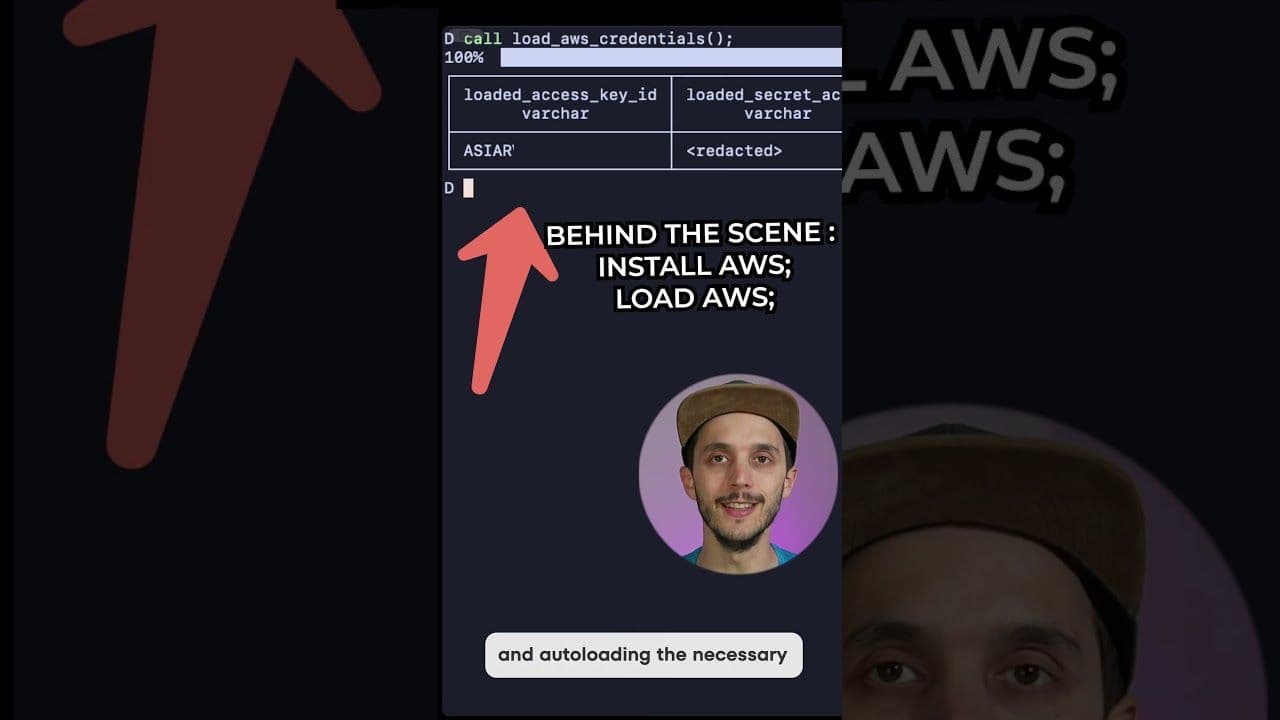
DuckDB's httpfs extension handles remote file access and supports S3 with your local AWS credentials.
First, from within the DuckDB CLI, you'll need to install and load the httpfs extension. You only need to install it once.
Copy code
-- Install the extension (one-time operation)
INSTALL httpfs;
-- Load the extension for this session
LOAD httpfs;
Now, to access private buckets, use DuckDB's secret manager. This feature allows you to securely store and manage your credentials.
The Modern Solution for Private Data: CREATE SECRET
The httpfs extension automatically discovers your AWS credentials from your environment, just like the AWS CLI or boto3 would. You can create a secret using the credential_chain provider, which checks for standard environment variables (AWS_ACCESS_KEY_ID, etc.) and the ~/.aws/credentials file. If you have the AWS CLI configured, it works out of the box.
Copy code
-- Create a secret that automatically finds AWS credentials
CREATE SECRET my_aws_secret (
TYPE S3,
PROVIDER credential_chain
);
-- Now, query your private data!
SELECT
error_code,
count(*) AS error_count
FROM 's3://my-private-bucket/logs/2023-10-26/*.csv'
GROUP BY error_code
ORDER BY error_count DESC;
If you need to specify credentials manually, you can use the CONFIG provider.
Copy code
-- Manually configure credentials if they are not in a standard location
CREATE SECRET my_manual_secret (
TYPE S3,
PROVIDER CONFIG,
KEY_ID 'YOUR_AWS_ACCESS_KEY_ID',
SECRET 'YOUR_AWS_SECRET_ACCESS_KEY',
REGION 'us-east-1'
);
You're now running aggregates over your private log files directly from your terminal. No data pipelines, no heavyweight tools, just fast SQL.
Querying S3-Compatible Storage
DuckDB's S3 support isn't limited to AWS. You can also query files in S3-compatible object storage like Google Cloud Storage (GCS) and MinIO by configuring the endpoint and credentials accordingly.
Attaching to a Remote Database on S3
Beyond querying individual files, DuckDB can attach directly to a full DuckDB database file stored on S3. This attachment creates a read-only connection to the database, allowing you to query all of its tables and views.
Copy code
-- Attach to a DuckDB database file stored on S3
ATTACH 's3://duckdb-blobs/databases/stations.duckdb' AS stations_db;
-- You can now query tables within that database
SELECT name, country, region
FROM stations_db.stations
LIMIT 5;
From Local Exploration to Scalable Analysis
This local-first approach works great for individual exploration, debugging, and quick analysis. But what happens when that simple GROUP BY reveals something interesting, and now you need to run a much larger analysis, join it with other datasets, or share your findings with your team? Your laptop might not be enough.
MotherDuck extends DuckDB with serverless, scalable, and collaborative features. It enhances DuckDB with a hybrid execution model, allowing queries to run locally on your laptop, in the cloud for more power, or a combination of both. MotherDuck's query optimizer intelligently decides where to run each part of your query for maximum efficiency. You can join a local CSV file with a massive dataset in the cloud in a single SQL statement.
MotherDuck also provides a collaborative SQL IDE in a web notebook format and managed storage, making it easier to persist, share, and work on analyses with your team. It bridges the gap between the convenience of your laptop and the power of the cloud.
Get Started Today
Querying S3 files from your terminal closes the gap between your data and your insights. To get started, install the DuckDB CLI and try it yourself. If you want to dive deeper into advanced configurations for private buckets, the httpfs S3 documentation has everything you need. And when you're ready to scale your analysis from your laptop to the cloud, sign up for MotherDuck for free and take your DuckDB workflow to the next level.
Frequently Asked Questions
What is DuckDB?
DuckDB is a fast, in-process analytical database, often described as "SQLite for analytics." It's lightweight, requires no server, and can query remote files directly.
Can DuckDB query files in a private S3 bucket?
Yes. By using the httpfs extension, DuckDB can automatically use your local AWS credentials (from environment variables or the ~/.aws/credentials file) to query files in private S3 buckets.
What file formats does DuckDB support for S3 queries?
DuckDB supports various file formats, including Parquet, CSV, and JSON. It can often infer the file format and schema automatically.
What is MotherDuck?
MotherDuck is a serverless, scalable, and collaborative analytics platform built on DuckDB. It allows you to transition from local queries to larger-scale analyses in the cloud, using the same DuckDB syntax.
Transcript
0:00sometimes you have some file would it be a CSV or bark on n w ss3 and you want to quickly inspect it or even do some query on it so either you download it and wrap up some code around it or use the cloud services but nothing is straightforward but actually there is something you can do in your terminal with only three
0:18lines of code installation included so first we install dbe which is an embeded andal database lightwe and easy to install on micos you can install wgb with onpro check the link in the description if you are on another operating system then you can launch dug DB and finally start gring your bucket by defa dgdb Will infir directly the
0:39file format for you but tweet that's for a public bucket what happens if I have a private bucket no worries duck DB has extension and support loading in credentials out of the box and now you can even query your private packet okay it's four line of course you got me
Related Videos

2025-09-10
Building AI Applications That Need Analytics
Jordan Tigani explores how AI applications can leverage analytics databases to answer complex questions. LLMs struggle with calculations and private data. Enter "Hyper-Tenancy" for isolated cloud instances.
AI, ML and LLMs
Short
SQL
MotherDuck Features
Talk