Session Windowing
A practical example of filtering is "windowing," which involves counting the number of users on a website over a brief period, say 5 minutes. Imagine a website with thousands of daily visitors. You'd want to know the real-time user count. However, website logs are stateless; they're just a series of entries. Going back to the logs we showed before:
55.166.192.39 - christinakim [2024-01-2919:01:09.774077-05:00] GET /search/tag/list HTTP/1.1 200 4951
178.142.230.199 - mary49 [2024-01-29T19:01:12.628377-05:00] GET /Login HTTP/1.1 200 44682
95.187.151.185 - parra [2024-01-29T19:01:13.237689-05:00] GET /apps/cart.jsp?appID=9182 HTTP/1.1 200 4978
31.52.124.51 - karen79 [2024-01-29T19:01:14.456815-05:00] GET /search/tag/List HTTP/1.1 200 5003
94.209.82.75 - anthonyrobert [2024-01-2919:01:17.093817-05:00] GET /explore HTTP/1.1 301 5110
153.93.195.121 - gabrielraymond [2024-01-29T19:01:18.302267-05:00] GET /Login HTTP/1.1 200 85511
47.235.48.10 - jack59 [2024-01-2919:01:20.310266-05:00] GET /w-content HTTP/1.1 200 4922
80.216.236.243
- jamie34 [2024-01-29T19:01:25.057705-05:00] GET /wp-content HTTP/1.1 500 4945
143.134.186.221 - maldodomelissa [2024-01-29T19:01:25.570549-05:00] GET /app/main/posts HTTP/1.1 200 5030
12.70.66.44
- jamesdan [2024-01-29T19:01:25.723001-05:00] GET /apps/cart.jsp?appID=6383 HTTP/1.1 200 5019
122.206.201.74 - masonlauren [2024-01-2919:01:29.582093-05:00] GET /Logout HTTP/1.1 200 36016
201.80.14.219 - camposmegan [2024-01-2919:01:30.611649-05:00] GET /login HTTP/1.1 301 17001
94.209.82.75 - anthonyrobert [2024-01-2919:01:33.093817-05:00] GET /logout HTTP/1.1 500 61851
179.76.136.199 - watso [2024-01-29T19:01:34.973751-05:00] GET /apps/cart.jsp?appID=8060 HTTP/1.1 200 5070
54.233.98.189 - jeff95 [2024-01-2919:01:36.042023-05:00] GET /apps/cart.jsp?appID=2714 HTTP/1.1 200 5027
15.238.79.120 - urussell (2024-01-29T19:01:37.387766-05:00] GET /Login HTTP/1.1 200 78139
55.166.192.39 - chriskim [2024-01-2919:01:37.774077-05:00] GET /posts/posts/explore HTTP/1.1 200 4981
Let’s say you came up with a rule, “A user session spans their first page visit to 5 minutes after their last page visit.” How would you group these together so you could get insights?
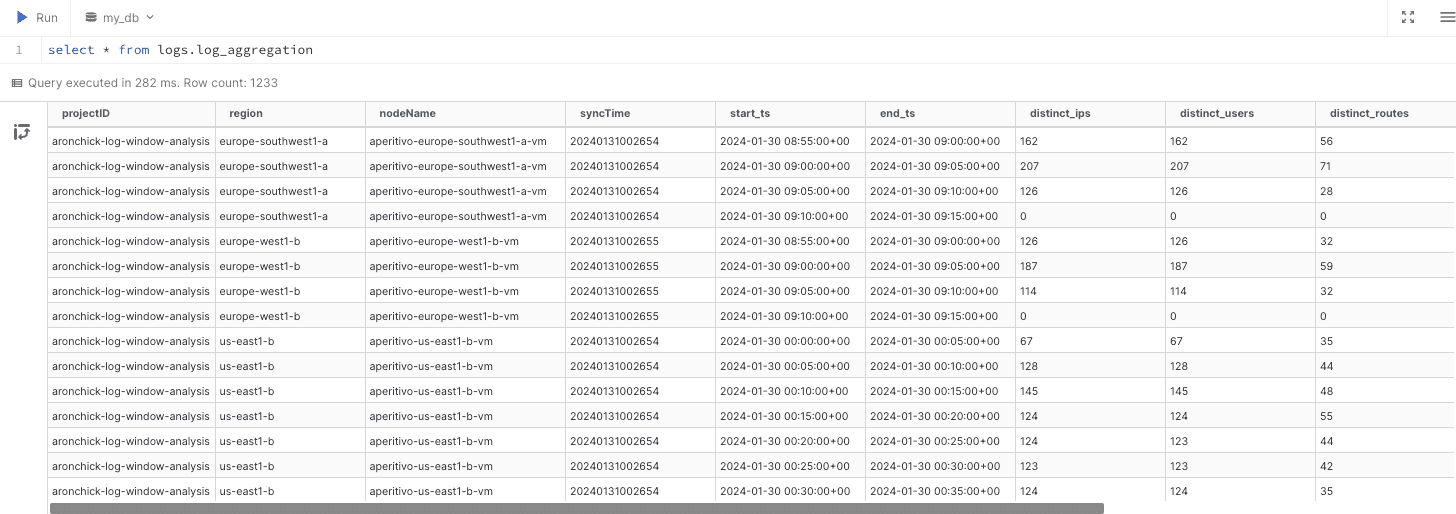
Grouping the data can be accomplished in SQL, which offers more power and flexibility than traditional line-by-line log parsers. A query like the one below will get you most of what you need.
create temp table logs as
from read_csv_auto('bacalhau_log_data.txt', delim=' ')
select
column0 as ip,
column2 as user,
column3.replace('[','').replace(']','').strptime('%Y-%m-%dT%H:%M:%S.%f%z') as ts,
column4 as http_type,
column5 as route,
column6 as http_spec,
column7 as http_status,
column8 as value
;
create temp table time_increments as
from generate_series(
date_trunc('hour', current_timestamp) - interval '1 year',
date_trunc('hour', current_timestamp) + interval '1 year',
interval '5 minutes'
) t(ts)
select
ts as start_ts,
ts + interval '5 minutes' as end_ts,
where
ts >= ((select min(ts) from logs) - interval '5 minutes')
and ts <= ((select max(ts) from logs) + interval '5 minutes')
;
create temp table session_duration_and_count as
with last_login as (
from logs
select
*,
max(case when route = '/login' then ts end) over (
partition by ip, user
order by ts
rows between unbounded preceding and current row
) as last_login_ts,
)
from last_login
select
*,
max(ts) over (partition by ip, user, last_login_ts) as last_txn_ts,
last_txn_ts - last_login_ts as session_duration,
sum(case route
when '/login' then 1
when '/logout' then -1
end) over (order by ts) as session_count,
;
from time_increments increments
left join session_duration_and_count sessions
on increments.start_ts <= sessions.ts
and increments.end_ts > sessions.ts
select
start_ts,
end_ts,
count(distinct ip) as distinct_ips,
count(distinct user) as distinct_users,
count(distinct route) as distinct_routes,
min(coalesce(session_count, 0)) as min_sessions,
avg(coalesce(session_count, 0)) as avg_sessions,
max(coalesce(session_count, 0)) as max_sessions,
group by all
order by
start_ts
This advanced log parsing query is easy to express thanks to DuckDB's full-featured SQL dialect. We use window functions to compare multiple log lines and inequality joins to aggregate up to a fixed time bucket (every 5 minutes). Regular expressions are also supported for granular parsing tasks, although they were not needed in this example.
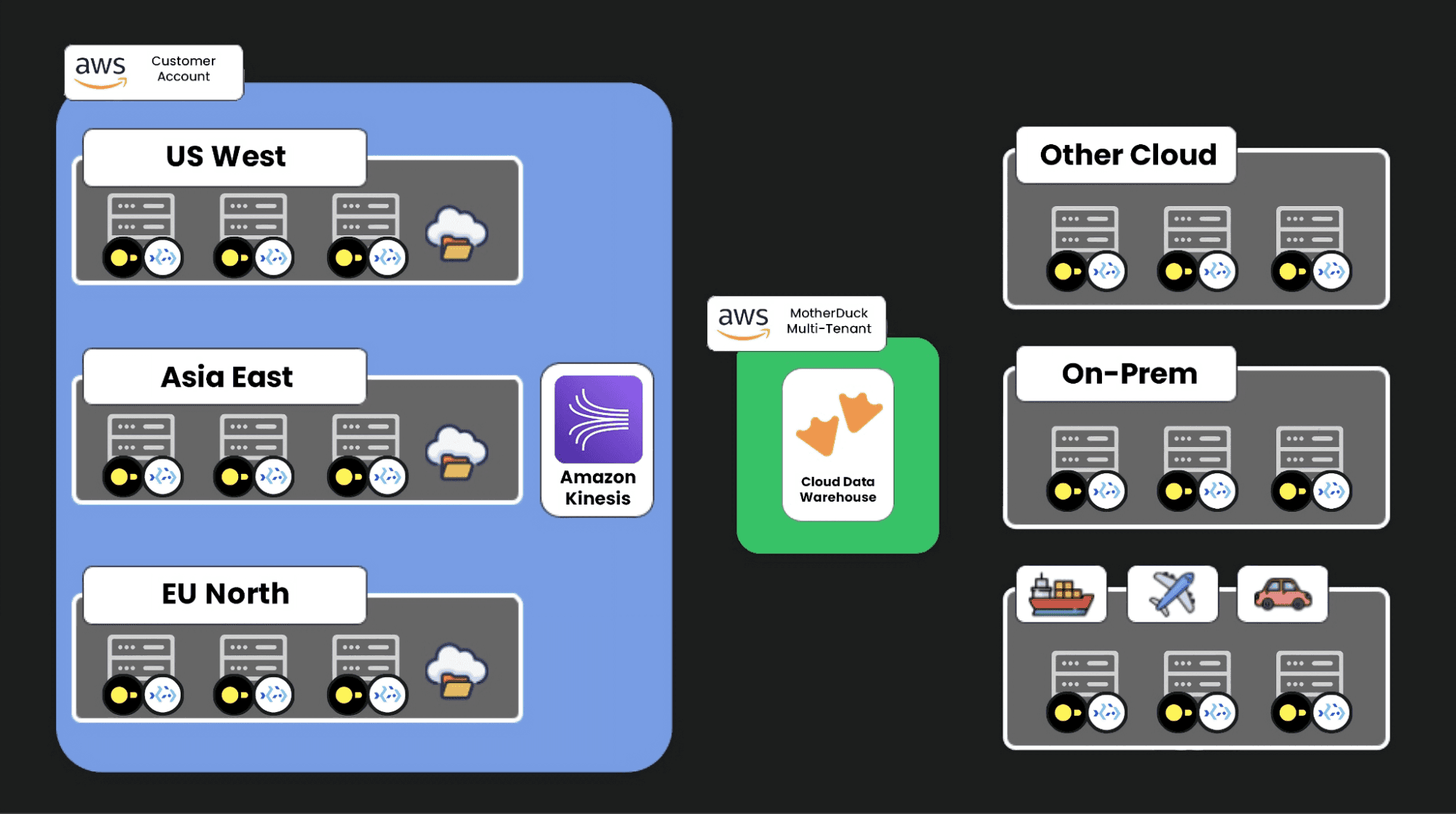
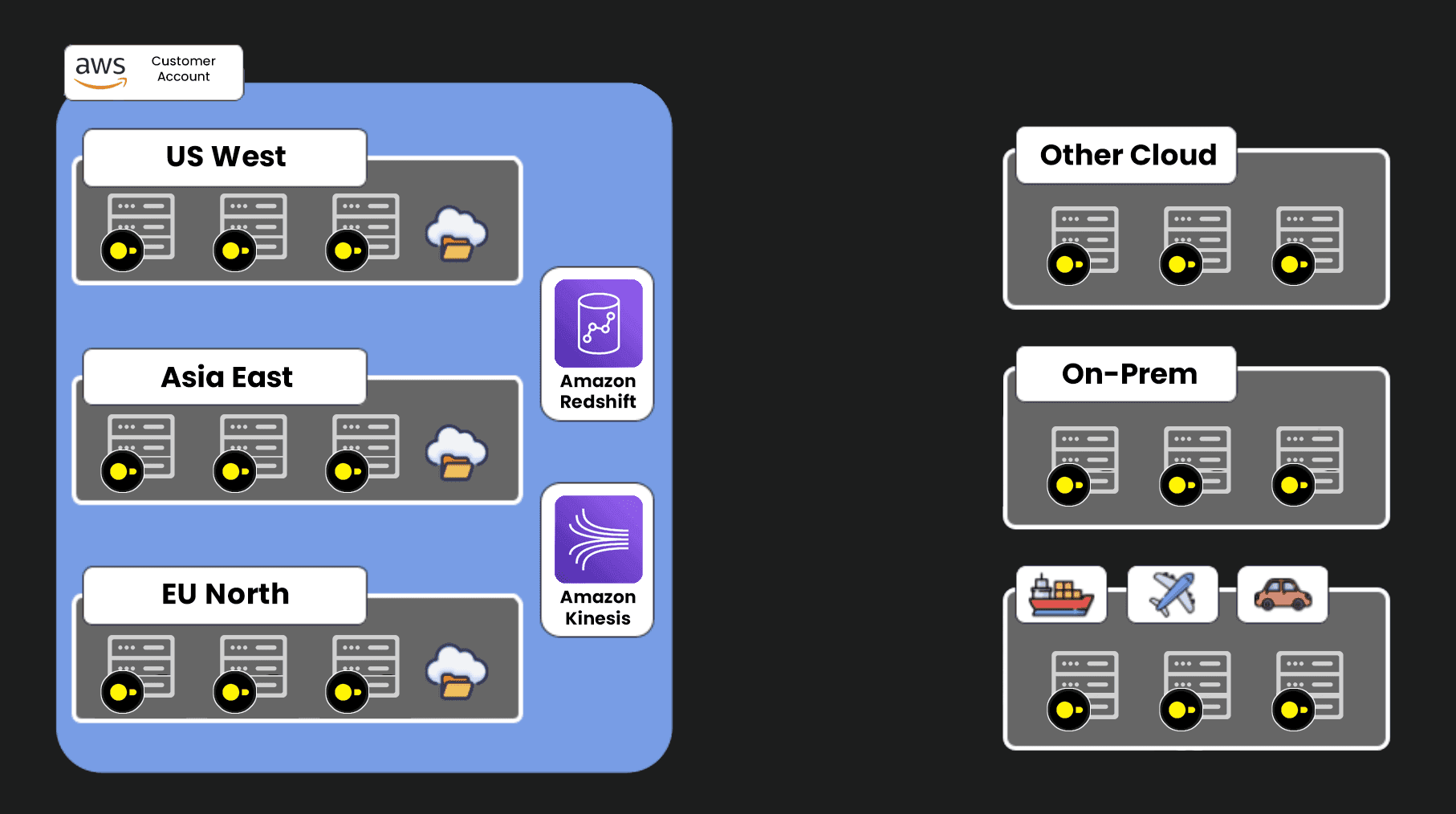
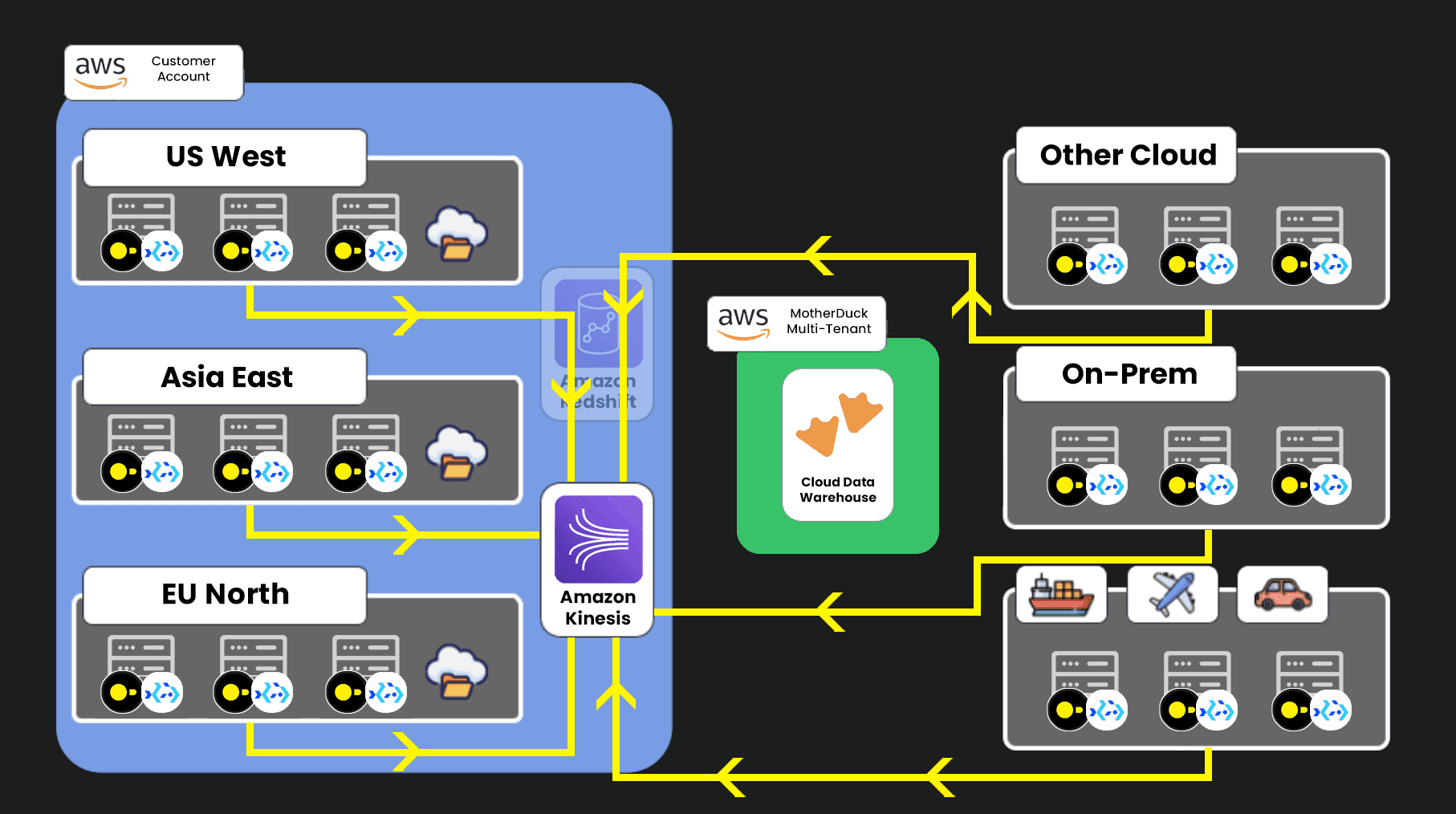
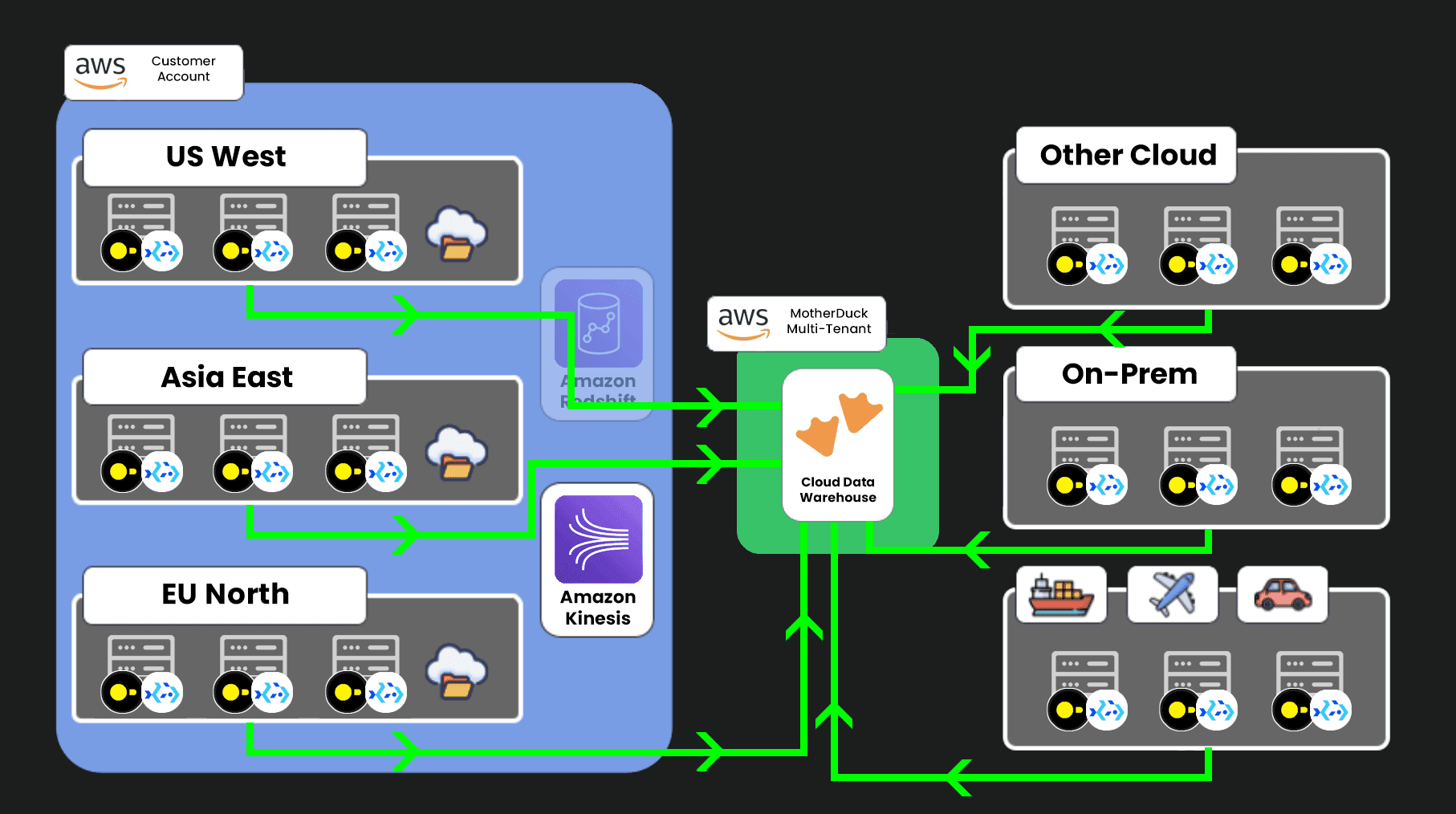
That’s most of what you need if you are working on a single machine or against a single data warehouse. But how do you execute this same logic over tens or hundreds of machines at once? The initial answer is to aggregate this into a central data warehouse…but that’s, again, both expensive and time-consuming. This is where MotherDuck, powered by DuckDB, and Bacalhau come in handy.