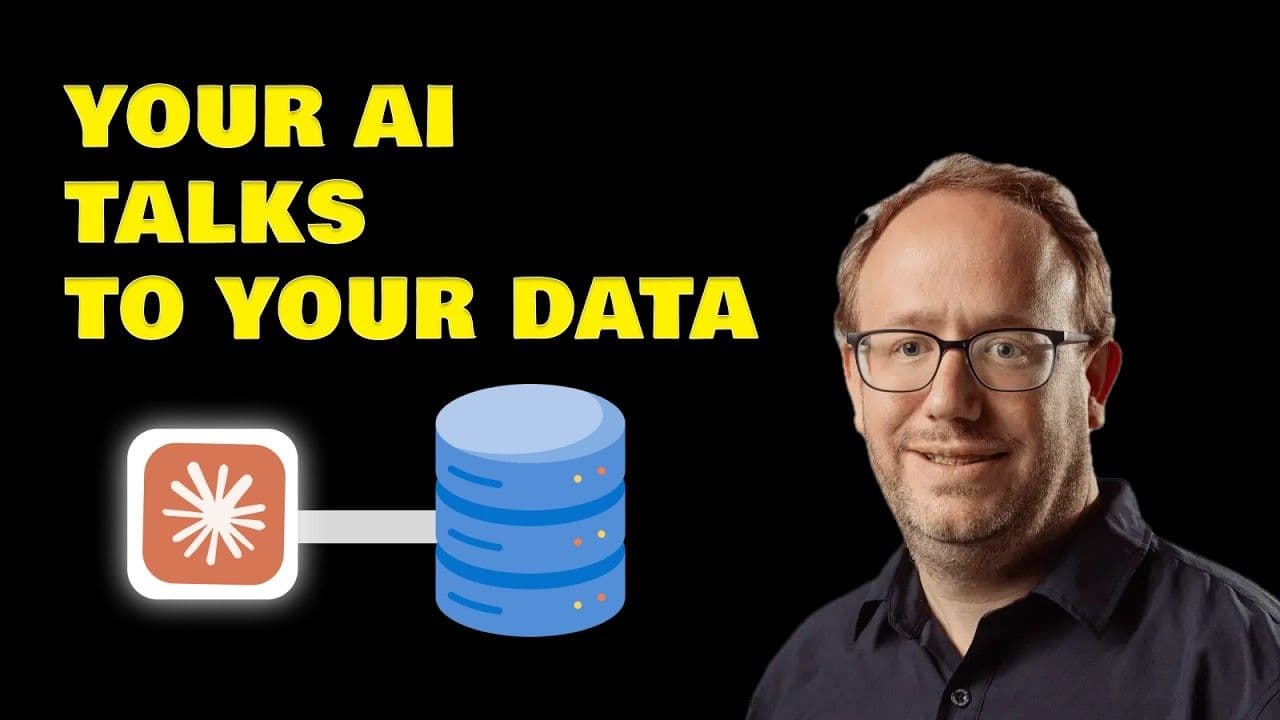
TL;DR: MCP (Model Context Protocol) is a standard that lets AI tools connect directly to external services like databases, Notion, and Slack. Instead of you copy-pasting queries, errors, and results back and forth, the AI acts on tools itself and iterates until it succeeds. Anthropic created MCP in November 2024, and it was donated to the Linux Foundation's Agentic AI Foundation in December 2025, with OpenAI, Google, Microsoft, and AWS joining as founding members. You can connect MCP servers remotely (cloud-hosted, OAuth-based) or locally (running on your machine). It gets most useful when you chain multiple MCP servers together in a single prompt.
Why MCP exists: you're the bottleneck
Right now, most AI-assisted development follows a tedious loop: AI writes a query, you run it, it fails, you copy the error back, the AI suggests a fix, you run it again. You're doing monkey copy-paste work with no real added value. The AI is smart enough to run these things itself, check the logs, create the database, and iterate until it works.
MCP eliminates that manual relay. With a database MCP like MotherDuck's, the AI runs the query, sees it fail, fixes it, and keeps going. That feedback loop is the whole point. The AI can act on tools directly, observe what happens, and retry until it succeeds.
What MCP servers actually expose
When you install an MCP server, you give your AI access to specific capabilities in three flavors:
- Tools are actions the AI can take. A Notion MCP server has tools like
notion_fetchandnotion_get_comments(read-only), plus write and delete tools. You control permissions per tool: always allow, require approval, or block entirely. - Resources are read-only data the AI can see. A file system MCP exposes your files. A database MCP exposes your schema. A CRM like HubSpot exposes your contact list. The AI can read resources but can't modify them.
- Prompts work like slash commands or shortcuts that give the AI better context. A database MCP might offer an "analyze table" prompt that structures how the AI approaches your data. Most MCP servers focus on tools. Prompts are nice to have but not essential.
Remote vs. local: two types of MCP servers
Remote servers run in the cloud. MotherDuck, Notion, Linear, and Slack each host their own. You connect via HTTPS, authenticate with OAuth, and you're done. No installation, no config files. Claude calls these "connectors" and ChatGPT calls them "apps."
Local servers run on your machine. Configuring one starts a small local web server that translates AI requests into actions on your system. The file system MCP, for example, lets the AI read and write files in a specific folder. If you're running a local model through Ollama, data never leaves your laptop.
One security note: don't install MCP servers that aren't open-sourced or backed by the product's company. A local MCP runs code on your machine with your permissions. Random GitHub repos with no stars and no company behind them? Skip them. Stick to official servers or well-known open-source projects.
Setting up MCP servers
Two ways to get started:
- Approved directories. In Claude, go to Settings, then Connectors, and browse the directory. Find MotherDuck, click connect, authenticate, done. Notion works the same way.
- JSON configuration. This covers remote servers not yet in the directory and all local servers. Local servers run via an
npmoruvcommand. Most are built in JavaScript or Python. The site mcp.so lists over 17,000 servers.
Chaining MCP servers: where it gets interesting
The demo connects two MCP servers: MotherDuck (with a public dataset of the entire Hacker News history, 50+ million posts) and Notion (for creating documents).
A single prompt asks for a report of comments to act on. Here's what happens:
- The AI calls MotherDuck, running SQL across 50 million rows to find posts mentioning DuckDB and MotherDuck
- It pulls the top discussions and their comments
- The LLM reads and understands each comment: this question about S3 caching went unanswered, this one has a misconception about scale worth correcting, this is a feature request about DAX
- It calls Notion to create the finished report
One prompt. Two MCP servers. No copy-paste.
Transcript
0:00AI has gotten really good but you are
0:02often still the blocker for software
0:04development specifically you copy paste
0:06things code SQL queries deployment
0:09errors and then the AI suggested fixes
0:12and actions run this deploy that get me
0:15the logs so the iteration loop is slow
0:17because you are the bottleneck and there
0:19is no real added value here you're
0:22mostly doing monkey copy paste work the
0:25AI is smart enough to run these things
0:27itself do a deployment check the logs,
0:30create the database, iterate until it
0:32works, and that's what MCP [music]
0:34enables. In this video, we'll understand
0:36what MCP is and go through a quick
0:39hands-on setup. You'll see that the
0:41magic happens when you chain multiple
0:43MCPs with the knowledge of an LM. So,
0:46MCP stand for model context protocol.
0:49It's a standards that lets AI tools
0:51connect to external services. Say you
0:53want to search and summarize all notion
0:56pages related to a topic. Typically you
0:59would search yourselves then copy paste
1:01it and say give me a one-pager summary.
1:04With the notion MCP the AI can read your
1:07documents directly and even creates new
1:10ones. No downloading no copy paste. You
1:12just say summarize all your work that
1:14has been done on a topic example DAX and
1:17it does it. Same with databases. The AI
1:19writes you a query you run it. It fails.
1:22You copy the error back get a fix. It's
1:25slow. With an MCP, the AI can run the
1:27query itself, see it fail, fix it, and
1:29keep iterating until it works. And it's
1:31not just about avoiding copy paste. It's
1:34about the AI can now act on tools
1:36directly, see what's happening, and keep
1:39trying until it succeed. So that
1:41feedback loop is the superpower. MCP was
1:44created by Entropic, the company behind
1:46Clo in November 2024. The idea was
1:49simple. Every AI tool was building its
1:52own notion integration for example its
1:54own Slack integration it's on everything
1:56chat GPD as one cloud as one. So MCP
1:59said let's make a standard the community
2:01or mostly the owner here notion for the
2:04notion MCP example builds one MCP server
2:08and all cloud chat GPT cursor whatever
2:11can directly connect and use it as a
2:14superpower tool. Something important to
2:16mention in December 2025 Entropic
2:18donated MCP to the Linux Foundation
2:21specifically the new Agentic AI
2:23foundation the same foundation that
2:25stewards Kubernetes and PyTorch OpenAI
2:28Google Microsoft AWS all joined as
2:31founding members. So this is now
2:32becoming slowly the industry standard
2:35for LMS to connect through tools. But
2:38what exactly is the protocol definition
2:40and you want to stay with me because as
2:43a user you'll give access to various
2:45things so better understand which power
2:47you give to your AI before they take all
2:50over. So when you install an MCP server
2:52you're giving your AI access to specific
2:55capabilities like instead of just
2:57writing back text it can perform various
2:59action. This can come in three flavors
3:02and you'll see them when youize the
3:04connection. First tools. These are
3:06action the AI can take. For notion MCP
3:09server, it has tools like notion fetch,
3:12notion get comments. These are readonly
3:14tools. But of course, you have also
3:16another category here, write and delete.
3:19When the AI needs to do something, it
3:21calls a tool and you can specify which
3:24permission per default it has. Always
3:26allow, need approval or block. The
3:28second is resources. This is data the AI
3:31can read. A file system MCP expose your
3:34files as resource. A database MCP might
3:37expose your schema as a resource. A CRM
3:40like HubSpots might expose your contact
3:42list. Resources are readonly context and
3:45the AI can see them but can't modify to
3:48resource. That's what tools are for. And
3:51the third one finally is prompts. Think
3:53of these are slash commands or shortcuts
3:55and need boosts to your request that
3:58provide better context. A database MCP
4:00might offer a analyze table prompt that
4:03automatically structures how the AI
4:06should analyze your data. For instance,
4:08first getting the schema, etc. Honestly,
4:11most MCP servers focus on tools. Prompts
4:14are nice to have, but not essential. But
4:16now you know what you're looking at when
4:18you authorize a connection. Note also
4:20that MCP released just a new
4:22specification called MCP apps, but they
4:25are entirely something else. Tell us in
4:27the comments if you want a dedicated
4:29video specifically on that. Now here is
4:32where people get confused. There are two
4:34type of MCP servers remote and local.
4:38Remote servers run in the cloud. Modduck
4:40runs theirs. Notion runs theirs. Linear
4:43Slack. They all their own MCP servers.
4:46You connect via HTTPS. Authenticate with
4:50OS. Click sign in with Google styles and
4:53you're done. No installation, no config
4:55files. in Clo these are called
4:57connectors and in chat GPD they are
5:00called apps now. Yeah, don't ask me why
5:02they couldn't just call it MCP. Maybe
5:04for folks that have no idea what MCP is,
5:07but you're not one of those. Not
5:09anymore. Anyway, local servers run on
5:12your machine and when you configure one,
5:14you're basically starting a small web
5:16server locally that translate the AI
5:19request into action on your system. The
5:22file system MCP for example runs on your
5:25computer and lets the AI read and write
5:27files in your folder specifically. So if
5:30you're using a local model through
5:32Olama, the data never leaves your
5:34laptop. One important security tip,
5:37don't install MCP servers that aren't
5:40open sourced or backed by the main
5:42company of the product. A local MCP runs
5:45codes on your machine with your
5:47permission. And if it's a random GitHub
5:49repo with no star and no company behind
5:52it, skip it. Stick to the official
5:54servers or wellknown open-source
5:57projects that you can actually inspect.
6:00Stay safe. All right. So, how to set
6:02them up. Okay. So, no more copy paste
6:04monkey works. Two ways to add MCP
6:06server. Let's show you both. One way is
6:08to go and click the like button and
6:10subscribe and ta your MCP is installed.
6:13I'm just kidding.
6:14 >> Or no. So for remote servers, the
6:16easiest way is through the approved
6:18directory. These are servers that have
6:21been reviewed and trusted by the AI
6:23platform. Would it be cloud or chat GPD?
6:25In cloud, you go to settings,
6:27connectors, browse the directory. You
6:29can find moduck, click connect,
6:30authenticates, done. You're granting the
6:33AI permissions to use that service on
6:35your behalf. Same for notion. Browse,
6:38connect, authorize. Now I have both
6:40moddion
6:42connected. The second way to install an
6:43MCP server is through a JSON
6:46configuration. This works for both
6:48remote servers that aren't approved in
6:50the directory and local servers. For
6:52remote servers, you'll see that in the
6:54configuration, you have to connect to an
6:56endpoint that is hosted by the owner.
6:59For local servers, you're running the
7:01servers directly. So, it would be
7:02classically an npm command or a UV
7:05command to bootstrap the local servers.
7:08So that means you either need NodeJS
7:10with npm for JavaScript servers or
7:13Python with UV for Python servers and
7:15most MCP servers are built in one of
7:18these two. You can check mcp.so over
7:2117,000 servers are there. All right,
7:24let's see what it actually enables. I
7:26worked in Devril at MoDoc and part of my
7:29job is tracking what people say about us
7:31and moduck on various things like a news
7:34you know helping people when there is
7:36confusion. So normally you search your I
7:38can use open threads read the comments
7:41take notes copy do but you actually can
7:43do that in just one prompt. I've
7:45connected two MCP servers motoduck which
7:48has a public data set with the entire
7:50acronuse history more than 50 millions
7:53post and notion for creating documents.
7:55So watch what happens. So this is my
7:57first initial prompt not that much
7:59complicated asking to create a report of
8:02comments that I can act on. So first
8:04it's going to call moduck running SQL uh
8:07across the 50 million rows data set. It
8:10finds the post mentioning DDB and moduck
8:13get the top discussion pulls the
8:15comments. Now here is where the LLM does
8:17its thing. It's not just moving the
8:20data. It's reading these comments and
8:22understanding them. Oh this question is
8:24about S3 caching and it's not answered.
8:26This one is a misconception about scale.
8:28We should correct it. This is a filter
8:30request about DAX. And now it calls
8:33notion to create the report. One prompt,
8:36two MCP servers. So now you see the
8:38power of combining two MCP with an LLM.
8:41And I have a document ready to share
8:43with my team. That's it. Now go play
8:45around. Install one MCP, the Moduck one,
8:48the notion or whatever fits you. See
8:51what you're doing as a copy paste and if
8:53there is actually an existing MCP. And
8:56yeah, now get the hell out of here and
8:58go build something. Cheers.
FAQS
What is MCP (Model Context Protocol) and why does it matter for AI development?
MCP stands for Model Context Protocol, a standard that lets AI tools connect to external services directly. Anthropic created it in November 2024 to solve a specific bottleneck: you constantly copying and pasting SQL queries, deployment errors, and code between your terminal and the AI. With MCP, the AI runs queries itself, sees failures, fixes them, and keeps iterating without you in the middle. That feedback loop is the real value.
In December 2025, Anthropic donated MCP to the Linux Foundation's new Agentic AI foundation. OpenAI, Google, Microsoft, and AWS all joined as founding members, making MCP the industry standard for how LLMs connect to tools. The MCP documentation covers the protocol in detail.
What are MCP tools, resources, and prompts?
MCP servers expose three types of capabilities.
Tools are actions the AI can take. A Notion MCP server, for example, has tools like notion_fetch and notion_get_comments. You control permissions per tool: always allow, require approval, or block entirely.
Resources give the AI read-only access to data. A file system MCP exposes your files. A database MCP might expose your schema. HubSpot's MCP could expose your contact list.
Prompts are slash commands that provide better context, like an "analyze table" shortcut from a database MCP. In practice, most MCP servers focus on tools.
What is the difference between remote and local MCP servers?
Remote MCP servers run in the cloud. MotherDuck and Notion both run theirs. You connect over HTTPS, authenticate with OAuth, and skip installation entirely. Claude calls these "connectors." ChatGPT calls them "apps."
Local MCP servers run on your machine as small web servers. The file system MCP is a good example: it runs locally and gives the AI access to read and write your files. If you pair a local server with a local model through Ollama, your data never leaves your laptop. Setup uses JSON configuration with npm or UV commands. The MCP docs walk through both approaches.
How do I find and install MCP servers safely?
For remote servers, start with the approved directories built into Claude or ChatGPT. For local servers, you configure them via JSON with npm or UV commands. The site mcp.so lists over 17,000 servers if you want to browse what's available.
Security matters here. A local MCP server runs code directly on your machine. Stick to servers that are open source or officially backed by the service provider. Random GitHub repos with no stars are not worth the risk. The MCP documentation includes setup guides for both remote and local configurations.
How can MCP automate data analysis and reporting across multiple tools?
MCP is at its best when you chain multiple services together in a single prompt. The transcript demos this: one prompt connects to MotherDuck's MCP (which has 50M+ Hacker News posts) and Notion's MCP simultaneously. The AI queries MotherDuck for DuckDB and MotherDuck mentions across Hacker News, analyzes the comment sentiment and trends, then creates the final report directly in Notion.
Before MCP, each of those steps required you to run the query, copy results, paste them into the AI, then manually create the Notion page. The AI handles the full loop now. If a query fails, it reads the error, fixes the SQL, and retries on its own.

Related Videos
38:23
2026-03-17
Agents That Build Tables, Not Just Query Them
See how MotherDuck's new query_rw MCP tool lets AI agents write back to your data warehouse, creating tables, storing embeddings, and saving views.
Stream
AI, ML and LLMs
MotherDuck Features
SQL