Stay in flow with Improved FixIt
FixIt is one of our most popular UI features. The premise is simple: when you hit a SQL error, FixIt suggests quick fixes to keep you in flow rather than forcing you to break your concentration to figure out how to do the fix yourself.
While FixIt excels at simple fixes, more complex scenarios can disrupt your flow. Long queries, complicated changes, or times when you need uninterrupted focus can make the current implementation feel intrusive. Today's enhanced version addresses these pain points.
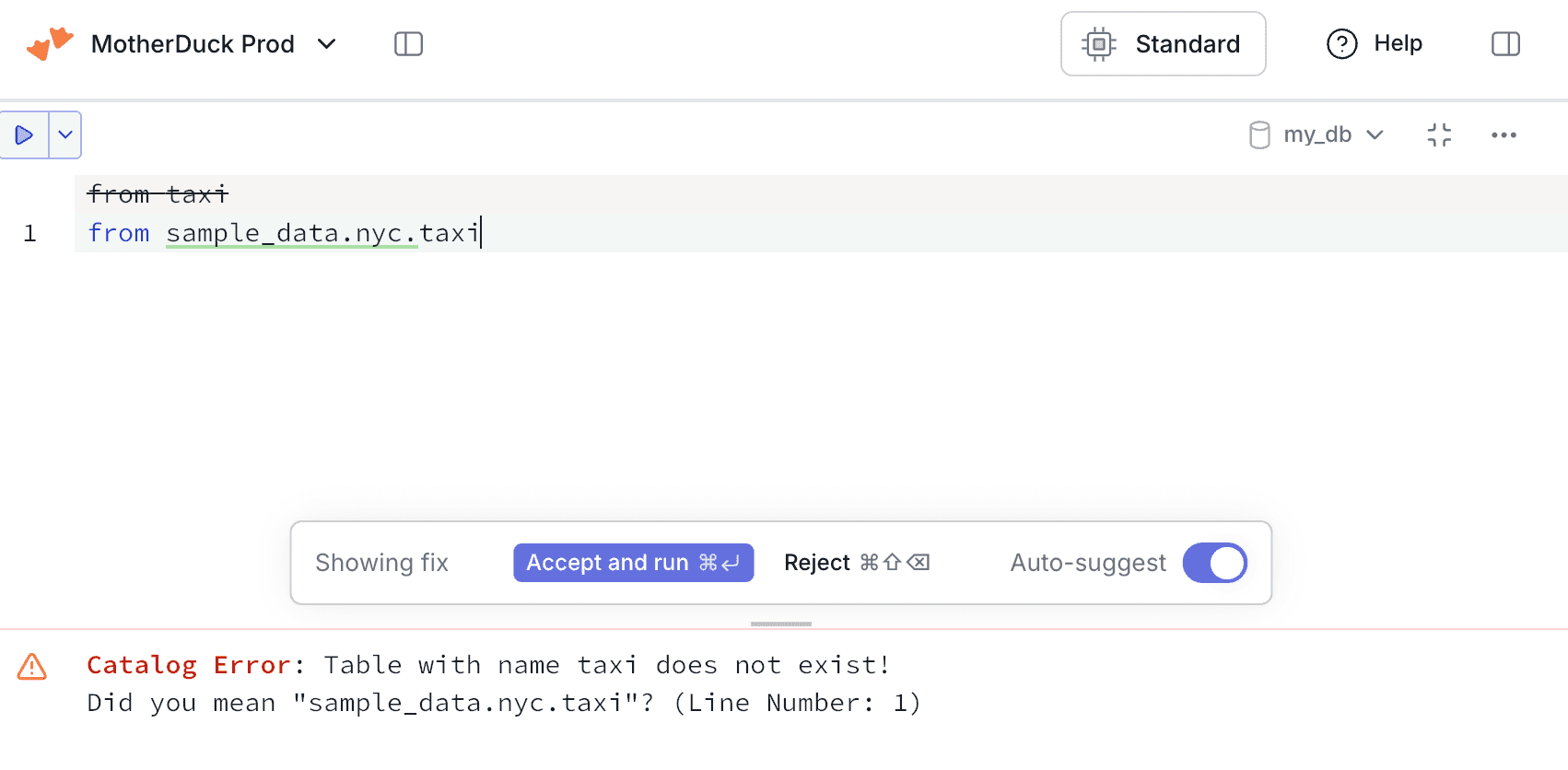
In order to make this work nicely in the UI, we had to change a few things.
First, we redesigned the UI around FixIt. Rather than embedding the controls next to the Fix line, we stick it to the bottom of the editor pane. This makes it much easier to work with very long queries and will support multi-line fixes in the future.
Second, new key bindings. We got feedback from users that they'd love to be able to accept or reject fixes with key binding so that their hands can stay on the keyboard. Simply press Cmd/Ctrl + Enter to accept the change and run the query, or Shift + Cmd/Ctrl + Enter to reject it.
Third, the ability to toggle FixIt on and off from within the editor. When FixIt works, it works incredibly well. But when you don't want it on, you previously would have to go to the Settings panel and then go to Preferences and then toggle off FixIt. This made it really cumbersome to turn it off when you just needed to be in your own flow state, and it also made it really easy to forget about it when you might have actually wanted it later. So now it's dead simple to turn FixIt on and off from within the same flow. When FixIt is off, you have the option to manually run it for a given error.