Zero-Latency Analytics in Your Application with Dives
2026/04/09Featuring: ,What you'll learn
BI tools were never built to be app interfaces — they're rigid, clunky, and add complexity to your user experience. Dives offer a different approach: interactive data apps you create with natural language that can be embedded directly into your applications.
In this live workshop, Alex Monahan walks through how to build a Dive from scratch and embed it in a real application using the MotherDuck MCP server. You'll see the full workflow: creating interactive visualizations with natural language, embedding Dives with a secure iframe sandbox, setting up the auth flow for read-only user access, and choosing between server-side and dual execution with DuckDB-Wasm.
What's covered
The session starts with a quick overview of Dives as agent-built data apps powered by React and SQL, then jumps into a hands-on demo. Alex builds a customer-facing analytics dashboard live using Claude Code, showing real-time iteration with natural language prompts. Topics include: theming Dives to match your app, embedding Dives using iframes with token-based auth, working with D3.js for advanced charting, per-user data segmentation for multi-tenant apps, and integrating Malloy semantic models. The session also covers how MotherDuck's serverless architecture gives each end user dedicated compute, avoiding the shared-resource bottleneck common with legacy BI tools.
Who should watch
Software engineers building customer-facing analytics, app developers looking to replace embedded BI tools, and data engineers who want to ship interactive data experiences without maintaining frontend code.
Transcript
1:03Okay. Welcome everyone. Thanks for joining us. Um, we're here to talk about zero latency analytics in your application with mother duck dives. I've got my friend and colleague, Alex Monahan here with me, honey. And we're so happy that you're joining us on a Thursday morning. It's beautiful here in Seattle. Hopefully it's nice wherever you are. We are going to dive in here shortly. We're going to take a minute or two, just orient ourselves on what dives are, what the use cases are,
1:35why they're applicable, some of the technology powering them. And then we are going to spend most of our time in a live workshop that Alex has gratefully, graciously agreed to run for us, the dive maximalist himself. Please put all of your comments and questions in the chat. We are going to do a lot of this live. And with these Cloud Code powered demos, oftentimes you have a little bit of time in between when Cloud is building something. So we are going to take your questions live and make sure that we have a nice, robust discussion. Not going to do the sort of preachy
2:09thing. So as folks jump in, we've got some folks from the Netherlands, from Berlin. Thank you so much for joining us. Yes, put those questions in the chat as we go, and we will make sure that we spend some time to answer them together. Alex, anything I missed? I just say get excited. You know, BI is never going to be the same. We're in the AI agent era, and it is easier than ever to do this type of work. And honestly, I think this is the easiest way to do it on the market. So strap in, dive in. That is a very maximalist take indeed.
2:44One quick anecdote. We did have here in the Seattle Nest, we had one of our colleagues bring his ten-year-old and twelve-year-old boys to the office yesterday and they spent all day building dives themselves and even did a quick demo at the end we saw some very cool examples of what you can do um you know as a as a kid and a pre-teen with dives so i figure if they can do it then anybody can right very cool okay um Thanks, everyone, for jumping in. Glad to see you. Wow,
3:15we have such a wide-ranging crew here from all over the world. Very cool. I'm going to spend just five minutes or so with a couple slides just orienting us on what dives are, what some of the use cases are, and then we are going to get straight into the demo. So let me go ahead and add my slides. Slides to the stage. Alex, can you see Google Slides here? Is that what's showing up for you? ALEX KOMOROSKE- I can, yes. Not slide one, but yes. ALEX KOMOROSKE- That's right. Then I will press Slides and just talk through this just really quickly before we get into the demo.
3:49So what is a dive? Hopefully, folks have had a little bit of time to orient themselves. If you have not, then I'm psyched to tell you about it. Dives are a new product that we've developed here at MotherDuck. And essentially, they are agent-built data apps. We're going to spend a lot of time going through all the details. But you can think about a workflow for building a data app that is primarily built to be driven by an agent. So this is Claude, ChatGPT, <a href="https://motherduck.com/blog/claude-code-plus-dives-equals-any-data-ui/">Claude Code</a>, Cursor, and so on and so forth. Dives work through the MotherDuck MCP. So any client that supports the MotherDuck
4:24MCP or MCP protocol MC protocol will work in building dives. We use mostly Cloud and Cloud Code here at MotherDuck. We've just found it the most dependable for building data app type experiences, writing DuckDB-compatible SQL, and working with some of the guardrails that we've put around MCP. you can obviously compose and edit dives in natural language. That's the whole point of using an agent, right? So for those of us who still like writing SQL, I'm sorry, we won't do a ton of handwritten SQL today, if any at all.
4:58But what we will do is build really cool data experiences with natural language just by tweaking and iterating in a text box, which is a really nice interface for building quickly. we just released embedding capabilities for dives so you can embed them just about anywhere that is supported by an <a href="https://motherduck.com/docs/key-tasks/ai-and-motherduck/dives/embedding-dives/">iframe</a> you might be familiar with this workflow if you've ever worked with embedded bi tools you just you know iframe that uh that tableau dashboard in an application somewhere and this is something new brand new for us uh as of last week we're gonna spend most of
5:30our time here showing you exactly how to do that But maybe the coolest thing about dives is that they are really just simple React and SQL. AI writes really, really good React these days and is great at writing DuckDB SQL, it turns out. So we built a very familiar interface for agents that are building the dives themselves, which make it easy to get customized, highly interactive experiences in a framework that these LLMs know and understand how to use. We like to say,
6:03everything is one prompt away. Everything is one prompt away. That's the quote. Exactly. So basically, the couple core use cases for building with dives is simple, streamlined BI and reporting, right? Everyone's seen, I think, by this point, some of the artifacts that you can create with Claude, other tools that just help you just whip out graphs and simple BI-type visualizations or reporting these days. It's a well-trod pattern at this point, and the agents are great at it. So that's obviously something you can do with dives using live SQL queries on top of MotherDuck.
6:35You can also build these interactive <a href="https://motherduck.com/product/app-developers/">data app</a> type experiences if you're familiar with Streamlit or some of the other data app libraries. Dives can do basically all of that work through the natural language interface. We've also seen customers take dives and embed them into their own internal custom data portals for folks that didn't want to buy a BI tool, or maybe they weren't satisfied with some of the flexibility. You can just build multiple dives, embed them in containers in those iframes in internal data portals. We've even seen some folks internally make
7:09dives within dives. It kind of breaks my brain. I won't really get into that too much, but there's a lot of flexibility built into how we've implemented it. And then, of course, you can build <a href="https://motherduck.com/learn-more/customer-facing-analytics-embedded-analytics-guide/">customer-facing analytics</a> interfaces on top of dives. That's going to be most about what we talk about today. This is kind of a familiar pattern if you have worked with embedded BI tools before and just wanted to have an analytics front-end but didn't necessarily want to write all that front-end code or maintain the charting libraries and so forth.
7:40Dives are a great use case for building those interfaces very regularly. I'd add a couple of things to that as well. When you're building these custom interfaces with a legacy BI tool, it's often very hard to get it to fit really nicely with your existing app. How do you get the theme right? How do you get the interactivity right? How do you get to feel like your company's product and make it really seamless? Dives are excellent at this. You can literally screenshot your app, paste it into your agent, and say, I would like to follow this theme. Use the colors that you can detect from this image, and it'll just work.
8:13So it is a direct replacement for embedded BI, but there's more you can do with it and more you can do much more easily BI tools also have just a limited set of things you can do. Charts you can make or interactions you can have, but this is a React app. You can build anything. We'll see some cool examples here today. Really just want to set your creativity free. I have unfortunately stumbled upon some of those clunky interfaces that are obviously not native to the application and it is
8:47not a fun user experience. Alex touched on this a little bit. I just wanted to hammer it home. Embedded BI, I've worked in the data space a long time. I was a big Tableau user back in the day. Embedded BI kind of came about because it was really convenient for folks who were already paying for <a href="https://motherduck.com/learn-more/fix-slow-bi-dashboards/">BI tool</a>s to just say, hey, why don't we deploy this for our customer-facing user experience? And we don't have to write and maintain all this front-end code. um we can just kind of click and drag things around the way we're used to in our tool and we're paying for it
9:19anyway so you know what's a few more uh dollars towards licenses but um lms and agents have really changed the calculus on building and maintaining those experiences um and there's a couple like really key contrasts in you know what we're gonna share with dives versus what you would expect from typical embedded bi the one that alex just talked about right like you get pretty limited experiences from a user um out of click and drag interfaces on a BI tool. You're limited to what that tool supports and the type of charting and experience
9:50that it has. And it's really tough to make that feel native to your application, much less all the styling and kind of like last mile things that make it a great experience. Dives, again, are just React and SQL, so you can build just about anything with them. The other thing that we're hearing customers talk about a lot is just the long click and drag build outs that these embedded BI interfaces take to build. We had a customer just yesterday who is using an embedded BI tool for many of their clients and had to have a super quick turnaround for a new proof of concept.
10:23They built that dashboard in a dive in twenty minutes. What would have taken them? ten plus hours to actually do in that embedded click and drag interface. Because dives are agent native, you can get your Cloud Code instance or other agents up to speed on them very, very quickly. The MCP provides all the styling guidance and sort of the guardrails to make them work well. like maybe the biggest one is that it can be ridiculously expensive to embed BI in your application. We have a lot of folks here at MotherDuck who are selling embedded BI at
10:55Looker, and some of those numbers are just truly astronomical. Dives are included with all MotherDuck plans, and embedded dives are available for our business plan users as well as no extra charge. It's just compute and storage, small platform fee, and you can embed those in your application. One thing I do want to, please. The key is that it's not like a per user thing where like suddenly if your app goes viral or if you have tons and tons of small customers where embedded BI might have been out of reach previously, not the case anymore.
11:28So it's a totally different model because AI changes the game. One thing technically we're going to show that I just want to linger on for a second is a big difference in the Dives experience versus embedded BI is MotherDuck's dual execution architecture. So if you're not familiar with DuckDB, DuckDB is an in-process analytical database. And being in process means that you can embed it just about anywhere. And our dual execution architecture for dives means that we essentially have two DuckDBs running both on the client with
12:03DuckDB Wasm WebAssembly and on the server, which is where all the server-side aggregation and computation happens, which enables super-fast client-side interactions. And when I say zero latency, sub-two hundred millisecond or even faster, which is about how long it takes to blink. And this is enabled by pulling down an initial query, a set of query results from the server, and serving those client-side interactions that filtering and really smooth
12:36experience in the browser. We're going to show that here in just a moment. That is a mode that is supported in Dives. But you can also just run on a standard server-side mode. So no <a href="https://motherduck.com/blog/duckdb-wasm-in-browser/">WASM</a> included if you have certain security restrictions or other considerations there. But this is something that's really only executed well in dives. I know Alex could talk maybe about some of the other ways that BI tools try to make that experience really fast by having an engine in the browser. But this native dual execution experience is really cool.
13:09the incumbent tools have an engine running somewhere else on a server, and we are running it in the browser. Garrett is correct, it is less than two hundred milliseconds, but it's a lot less. It's like five milliseconds. It's like ten milliseconds. What that means is you can have these animations moving where I can scroll through my data, I can dig into it, I can zoom in and zoom out, and it's so buttery smooth, it's like a movie. That's faster than sixty frames per second. That completely changes what it feels like to explore your data.
13:42The other key thing is all of those extra queries, would have had to run on someone's server in any other system. But these are running on your laptop or your customer's laptop, which has a CPU that otherwise would just be sitting there rendering Chrome tabs anyway, right? Now you get to use the power that you've already got that is completely free to use to dramatically change what it feels like to use your app, where your app feels more modern than your competitors. And it's just a delight instead of a, oh, no, I have to go check the analytics portal And let me just export it to Excel
14:16as fast as I can. There's a real pull that you can have. Export to Excel, the most popular BI tool of all. Just one cool example of what folks are doing. We launched this last week and the team at Ahead Computing, which is a CPU startup out of Portland, founded by a bunch of Intel architects, shout out Alex's former employer. They're doing some really cool stuff with dives as sort of a terminal first workflow where they're building and doing analysis locally or via cloud code in the terminal. And then creating, you know,
14:50the hardware engineers there who are running their verification and test suites are creating one-off dives to do analysis. And the design enablement team are the ones that are promoting those dives and managing them for the whole company, the whole team to access. So a really cool workflow for what's possible when you operate out of the terminal with Cloud Code. And without any further ado, I think that is a great time to, I'm going to say this like once or twice more, to dive in. So why don't you got to Yeah, it's really it's mandatory.
15:24I'm just gonna remove myself there. Okay, I'm gonna I need to click the lights here. So they stay on one second. All good. Little studio hiccup. Cool. That I have not been following the chats. If there are things in there, I will promote them as they go. Ooh, got some codecs and joyers. That's a couple of good questions. It's a good question. Excellent. Then I think this is a great time to hand it over to you, Alex.
15:56And once we are in the clotting phase, we can kind of show some examples as clot is working. Does that sound good? Yes, absolutely. I am pulling it up now. As we mentioned before, you can do this with any agent harness. I happen to be a Cloud Code fan. I just find that it's very efficient with the token context and it's very powerful. We've been setting up folks on our sales team running Cloud Code. It's one of those things where AI might still be claiming that everything can be fully automatic,
16:27but usually if there's just one person you can ask a question to and say, hey, can we just set this up together for half an hour? Then you can run a hundred thousand miles an hour. So I found that Cloud Code is actually not just for people that code. But that's where we're going to start today. I have a couple of prompts already built, and that is just because we're in demo mode. I will talk a little bit about how this might be a bit different if we were to be doing this directly ourselves, just so that way we can do this within the time constraints of a live stream. Typically,
16:59when you're building a MotherDuck dive, we start out with using just the Melodeck MCP itself. We could ask questions like, could you please explore this particular dataset? Can you please go ahead and check how these different things are related? Can you make sure that there's, can you explain the changes in shipment times or revenue? And once you've kind of built up that context where the model has been hydrated with that context, it'll be able to build extremely good visualizations at that point. So once you kind of have it kind of reading in the data set,
17:31understanding it a bit, you can say, now I would like to visualize that data. And all we have to ask for is create a Meloduck dive. And the Meloduck MCP includes instructions so that your agent will understand, okay, now I need to create a dive. It'll pull the instructions for how to do that from the MCP and it will create it. Alex, do me one favor and just click in on your Zoom just a bit so that we can actually see what's going on. Yeah, much better. Thank you. Absolutely. And this can be fairly vague as well.
18:05I'm also making it very specific just because we're doing it live and LLMs are unpredictable. But you can just say, I could have said, analyze air quality and the MCP will find the right table. But I specified the table I wanted. And I'm also adding a little bit of interactivity. You don't have to do this all in one prompt unless you're in a demo environment like me. Frequently, what we see folks do is they get an initial dive. They say, oh, interesting. Replace all those pie charts with Tufti-compatible Sparklines, et cetera. And so there is an iterative process
18:38usually. And part of that iterative process we encourage you to do is to add By default, it's going to create some beautiful charts for you using the recharts library. But you can ask for any kind of web interactivity you'd like. Drag, drop, expand, collapse, slice, dice, kind of anything you can imagine. So I just have a small example there. We'll have a maximize, minimize capability. And then we're going to create it. We're going to upload it to MotherDuck. And then we even also have this local preview server that's a part of Cloud Code specifically that I can also show here in a little bit as it gets running. So that's sort of an overview of kind
19:11of the one prompt that we're simulating, you know, five different prompts or so here. And as this continues shimmying, I will turn it back over to Garrett and we'll look at some real examples. So before we pull up these examples, I just want to level set exactly what's happening and make sure I understand. So you have a MotherDoc account with an attached database that's already available to your user. You've authenticated the MotherDoc MCP in your Cloud Code instance. Is there anything else, really? Or is that sort of, is that it? Yeah,
19:43you basically would need a Cloud account, a MotherDuck account, connected to both of those. Connect to the MotherDuck MCP. It is a remote MCP, so there's nothing for you to set up locally. You just have to connect it in the Cloud UI. Just go to connectors, say connect to MotherDuck, and you'll log in in your browser. So super straightforward. And then you're up and running. And we already have a dive actually built. So we talked long enough for this to be done. And three minutes or so, we went from nothing to a visual. So I will pull that up on another
20:16window, both the local preview and the MotherDuck version. And then I will swap screens. The coolest thing I think that you mentioned, but I just want to underscore, is that the <a href="https://motherduck.com/product/mcp-server/">MCP server</a> includes a tool that's called dive guide. And in that dive guide, it gives instructions to the agent to be aware of the client that you're using. Since Alex is using Cloud Code here, when he first connects to the MCP server, the dive guide passes instructions to the agent to spin up a lightweight local
20:50development server. to build and iterate on that dive first. So by default, it is a local first workflow so that you can create that initial dive, you can make changes with the help of your agent before publishing it to MotherDoc. We kind of skipped over that a little bit here because it's a bit of a behind-the-scenes detail, but that local first development means that you can also manage dives as code. We have a great guide on that on our documentation website. But it is a very like typical sort of front end development workflow that you're experiencing here.
21:23Yes, you can iterate super quickly. It's really, really helpful. And you'll see we have some of that nice interactivity that we already baked in that we just asked for. Any interactivity you could look for is just one prompt away. And we have it running locally. And then we can also hop over to MotherDuck. And you can see we are at motherduck.com now. And we are now at our dive. We can see the code behind the scenes if you're interested. We have a required database. This is our sample data. We're pulling in a couple of different charts. And then it's going to run a SQL query. And I'm going to find it real quick.
21:55And it's SQL that you can audit. You can understand. You can check this into source control and manage it. And so we are using the LLM for what it's best at. And then we're using the database for what it's best at. And they work really well together. So that is what I had on getting your dive up and running really quickly, both locally and on the MotherDuck side. And maybe we go ahead and take a moment for a couple of questions, and then I can get us going on the embedded part. Yeah, absolutely. I see some of the questions here. I'm just going to grab a few of these because I think they're super
22:28relevant. Ben asks, is there a semantic layer within MotherDoc or dives where I can explain my database, or is that context managed outside where I'd connect it with my AI agent of choice? I have some thoughts here. I don't want to steal the thunder from you, but I will go on. Sure, I think that this is an active area for the whole industry where people are really looking to see what's the best way to manage this type of context. This is something we have some work going on in MotherDoc,
23:00so stay tuned around this. What we really believe is that models are very, very excellent at taking notes and kind of very generic context and taking action on it very well. or small SQL query examples and being able to extrapolate from that to the exact SQL query that you want. We found that by curating your data model well, making sure your columns are named well, your tables are named well, adding a little bit of metadata like your commenting capability to comment on those columns and those tables,
23:33that AI models write great SQL already with or without a semantic layer. Now, stay tuned. We're working on some things where you'll be able to bring in some semantic type of context should you choose. And we'll see a live example of that also. Yeah. I do want to just double-click that. In the meantime, on the current state, for those folks who want to have their existing semantic layer represented in MotherDuck, we've seen two approaches that are working really well. And again, we're working on a native support for that looks like.
24:08One is those folks at Head Computing, they have over, I believe, almost a hundred users now. They are distributing their semantic layer as a Claude skill, as a single markdown file that is accessible to the entire organization through Claude's native distribution of skills that they can do within their team account. And it works great. Uh, they are able to pass that around simply <a href="https://motherduck.com/blog/dashboards-as-code-dives/">version control</a> it as the data engineering team, um, and, and manage it as a simple markdown file. We at mother doc internally have taken an
24:42existing semantic layer and pushed it down into the database. And so the agent can actually query a schema where all of our semantic views live and get that knowledge through what it does best, which is querying the database. So there are a couple of approaches here in the current state of things. I think this is definitely an ongoing conversation in the industry right now. You're seeing a lot of questions about do we, don't we need a semantic layer? Where does this go? I think it absolutely depends on your data model. The best thing you can do is just have a well-documented, clearly defined,
25:16data model, which maybe not a satisfying answer, but more to come there. The skills that you guys have, the data engineering, the data modeling, the understanding the business, that doesn't go away. That's going to allow and unlock your organization to be able to run fast with agents. So I think that it's actually very exciting that having a good data model does lead to better results because it shows that the work we've been doing for many, many years, it still helps even in one more double-click point on that that
25:47Steve brings up, the comment on feature, In DuckDB and in MotherDuck, working well to help agents understand context. That is a great example of, you know, what if you don't want to overhaul your data model or there are downstream changes, downstream things that'll break as a result of schema changes. Comments are a really nice way for the agent to better parse and understand what's important about running queries. OK, I see some other questions in here that I do want to get to. Let me just take a look at a
26:21Maybe I will explain what we've got Claude doing in the background, and then we'll jump right back to the question. These are the joys of agent-driven demos. Yes, yes. What if we made demos harder? That's right. Non-deterministic, the best type of demo. Oh, yes. All right, so this is a prompt that I put in here to take the next step, which is not only have a dive that I can iterate on locally, not only have a dive that I can view internally and share across my team inside of the MotherDuck UI, but now I want to be able to embed it on any website on the internet.
26:54We're going to do that with an iframe that is nicely, safely sandboxed, and then calling back to the MotherDuck server. And the way we do that is you keep your admin level token only on the server side. And then you create a temporary token that you send to the front end for just that specific session that's short-lived. So that way, the front end can then talk directly to the MotherDuck database. And this is a unique capability. This is not something where you have to have a big, beefy web server in the middle doing part of the processing.
27:27That is a direct connection between the browser and MotherDuck. And your web server just has to do what it usually does, which is just serve web assets, just serve up some JavaScript, HTML, things like that. So what is the actual prompt? Now I want to embed the dive. I am choosing to use Vercel, but that is totally up to you. It can be an iframe anywhere you'd like it to go. Now, I didn't choose Vercel because I'm a Vercel expert. I chose Vercel because I learned how to use Vercel yesterday, and it works. And mostly,
27:59Claude knows how to use Vercel. And I know a little bit about how to get Claude to use Vercel. So if you see Vercel and you're like, I have no idea what this is, never heard of this before, don't worry about it. Five minutes of Googling, twenty minutes of Clauding, you'll be right where I am. So we're using production Vercel deployment, the Vercel CLI. And then I just paste in the documentation from MotherDuck. And I say, hey, Claude, here's how we recommend embedding dives. Use this approach. Go ahead, use the dive that was just created. Go ahead and also populate some secrets on
28:31the Vercel side. Put in the admin token we talked about. Put in our username, which we recommend in the docs to create a MotherDuck user that's just for your dive. And then we go ahead and just a couple other details from context that I got from prompting Vercel one or two times. Just don't do this, do this. And then go ahead and do it in parallel so we can go as fast as possible. And if I scroll all the way down here, it looks like we have a production URL already ready. And that took another three minutes.
29:04So I'll hop over there. And while I get that loaded, do you want to jump to another question? There is a good one here. Barry asks, also can you understand what the data prep should look like in MotherDoc to make data optimal for dives-based analytics? Are we still looking at dimensional models, star schemas? Can you layer in semantics to help dives find the right table or column and determine the correct aggregations to apply? So we talked a little bit about the
29:36semantic side of things. I do think that there's a little bit of clarification that we could do here about what's actually happening behind the scenes, which is that the Agent with dives is generating deterministic code. You even showed, I think you showed the code example, that React file with the SQL queries embedded. So it is not the agent building live queries on the fly each time you load a dive. It is the agent generating SQL. And so all of that is inspectable and editable through our SQL functions in the
30:09MotherDock API. And so if you are building with an agent and it is not quite getting the aggregation right or tripping over something that you need to improve on the data modeling side or in your semantic layer, you can just make changes and edit before it gets published live. So even though the agent is probabilistic and creating creating SQL and React with that model, the code that's executed is just code. It is regular web application code with React and SQL queries that you yourself
30:42have full control over. Great question. I'll even chime in a little bit to say, In general, the modeling approach is a debate in the industry because there are multiple good ways to go about it. And it may be that it's very dependent on your business. It may be that it very much depends on your data. The really cool thing about AI is that you can experiment a lot more before you commit to something. So if you want to experiment with a different modeling structure and then see how well AI can interpret it,
31:15we can experiment more than ever before. And that's part of what makes it really fun to live in this timeline, as we say. There's a lot that is all being figured out, all of us together at the same time. And if you really wanted to, you can even, the MCP server has an optional write tool. And so you could even have an agent create for you a gold schema or database that just contains your precomputed aggregations so that it is very much on the rails and just serve all of your
31:47dives off of that. So you could certainly do that the old-fashioned way. You could also do it optionally with an agent via the MCP server. There's a lot of ways to go about And it is much, much faster to experiment than it used to be. I did see one very practical question that I just want to Check on real quick. Is there startup credits by Motherduck? Definitely go to motherduck.com slash startups. And there's a form where you can submit to our startup program. And one of our team members will get in touch.
32:19I saw this had a couple thumbs up. So I just wanted to make that really, really clear. Thank you for asking. And then before we get too far down, the one small thing to chime in again on the previous question really around how to do the modeling side, we've actually written the guide on this. So Jacob Mattson at Motherduck has been really doing a ton of experimentation in this area, taking industry standard benchmarks, trying the industry leading approaches for how do we get text to SQL to actually work? And we have a guide.
32:51I put that link in there. Sign up. Grab it. It's a detailed PDF doc. And it will walk you through concrete ways you can make AI write better SQL across your whole company. And that's another way that it leverages your existing skill set as data folks to help your whole company. So definitely check that out. Okay, one more, and then I'll let you keep going, Alex, only because I worked on this with some of our engineers on the ecosystem team here at MotherDuck. How to handle versioning and correction to the generated code. Dives are just code,
33:22and so you can manage them as code in a GitHub repository. I will grab the link for you. We have a guide on this, actually, in our documentation section. that we worked on where we show how to manage dive code in a GitHub repository and handle CI CD with GitHub Actions. And so you can just manage everything that exists in a dive as standard code in a repo. So nothing new here. We're not reinventing the wheel. It is literally just React and SQL. And that comes with all the nice benefits of working with code.
33:58OK. Oh, you are muted. I just flipped over here just to show you another example of what that looks like. It's a pretty clean SQL. It's nicely formatted in general, but works great in source control. Well, awesome. Well, I'll talk a little bit about what Cloud was able to build for us here on Vercel and how it works with the embedding side. And then we're also going to get to more of your questions, but also show you some really extreme dives of how far you can take this and how much flexibility you can give to
34:32your end customers and the rest of your company. So this is a site that was deployed on Vercel. So this is a web page that anybody can go to. I'll even put it in the chat so you can validate that yourselves as well and see how that's put together. And then I will also go and show the Chrome Developer Tools here, just so you can see how this is set up. This whole piece here is really just a container. Zoom in for us just a little bit. I trust your point.
35:05Oh, that's right. You won't zoom out. There we go. Yes. So that worked out well. And so we've got an iframe here. This iframe is pointing at MotherDuck. It's in a sandbox. So you can see here we've got these sandbox parameters. it is nice and locked down. it's not going to do anything wild on your site. It's going to only talk to MotherDuck like we allow it to. And it's got this temporary token here. It's just the session token. it is something that expires that's safely managed just for that particular session.
35:39And then this retains the full interactivity all within that iframe. Again, you can style this to align with your website. You can embed this iframe in any web We happen to do full screen embed here on a blank slate just for the demo, but it can fit anywhere. And then inside of that, it's a full React app. So that is the embedding piece. Again, three minutes to make a dive. Most of that we're multitasking. Three minutes to embed it. Really very approachable.
36:10And you're using server-side mode here, right, Alex? Yes, this is server-side mode. You can still retain quite a lot of interactivity because you can load a lot of the data into JavaScript if you'd like. We can also use dual execution mode if you want to load larger datasets into your browser to do even more advanced slicing and dicing. I think I would love to show an example of dual execution mode with this interactive map dive. Do you mind if I do that? Please. I think this is just the coolest data
36:43experience. And then if you're amenable, it would be really nice to explore your dive into pivoting example. But I don't want to put you on the spot. It's just so darn cool. Yes, coming up next. OK, very cool. Then let me not do. OK, cool. You got me? Yes, looks great. So this is not an embedded dive at the moment, but you certainly can embed it using that similar iframe workflow. This is a dive that our team made based on New York City,
37:16three eleven service requests data. And I just want to show you the level of interactivity that happens here. So we've got a very simple mapping interface and some aggregations on locations and noise complaints. And I forget the size of the data set here, Alex. Is it ten gigs, something like that? It's like four million rows. Okay, smaller than that. All right. But I just want to highlight the client-side querying that's happening. So as I click and drag,
37:48those aggregations are recalculating. And that's driven by a DuckDB instance in the browser that is implemented on the DuckDB Wasm extension. I can even zoom in. I think here we're in lower Manhattan, and you can see our complaints, our lower Manhattan problems, noise, residential, and so forth. Here's Central Park. And as I scrub up on the latitude and longitude, we can see those start to change and evolve. I'll actually come down here to, if my geography is right,
38:20what I believe is Brooklyn. And you can see the complaints are a little bit different. A lot of illegal parking happening in Brooklyn. The same noise, residential, heat and hot water complaints that we saw in Manhattan. But as I am scrubbing around on this map, you can see this change in real time. And this is all because of that level of interactivity that you can get in the browser. I do want to highlight one more example of an embedded dive that Luisa, an engineer on our ecosystems team, built using Vercel.
38:52And so this is kind of a funky styled or a more like mother duck branded style dive. This is also using a sample data set. This is, I believe, New York City taxi trips. And we've got some classic types of charting here. But the thing I want to highlight about this that is really clever is that she's actually given her users this Customize button. And so if the demo gods are nice to me, what this actually does is it links in to the mother.mcp server,
39:27which then will allow an end user to actually modify their own experience in the chart. So if I said, make all the charting components full width, and we should get some of the explanations of the tools being used here. and see some of the agent tool calls that are happening. So we're reading the dive, editing the dive content, which is another tool here. because the demo hates me,
40:00we are not getting a full width chart. Let's try again. Make the hourly revenue chart component full width on the screen. That's the best part about the LLM determinism is that I did this exact prompt yesterday and it worked great. We just have to massage it a little bit. We may or may not have all been there. Full height. I think she's using a less capable model
40:33here than we suggest with Claude, which is why it's important to think about your model and the interactivity. You'll just have to take my word for That has worked nicely yesterday. Even without it having done exactly what you said, this is like inception, right? This is an app that's deployed that is using an AI model to update an AI-driven visualization component. And we'll be sharing a template with how to do this. It's something that you can prompt into, not something that you have to know how to build an architect. And we'll show you how. Very, very cool. Perhaps a good argument for limiting the
41:06scope of your end user's control over these things. No, I don't believe in that at all. I'm a guy who's maximalist, Garrett. That's true, yes. So we had a couple of questions related to what you were showing. And I just wanted to cover those real quick. So a quick review of what is dual execution and why we're excited about it. Yes, OK. Dual execution is actually something that we have had available in MotherDuck for a long time. long before I arrived, I think this was during your earlier days, Alex.
41:39Before I was here as well. Before you were here as well, we actually, there was an academic paper that we published on it actually a few years ago. And what dual execution is, is you have to understand the difference between DuckDB and what you would think about how database should work. So in a typical client-server database relationship, you have just that, you have a client that makes requests to a database server. DuckDB is an in-process database. It's just a library, or binary rather, that lives just about anywhere in a
42:11process where you embed it. And so the MotherDuck architecture works in that We run DuckDB on a server or many servers, depending on your deployment, and also on the client. And so in this case, if you log into motherduck.com and you work in the MotherDuck UI, you'll be using a DuckDB client in your browser that accesses your laptop's cores to execute queries. And where this shows up very, very simply is if you use our Instant SQL feature,
42:44which allows you to preview SQL results, query results as they happen, you'll see the results, the aggregations and filters basically instantly as you change a CTE or any of your other SQL. Where this comes into play in dives is that in dual execution mode, we implement that same dual DuckDB architecture that embeds a DuckDB instance in the browser and allows for that super
43:18fast scrubbing type experience that I showed with the interactive map dive. And it's essentially instantaneous. And that's only possible because we embedded a DuckDB a DuckDB instance in the browser. Sorry, long-winded explanation. I just think it's so cool. That's a great one. And the other key thing is you can do a lot of calculations in JavaScript if you've got a lot of time to wait. DuckDB is in C++ and we compile it to Wasm, which means it's orders of magnitude which means you can handle millions of rows of data in the browser,
43:50which you cannot do in JavaScript land. It's just not the tool for the job. DuckDB is the tool for the job. So I'm a dives maximalist and a dual execution maximalist as well. somebody has teed up your exact dive. I want to get to it because it's so cool. I'm so glad you asked, Roger. I did not pay him under the table, I promise. Roger, your money's waiting for you at that undisclosed location we already talked about. So as a dives maximalist, what I want to do to test out how this feature worked is I have built
44:23an internal BI tool at a previous company at Intel. And I wanted to see how far could I get with just AI writing React, which I don't really know React. And how far could I take dives and do this? It turns out kind of crazy far. So this is available in the Dives template, the <a href="https://motherduck.com/dive-gallery/">Dive Gallery</a>, which we can show in a little bit, which is a way to grab templates of people's dives. As you build fun dives, please share them there and the whole community benefits. This is a full kind of interactive pivot table charting experience where I can
44:56customize exactly what I want to see in every location. So I could create a new chart, for example. I'm going to explore a semantic model, which I'll show in a minute. But I could do things like show me the average quantity by maybe whether or not something was returned. So now I can see, okay, interesting. This is a pretty artificial data set. This is the TPCH data sets. You can see these metrics are identical, but it is something where it is actually calculating this on the fly. You can change to a variety of different
45:28chart types. So I could do a nice stacked horizontal bar, or I could do a stacked area pie chart if you really have to. It's there if you need it. But you can do all kinds of things like you can click to zoom in, double click to zoom out. You can actually double click on it to see the raw data. And then you can, in a dashboard, you can then drag and drop that chart back into the dashboard. So now you can render that right in there as well and then move it around. You get slicer filters, so you can go and recalculate based on the exact data that you want to see.
46:03So this is not just one table. This is automatically doing joins for you across eight tables. And it's doing that with a semantic model. And this is a semantic model that's written in an open source semantic modeling language called Malloy. And I auto-generated this inside of the dive using an LLM as well. So I didn't even write this Malloy. I basically have in here, we call out to a SQL function that we've added in MotherDuck called prompt. And I can iteratively build my own agent
46:35harness in my dive, just like how Garrett was showing. It's a different way of doing the same thing, where I can have an agent in my dive that can help my end customer do the exact specific task that they need. In this case, model their data. If they want to edit it, they have a full kind of App level interactivity. They're seeing previews of the actual data. You can choose how things are related to one another. You can write custom Malloy if you really want to. But again, this interactivity is all available with no code. It's not just a chart. This is an app.
47:09How many lines of React is this, Alex? I think it's like fifteen thousand lines of React. So what this shows you is that you can do something in three minutes. that you could not do before in a BI tool. But if you want to precisely tune something, if this is a key part of your brand, or you want this in your app to feel nice and feel like your app, you can build all the interactivity and polish it to the nth degree. And that works great, too. And version control this and all that. But I have not read the whole code base.
47:40But it still works. So this is a look at the pivot So thank you for teeing up that question. I couldn't thank you very much for that. You can drop the briefcase later. This is pretty wild stuff. Did we show the earthquake dive already? I just want to show that as the last example. Oh, no. Yes, let's do that. Maybe one of my favorites, just to show the level of interactivity. So this one is also an embedded dive. So I have deployed this on another Vercel
48:14site previously. And this is a fully interactive globe that you can also have a fully interactive experience of your data. And this is looking at earthquakes and kind of playing forward across time. And so we can see there's a lot in the Pacific Rim. If we only care about certain large earthquakes, we can wait for the large ones. We can also play it a lot quicker if we wanted to just see, or slower, depending. But this, again, this is not a chart,
48:48And you can move around and do kind of this cross-filtering type of behavior to zoom in and say, what happened here? This is a spike. Like, what area of the world? Wow, okay. Well, right here in this area of Russia. Wild things, right? But this is something where, again, you're not constrained to what we've already thought of. You can build anything in React. So if you really want to have something that's not a globe, it's a flat map, well, we have some of that. this is not the constraint of a BI
49:21tool. This is something new. But we believe even easier. And this is another page where you can go to it yourselves as well. So I'm going to go ahead and send this out also. And you are also free to go ahead and poke around and have a look at that. Same setup. It's an iframe. It could live in an app near you. One question that Frank dropped in the chat, will dives be made available in open source DuckDB? So dives is a MotherDuck feature,
49:54and it works because of that dual execution architecture and what we are hosting for you as part of the MotherDuck infrastructure, which is all of the compute and storage that you need to power a data experience like dives. And so think of this as a MotherDuck feature rather than an open source DuckDB feature. We have seen also some very cool experiences built with opensource.dbwasm. And so that is always available to you as a builder to check out. It is an extension that folks on our team have worked hard on and others in the community have worked hard on. And so that is something that,
50:26clawed or manually, that you could build. But thanks, Frank, for asking. I appreciate it. I'd also mention as well that for hobby projects, we have a free tier. And so if you want to explore MotherDuck, if you are MotherDuck curious, we have a trial that doesn't even take a credit card to sign up. It's really one of those, like, It's rare to see a no-strings-attached This is a no-strings-attached thing. Go try it out. We really want to hear what you think and help you with any questions you have. Which does include, I should say, compute and storage allotments.
51:05I think the embed piece is business, but you can absolutely have dives that you can use on the free plan. OK, James asks, Is that BI view you showed with the Malloy models part of the app that was created or part of MotherDuck? That is a hundred percent an app. So the interface is the same as any other dive. At the end of the day, it's a SQL query that goes and talks to MotherDuck and brings back data. And then we render the results in recharts, which is a React library that is something that AI agents are very good at writing.
51:39I happen to also include the Malloy compiler in the dive that I made. There are ways where you can bring in libraries that you want to use into the dive, and it lives in that same sandbox. We don't want to be able to pull libraries from all over the Internet live on the fly when you load the page. It's not secure enough. It's not sandboxed enough. You're connected to your data warehouse, and we are cognizant of that and respectful of that responsibility. So if you want to bring in a library, you bring it in. you can get pretty creative here as well.
52:12We don't natively have this globe approach that we showed either. That's another thing where that library was part of the dive file that you create. So lots you can do here. and I'll just say that we are definitely expanding the ecosystem of supported libraries for dives. And so as you build and as you experiment and push the boundaries of what's possible, please let us know what you are trying to do. either through our support channels in the community, elsewhere, so that we can make sure we support those. As I said,
52:42this was just released last week, and it is an active area of development for our team. Sorry, I just want to double-click on one thing you said, Alex. If I wanted to, could I push down those Malloy models into MotherDuck and own them myself as a developer and not have to have users define them? So that is something where you could store them in a MotherDuck table and then query that as the kind of first step in your dive and then use that model as well. And there's more that we're also doing to make that also work really smoothly with
53:15some of the other features we have planned around the context layer. Because one way of using context is you can define SQL snippets or maybe Malloy snippets or maybe Markdown. And we don't want to be prescriptive. AI changes things every week. We need to be flexible, and that's how we're building, is to give you the maximum flexibility. So if you're a Molloy fan, if you want to kind of predefine those joins in your company, we're going to make that possible too. Okay, Ty asks, and I believe Ty asked this earlier, so thanks for sticking with us.
53:49Can I share dives across multiple databases for our clients who each have separate databases for our current BI tools we've built? That's an excellent question. So with MotherDuck, we are deliberately an unorthodox data warehouse. Every user gets access to their own compute on the server side and their own databases that they get to own. What that means is you could have a separate user for each client. And because we're a <a href="https://motherduck.com/blog/introducing-embedded-dives/">serverless</a> platform, we'll spin up and down as you need
54:20So there's really no overhead to having additional users. They're only around when you need them. And you can just name that database the same. And your dive could point to that database by that name and use it differently for each user. So it's absolutely possible to do that and to segment your data out. We're also planning to add some additional features to have other options for how to segment your data. We already have that option today. I'm just going to pop in the chat again one more time
54:54Documentation for embedding dives in your application, which also includes a good amount of detail about the auth model for embedded dives, passing short-lived tokens to the client. Please check that out for more details That's sort of in the weeds, and we didn't get to it here, but make sure to check that out in the documentation. I would also paste that into Cloud. Whenever you're going to go embed it, just say, hey, Cloud, read this and follow it. Yes, always a good place to start. Can it work with DIII.js, Alex? Yes, DIII.js is included with Dives.
55:29And so that does mean that there are DIII.js is a very fundamental charting library. A lot of libraries are built on top of it. And that means that you have a lot of power, flexibility, and low-level control should you choose to have it. And that's a key reason why we included it there. So yes, you have the full power of DIII.js available to you. Okay, last one. This is stumping me. I was going to say I'd get back to you. Maybe you know, and then I want to show the dive gallery before we all depart here. Could dives also include an Excel export
56:02function for tables in our dives? So the way we have that set up is that you can export to the clipboard and then directly paste it into something like Excel. Because we're in that sandbox, we don't want to be writing files directly to your hard drive, downloading in quite the same way. So that's just the nature of how we have protected this for you. However, your clipboard is nice and ephemeral and risk-free, so you can absolutely copy the data set onto that and paste it straight into a spreadsheet.
56:34And I don't remember off the top of my head, but I want to be specific. And there are some size limitations on what's available as an export, if I remember correctly. That's in our UI. We do limit it to, I want to say, like, fifty thousand rows or something like DuckDB can, because if you, there are a lot of ways where you can use DuckDB to write that file as large as you want locally, too. So using the local DuckDB UI. which is using the command line tool as the engine and then a browser as the front end to it. So there are multiple paths to that.
57:07If you have additional questions, hop in our community Slack or find me. I'm a very difficult email, alexatmotherduck.com, so you know where to find me. Okay, then I will quickly show the... Oh, that's such a good question that just jumped in. Okay, really quick, I swear, and then we'll do the dives gallery into part. What about granular access? So different users from the same customer are only able to get their relevant data. You talked a little bit to this earlier,
57:39might just be worth reiterating one more So we have the ability to segment your access by user. So that way you could have a separate user truly for each end user. And that means that they get their own server-side compute all to themselves. They don't wait in line behind anyone else. In the early days of MotherDuck, everyone using our BI tool all had the same instance. So the CEO would sometimes be like, hey. Jordan would be like, hey, is anyone else using the BI tool right now?
58:10Because I really need to run this chart. not a problem anymore because everyone can have their own user to be able to go ahead and run their own workloads. So we highly recommend breaking things apart user by user. There's some additional ways where we're making it possible to scale that more and more that are going to be launched in the future as well. So that is something we want to give you more options, but you already have that powerful option. Thank you for all the questions, folks. I just want to really quickly bring up Dive Gallery,
58:45which is a community website that the folks on our developer advocacy team have made. I don't remember the name of it, but someone else in the chat name dropped Tableau's community site. I want to do it justice, but that was a lot of the inspiration. And what we've built here is a way to add your own dives and to copy them into your account. So someone from the Tableau community actually built this interactive dive and published it into the dive gallery. And it takes just a moment to load,
59:18but what you can do when you find a dive that you like is come down here and use this copy dive into my account button. And if you're authenticated in the mother doc, that will pull down the styling of the dive directly into your account. You can even see all the prompts that were used to generate it if you want to replicate it yourself. And we have a nice little, a cute little voting mechanism that you can use to vote on some of your favorites. Here's Alex's full-scale dive into pivoting example. You may want to refresh that based on some of the cool stuff you've added
59:49recently. This fun interactive night sky atlas is another favorite as well. We would love to see folks from the community adding your dives. I think we're actually planning a contest in the coming weeks based on the dive gallery. So keep a lookout for that. I know that there are some BI ninjas and really creative people out in the community, and we'd love to see those here in the Dive Gallery. It's just motherduck.com slash dive dash You bet. Perfect.
60:21Okay, and with that, I think we will wrap up unless there's anything else. Alex, do you want to sneak in? Thank you for your great questions, everybody. We think that you can go zero to a thousand miles an hour with dives in no time, and we're excited to see what you build. Thanks so much for coming, everyone. Have a great rest of the week and happy diving. Quack on!
FAQS
What are MotherDuck Dives?
Dives are interactive data visualizations built with natural language. Instead of dragging and dropping chart elements, you describe what you want to see, and an AI agent generates a live React application backed by SQL. Dives can be embedded in any website or application using an iframe, and they query data in real time from MotherDuck.
How do I embed a Dive in my application?
You embed a Dive using a standard iframe with a token-based auth flow. MotherDuck provides a secure sandbox that gives your end users read-only access to the data without exposing your credentials. You can choose between server-side execution or dual execution with DuckDB-Wasm for zero-latency filtering in the browser. See the embedding docs for a step-by-step guide.
What is the difference between Dives and traditional embedded BI tools?
Traditional embedded BI tools like Tableau or Looker require per-seat viewer licenses, fixed dashboard layouts, and significant integration effort. Dives are generated on demand from natural language, embed with a single iframe tag, and give each user their own isolated compute instance. There are no viewer licenses. Learn more about customer-facing analytics with MotherDuck.
Do I need to know SQL or React to build a Dive?
No. You create Dives by describing what you want in plain English. The AI agent handles the SQL queries and React component generation. If you do know SQL or React, you can customize the generated code directly. The session demonstrates building a full customer analytics dashboard from scratch using only natural language prompts in Claude Code.
How does MotherDuck handle multi-tenant data isolation for embedded Dives?
Each end user gets their own isolated DuckDB instance (called a Duckling) that spins up on demand. One user cannot impact another user performance, and there is no risk of data leakage between tenants. You can scope each Dive to show only the data relevant to that user. Read more about MotherDuck architecture for app developers.

Related Videos
58:00
2026-04-07
What's New in DuckDB 1.5!
Alex Monahan and Jacob Matson walk through DuckDB 1.5's biggest features including the VARIANT type, redesigned CLI, built-in GEOMETRY, and faster joins.
Webinar
55:29
2026-04-02
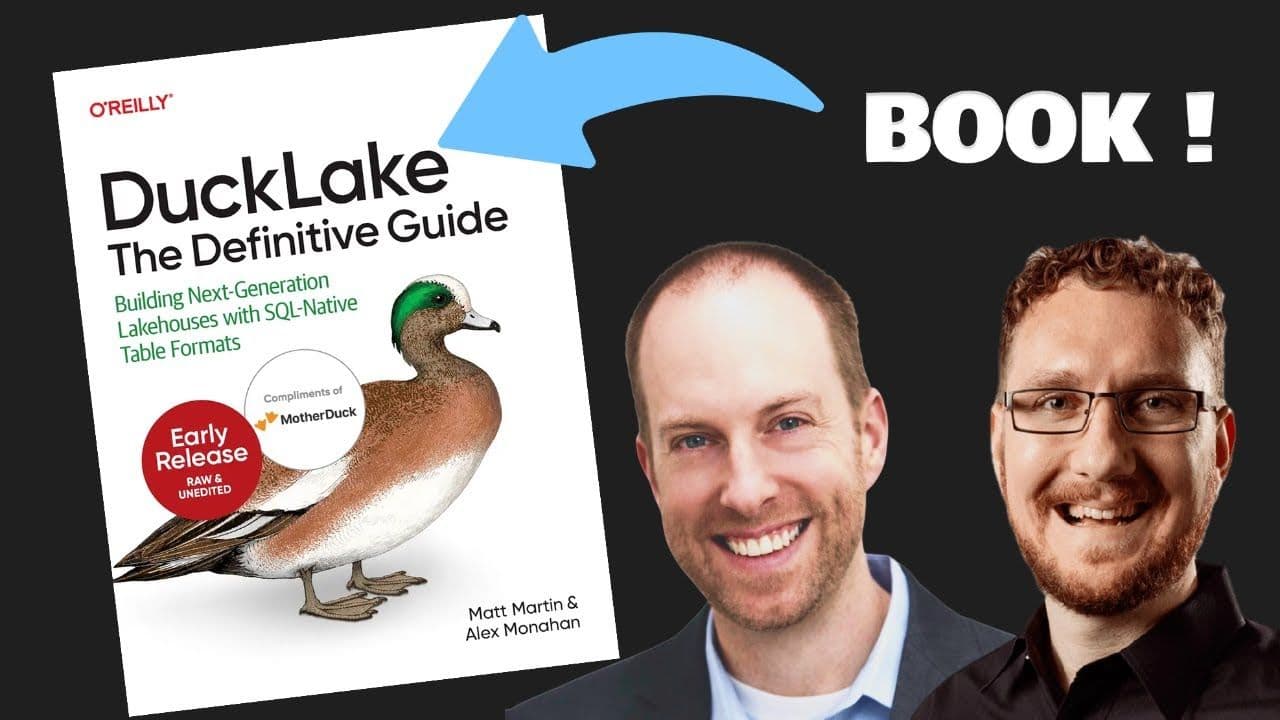
All About DuckLake: The O'Reilly Book
Matt Martin and Alex Monahan, coauthors of O'Reilly's DuckLake: The Definitive Guide, discuss what DuckLake is, how it simplifies lakehouse architecture, and why it replaces file-based metadata with a SQL database. Includes a live Q&A and the release of Chapter 1.
Webinar
Ecosystem