MotherDuck Managed DuckLakes Now in Preview: Scale to Petabytes
· 8 min read
At MotherDuck, we believe in using the right tool for the job. For 95% of companies, our low-latency data warehouse with fast storage delivers sub-second queries perfectly.
But what about organizations with truly massive data requirements—petabytes of historical data, billions of daily events, or global-scale analytics?
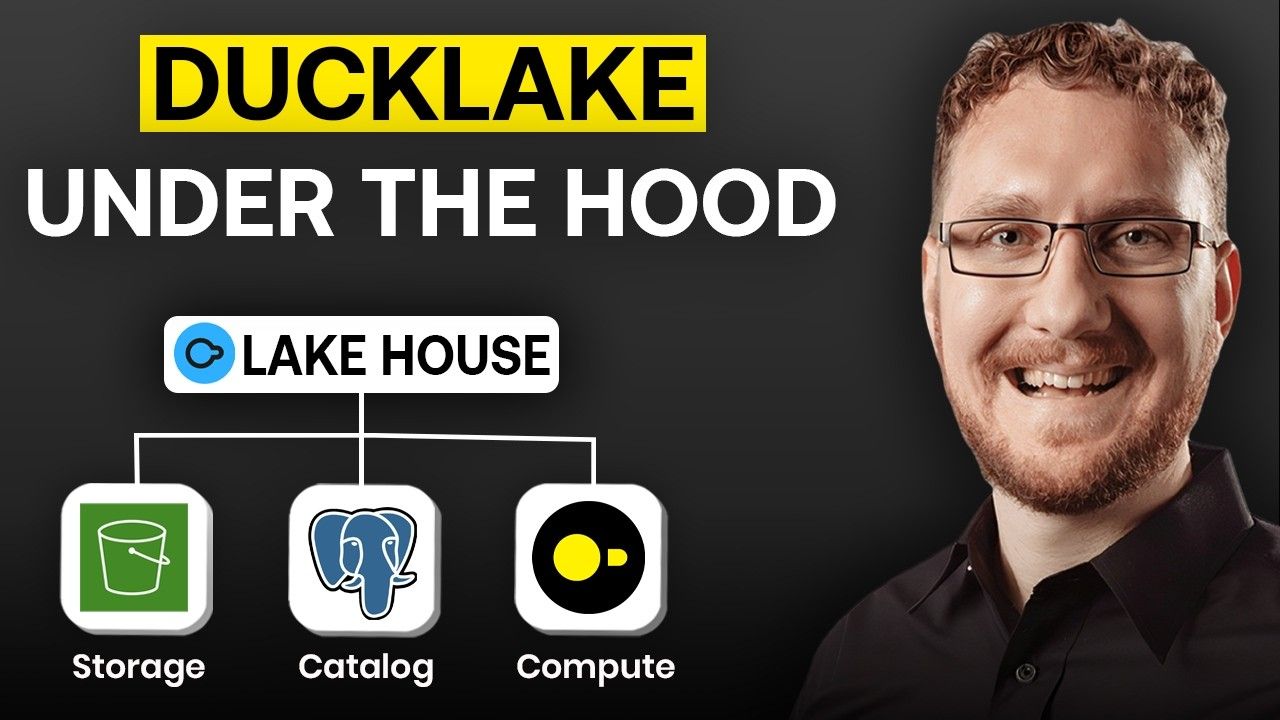
Enter DuckLake: an open table format designed from the ground up for extreme scale, offering the same massive data capabilities as Apache Iceberg and Delta Lake, but with radically faster performance through database-backed metadata and intelligent partitioning.
Get the same scale as Iceberg/Delta Lake, but with the snappy performance of a modern data warehouse.
MotherDuck is proud to preview our support for this emerging format, enabling you to back MotherDuck databases with a DuckLake catalog and storage.
How is DuckLake different from Iceberg or Delta Lake?
While Iceberg and Delta Lake pioneered open table formats for massive scale, they suffer from a fundamental performance bottleneck: metadata operations. Every read and write must traverse complex file-based metadata structures, creating latency that compounds at scale.
DuckLake solves this by storing metadata in a transactional database (PostgreSQL, MySQL), delivering:
- 10-100x faster metadata lookups - Database indexes beat file scanning every time
- Instant partition pruning -
SQL WHEREclauses on metadata, not file traversal - Rapid writes at scale - No complex manifest file merging, just database transactions
- Simplified data stack - No additional catalog server, just a standard transactional database that you likely already have organizational expertise in running
Result: Get the same petabyte scale as Iceberg/Delta Lake, but with the snappy performance of a modern data warehouse.
Bonus: DuckLake recognizes that many organizations think of ‘databases’ of inter-related tables, instead of isolated tables, so multi-table ACID transactions are available and you can easily accomplish multi-table schema evolution.
MotherDuck and DuckLake: Warehouse Speed at Lake Scale
Today we're launching a preview of DuckLake—bringing MotherDuck's sub-second query performance to petabyte-scale data lakes.
By using MotherDuck as your DuckLake catalog database, you get:
- Lightning-fast metadata operations powered by MotherDuck's infrastructure
- Seamless scale transitions—start with MotherDuck storage, graduate to DuckLake as you grow
- Unified SQL interface whether querying megabytes or petabytes
MotherDuck Databases backed by DuckLake Storage + Catalog
You have the choice of what S3-compatible blobstore to use for your DuckLake. Simply configure a SECRET in MotherDuck to specify permissions for that blobstore, and then you can create new databases, specifying the blobstore to use to store the database.
Copy code
CREATE SECRET IN MOTHERDUCK (TYPE S3, …);
CREATE DATABASE my_db (TYPE ducklake, DATA_PATH 's3://my-bucket/my-prefix/');
In this mode, MotherDuck automatically creates the DuckLake catalog database and manages it inside MotherDuck - providing access to the catalog database either in MotherDuck, or for use by local DuckDB clients.
Don’t want to manage your own storage and deal with secrets? MotherDuck can fully manage your DuckLake for you – just don’t provide a DATA_PATH.
Copy code
CREATE DATABASE my_db (TYPE ducklake);
If you choose a fully-managed DuckLake (by not specifying DATA_PATH), you won't have access to the underlying storage bucket outside of MotherDuck at this time. See our roadmap below.
Access Managed DuckLakes from your Own Cloud (or Laptop)
If you supply your own cloud storage bucket, you can bring your own compute (BYOC) to your DuckLake. Today, this allows you to configure DuckDB to use the DuckLake metadata catalog on MotherDuck, but read and write directly to your cloud storage (let’s say from your AWS Lambda jobs!).
In the DuckDB CLI (as an example), create a secret that provides access to your DATA_PATH:
Copy code
CREATE PRESISTENT SECRET my_secret (
TYPE S3,
KEY_ID 'my_s3_access_key',
SECRET 'my_s3_secret_key',
REGION 'my-bucket-region'
);
Next, attach the DuckLake to your DuckDB session:
Copy code
ATTACH 'ducklake:md:__ducklake_metadata_<database_name>' AS <alias>;
Now, you can say USE <alias>; to default your DuckDB session to your DuckLake, or just reference the <alias> in your queries. The following will copy a file from a MotherDuck-owned S3 bucket into your DuckLake as a new table.
Copy code
CREATE TABLE <alias>.air_quality AS
SELECT * FROM 's3://us-prd-motherduck-open-datasets/who_ambient_air_quality/parquet/who_ambient_air_quality_database_version_2024.parquet';
This capability of DuckLakes gets much more interesting when additional data processing frameworks implement support for the DuckLake specification. Support for using DuckLake with Apache Spark is in development.
How do I use my own compute with a fully-managed DuckLake?
Right now, if you want to be able to bring your own compute, you also need to bring your own cloud storage bucket.
Support for using your own compute with a fully-managed DuckLake will be available soon. Although the storage buckets in this scenario will continue to be owned and managed by MotherDuck, we’ll provide signed URLs which clients can use to access these buckets.
Time Travel
DuckLake takes consistent snapshots of your data and enables you to query the state of the data as of any snapshot.
Here's an example looking at the state of your customer table 1 week ago:
Copy code
SELECT * FROM customer AT (TIMESTAMP => now() - INTERVAL '1 week');
In order to see the available snapshots, you can use the snapshots() table function:
Copy code
SELECT * FROM snapshots();
You can then run queries against the data at the time of a specific known snapshot:
Copy code
SELECT * FROM customer AT (VERSION => 3);
More information on the time travel semantics is available in the DuckLake time travel and snapshots documentation.
Preview features at a glance
This is an early release of MotherDuck's support for DuckLake. We will continue to expand our capabilities, making your DuckLake faster, easier to use and easier to manage.
| Fully-managed DuckLake | Provides an easy way to get started with DuckLake. MotherDuck hosts the DuckLake metadata catalog and storage. The storage is not yet accessible outside of MotherDuck. (docs) |
|---|---|
| Bring your own bucket | Keep your storage within your own cloud. Simply configure the secrets for MotherDuck to access your storage and then create your DuckLake referencing this storage as your DATA_PATH. MotherDuck will maintain the metadata catalog, while all data will be stored in your bucket. (docs) |
| Use your own compute with your “bring your own bucket” DuckLake | MotherDuck makes it possible to use your own compute and read/write directly to your DuckLake in your storage bucket, while MotherDuck holds the metadata catalog. (docs) |
| Sharing your DuckLake with other MotherDuck users | With MotherDuck, you’d typically use a service account to create and manage your DuckLake, while providing access to other MotherDuck users using shares. With the preview launch, you can provide read-only access to DuckLakes using shares. Access can be shared with an entire organization, with specific users or to all MotherDuck users. (docs) |
| Fast writes and parquet imports | Due to the database-hosted metadata catalog, DuckLake provides fast writes using simple transactions, without having to update multiple layers of metadata. This improves performance of many operations compared to other open table formats. (DuckLake manifesto) |
| JOIN/UNION all your data in SQL | Analytics SQL queries should just work. Even for complex analytical workloads, working with DuckLake tables is just like working with any other MotherDuck tables. You can JOIN and UNION them, include them in CTEs, and take advantage of DuckDB’s excellent support for file formats like CSV and JSON, as well as remote protocols like HTTP. |
| Time travel | Ducks like to go back to the future too! Time travel enables querying the state of the database as of any recorded snapshot. (DuckLake docs) |
| Metadata-only multi-table schema evolution | MotherDuck supports this DuckLake feature to add/rename columns and promote types without re-writing any data files. (DuckLake docs) |
Future Support: Our Roadmap
As we work towards GA and beyond, we’ll continue to expand our support for DuckLake at MotherDuck. Since we’re building in the open, we want to share the roadmap with you.
| Expanded storage access control | For fully-managed DuckLakes, MotherDuck will handle authentication and authorization through catalog metadata and issue presigned URLs for storage bucket access. MotherDuck will also handle delegated access in ‘bring your own bucket’ scenarios so that users don’t need to have direct access to the bucket secrets in order to work with a DuckLake as long as they’ve been granted appropriate permissions. |
|---|---|
| Automatic data management | MotherDuck will implement automatic data compaction and garbage collection, which can only be manually triggered in the preview release. |
| Streaming write support | MotherDuck will implement support to efficiently handle streaming writes without exploding the number of individual Parquet files in the DuckLake. The initial implementation (already live) is using the experimental DuckLake feature called Data Inlining, but the final implementation is TBD. |
| Row-level and column-level security | We understand this is important for some use cases and plan on supporting it in our DuckLake implementation. |
| Postgres endpoint for catalog access | We want to make DuckLake as easy to use as intended by the DuckDB creators, and it’s important to quack the right protocols. |
| Iceberg Import/Export | DuckLake will support the ability to import and export data in the Iceberg table format. |
| Access your DuckLake from other compute engines | While you can access your MotherDuck DuckLake from local DuckDB instances today, we think an open table format should provide access from additional data processing engines. Support for Apache Spark is coming, but please let us know if there are other engines/frameworks you'd like to see supported. |
| Access to external DuckLakes | MotherDuck will make it possible for users to attach DuckLakes where the metadata and storage are hosted externally. |
| Improved semantics | We want your DuckLake to work as you’d expect (and better!) Although the preview release has some restrictions around multiple MotherDuck users writing to the same DuckLake and eventual consistency on data shares, we’re working hard to enable an improved experience. |
Find us on Slack and reach out to let us know what you think of this preview release and which of the planned features are most important to you. Of course, if there are additional DuckLake capabilities you wish to see, please share those as well.
We will continue to expand MotherDuck's support for Iceberg, incorporating improvements planned by the core DuckDB team.
Table of contents
Read Next