Introducing Flights: Agent-Native Ingest in MotherDuck
- 4 min read
The data stack is being rapidly deconstructed and remade for a new practitioner: AI agents. Agents don't query like humans–they require new interfaces, clear documentation, and highly performant infrastructure.
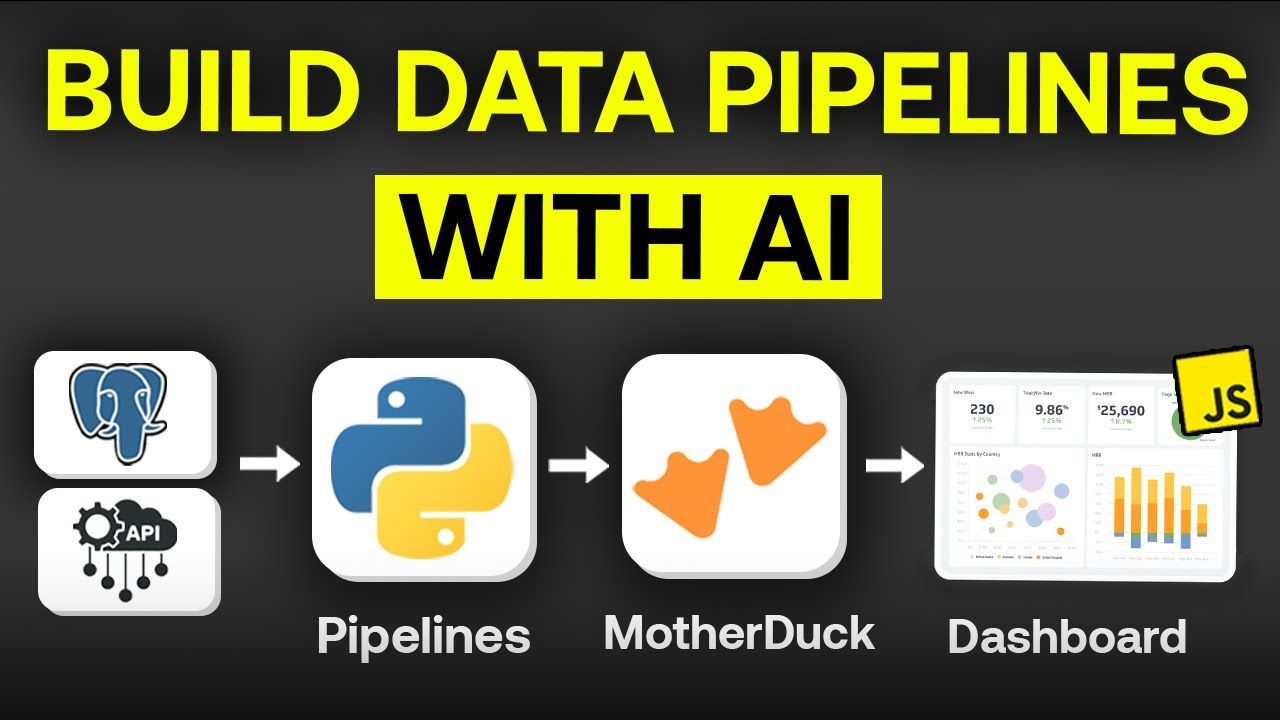
Today, we're introducing Flights, our agent-native data pipelines feature in MotherDuck. With the MCP server and your AI agent of choice, you can build and deploy data pipelines in minutes using a flexible, general-purpose Python runtime. The combination of Flights and Dives in MotherDuck means that you can get from source data to answers in a single agent session–backed by serverless, sub-second analytics.
Ingesting data with Flights is powerful, and the use cases extend far beyond–run flexible transformations, call an LLM, replicate from an existing warehouse, ETL from SaaS APIs, and more.
It's an incredible time to build in data, and we're excited to deliver infrastructure that keeps pace with how modern users and their agents want to work.
Flights is currently in public preview. Get started in the documentation and see our Flight Plan templates for examples.
Or join us live on June 17 for a walkthrough.
Old duck, new interfaces
Data movement has been technically "solved" for a long time–it's only recently that modern data stack vendors delivered freedom from the brittle ETL code we used to live with. Customers got simple point-and-click UIs and durability, and the code got abstracted away.
In the agent era, code is the most important primitive. Agents doing data work need code-first interfaces to build effectively, and a flexible yet secure environment in which to operate.
We've taken this to heart with Flights, which support a growing list of agent-friendly interfaces while executing inside a general-purpose Python runtime. Anything you can pip install, you can build. Flights are tightly integrated with MotherDuck databases–they connect the Python runtime to your Ducklings (compute instances) using the DuckDB Python client.
Building Flights with the MCP server
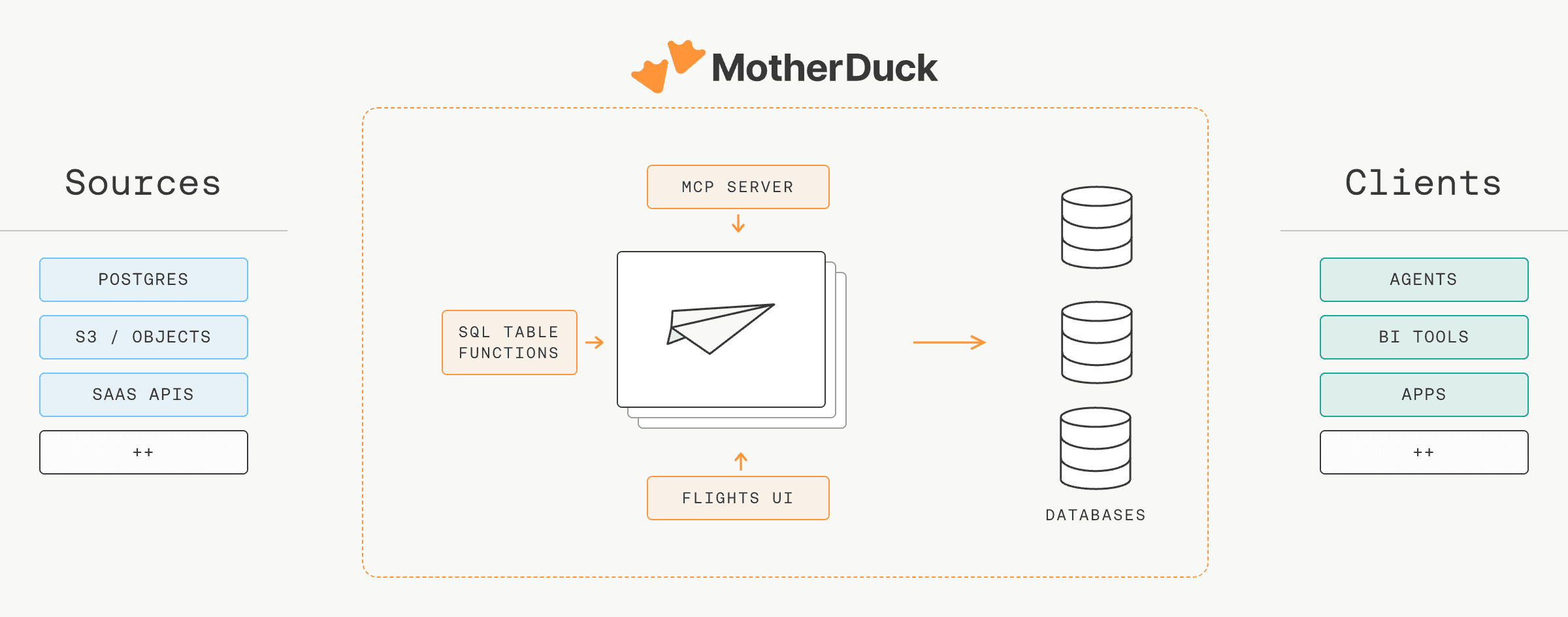
Connect any MCP-capable agent (Claude, Cursor, ChatGPT, your own) to the MotherDuck MCP server and the agent gets the full Flights surface as tools: create, run, schedule, update, inspect logs, version, delete. It also gets get_flight_guide, a built-in instruction set, so the same prompt produces a working Flight whether it's the agent's first or hundredth.
The MCP server is also the interface for creating Dives, so a single chat can take a raw source through ingestion and into a live dashboard or data app. Secrets stay in MotherDuck and are injected into the Flight at runtime; your agent never sees them.
Using SQL table functions
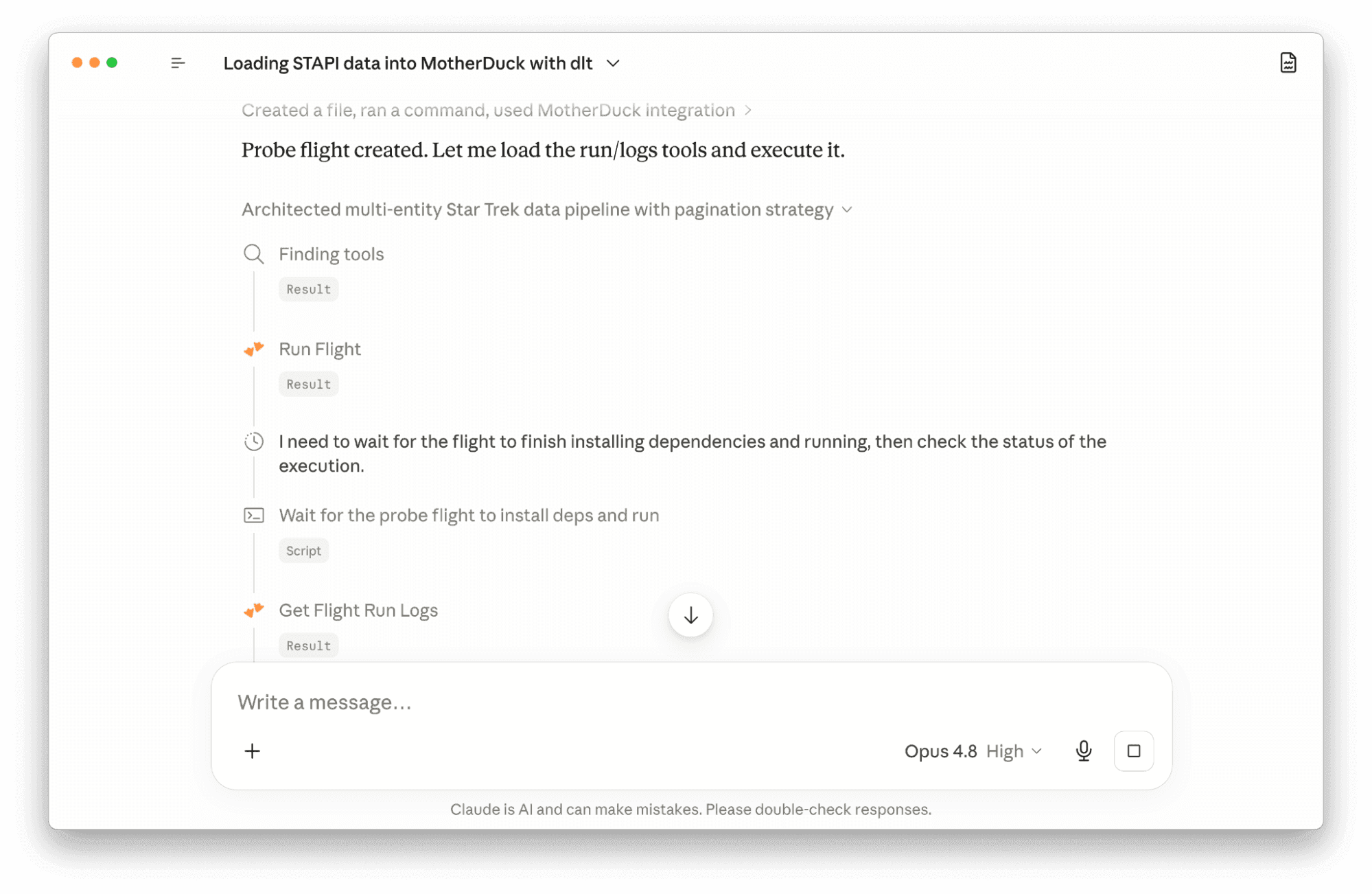
Every Flight operation has a matching SQL table function. Create, run, schedule, list, inspect logs, version, delete: all of it is a SELECT away. Anything that speaks SQL can manage Flights: a DuckDB client, your BI tool, dbt, even another Flight.
The table functions make Flights accessible from wherever you, or your agents, are working. For example, create a Flight by calling MD_CREATE_FLIGHT with the Python source inline:
Copy code
SELECT * FROM md_create_flight(
name := 'daily_signups',
access_token_name := 'prod_token',
schedule_cron := '0 9 * * *',
source_code := $$
import duckdb
def main():
duckdb.connect("md:").execute("""
INSERT INTO analytics.signups
SELECT * FROM 'https://api.example.com/signups.json'
""")
$$
);
With the Flights UI
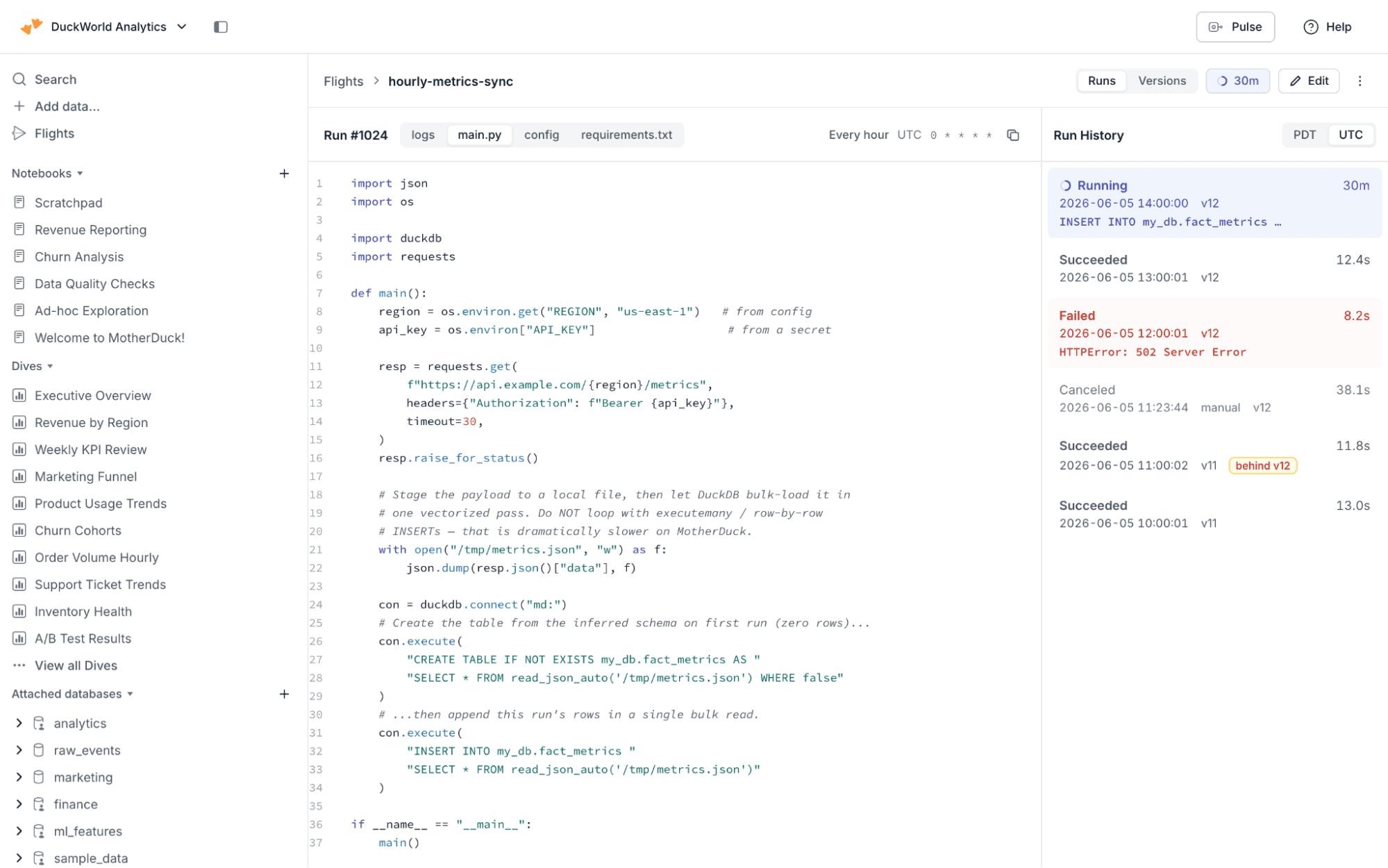
You can also manage Flights visually from within the MotherDuck UI. Write or paste in your Python code, set a schedule, and trigger Flight runs instantly.
The UI includes the same tools as the SQL table functions: logging, run history, versions, environment variables, and the requirements.txt file for your Python environment.
A real example: scheduled ingest with dlt
dlt is the recommended ingest library for Flights. It gives you a declarative pipeline with schema evolution, incremental loading, and a first-class MotherDuck destination. Pair it with a Flight schedule and you have a managed ingestion pipeline that runs on isolated MotherDuck compute.
Here is a single-file Flight that pulls public GitHub repository metadata and merges it into a MotherDuck table:
Copy code
import os
import dlt
import httpx
def repo_rows(repos):
for repo in repos:
response = httpx.get(f"https://api.github.com/repos/{repo}")
payload = response.json()
yield {"repo": repo, "stars": payload["stargazers_count"]}
def main():
os.environ.setdefault("HOME", "/tmp")
pipeline = dlt.pipeline(
pipeline_name="github_stats",
destination="motherduck",
dataset_name="analytics",
)
pipeline.run(
repo_rows(["duckdb/duckdb", "motherduckdb/motherduck-docs"]),
table_name="repos",
write_disposition="merge",
primary_key="repo",
)
Save this as flight.py, attach a schedule, and dlt handles the rest: schema creation, incremental merge on repo, and bulk Parquet loading. Swap repo_rows for any source dlt supports (REST APIs, Postgres, BigQuery, S3, the dlt verified-source catalog) and you have a production ingestion path on MotherDuck.
For a complete version with config-driven knobs, a run ledger, and schema validation, see the flight-dlt-ingest Flight Plan.
Table of contents