A few weeks ago we launched Flights, an AI-native Python runtime that runs inside MotherDuck. A Flight is a Python program that runs on demand or on a schedule, sitting right next to your data. No orchestrator to stand up, no servers to babysit. You write the Python (or rather, let an agent write it), and it runs in MotherDuck.
Of course, that opens up new possibilities, and MotherDuckers (yes, that's what we call ourselves) started trying to do "one-shot prompt data platforms". If the runtime lives next to the data, and a coding agent can talk to MotherDuck through the MCP, could you build a whole platform with one prompt? Not just one pipeline, but inspect the data, write and schedule the pipelines, and create the visualizations?
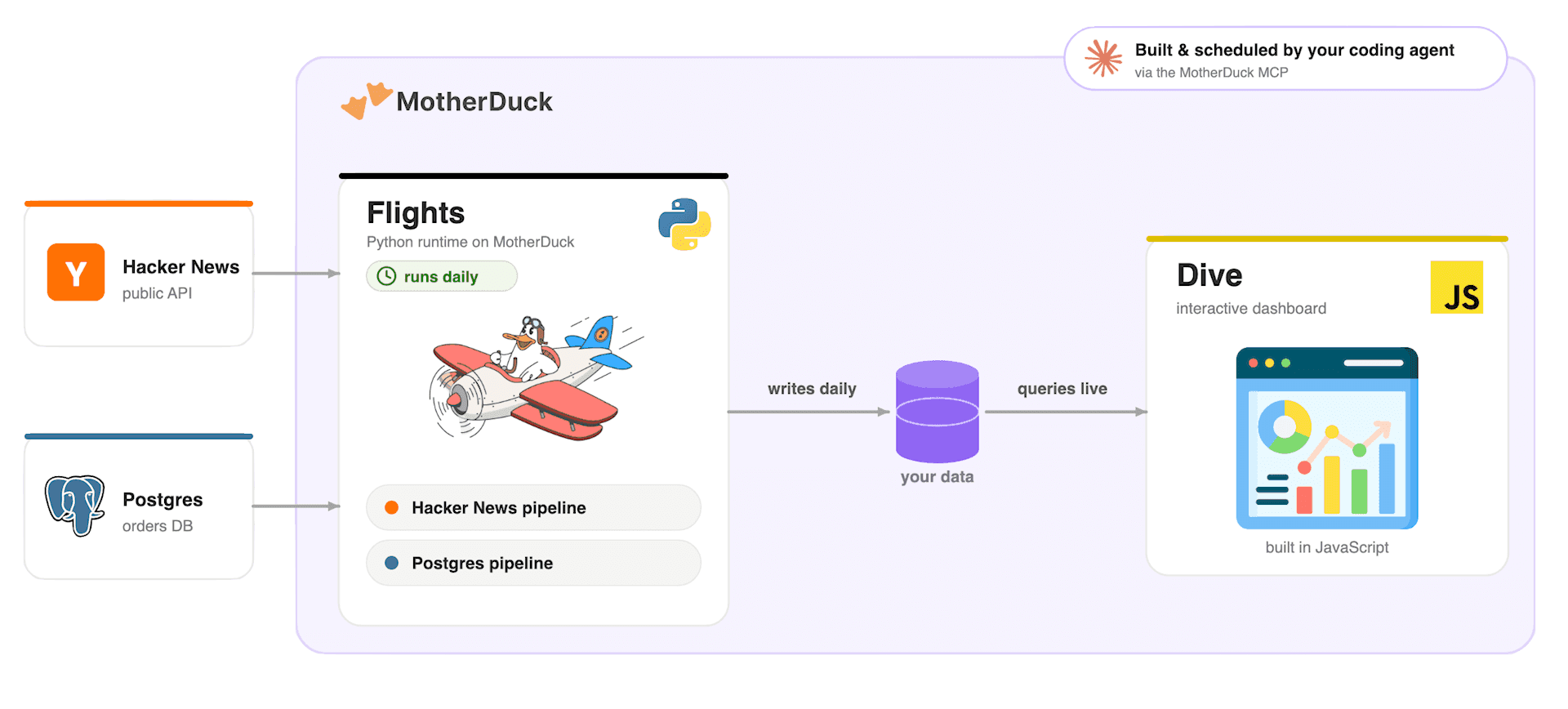
In this blog, I'll walk you through an example of a one-shot prompt that pulls data from a production database (Postgres), mixes in an outside signal from a public API, schedules both to refresh daily, and puts a dashboard on top.
The scenario
Let's say you run a small e-commerce shop. It's synthetic data, but it acts like the real thing: orders, customers, products, and shops, all living in Postgres. You want a daily read on how the business is doing, plus an outside signal: what Hacker News is saying about the tools you are selling (let's say DuckDB and MotherDuck).
So that's two pipelines. One from a database (Postgres), one from an API (Hacker News). Both scheduled daily, with a dashboard on top. In MotherDuck terms, the pipelines are Flights and the dashboard is a Dive.
If you want to reproduce this case, here's the seed script to load this data into your Postgres: https://github.com/motherduckdb/labs/blob/main/projects/postgres-vs-motherduck/pipeline/seed_postgres.py
Two things before the prompt
The agent does the building. But two things happen outside the prompt.
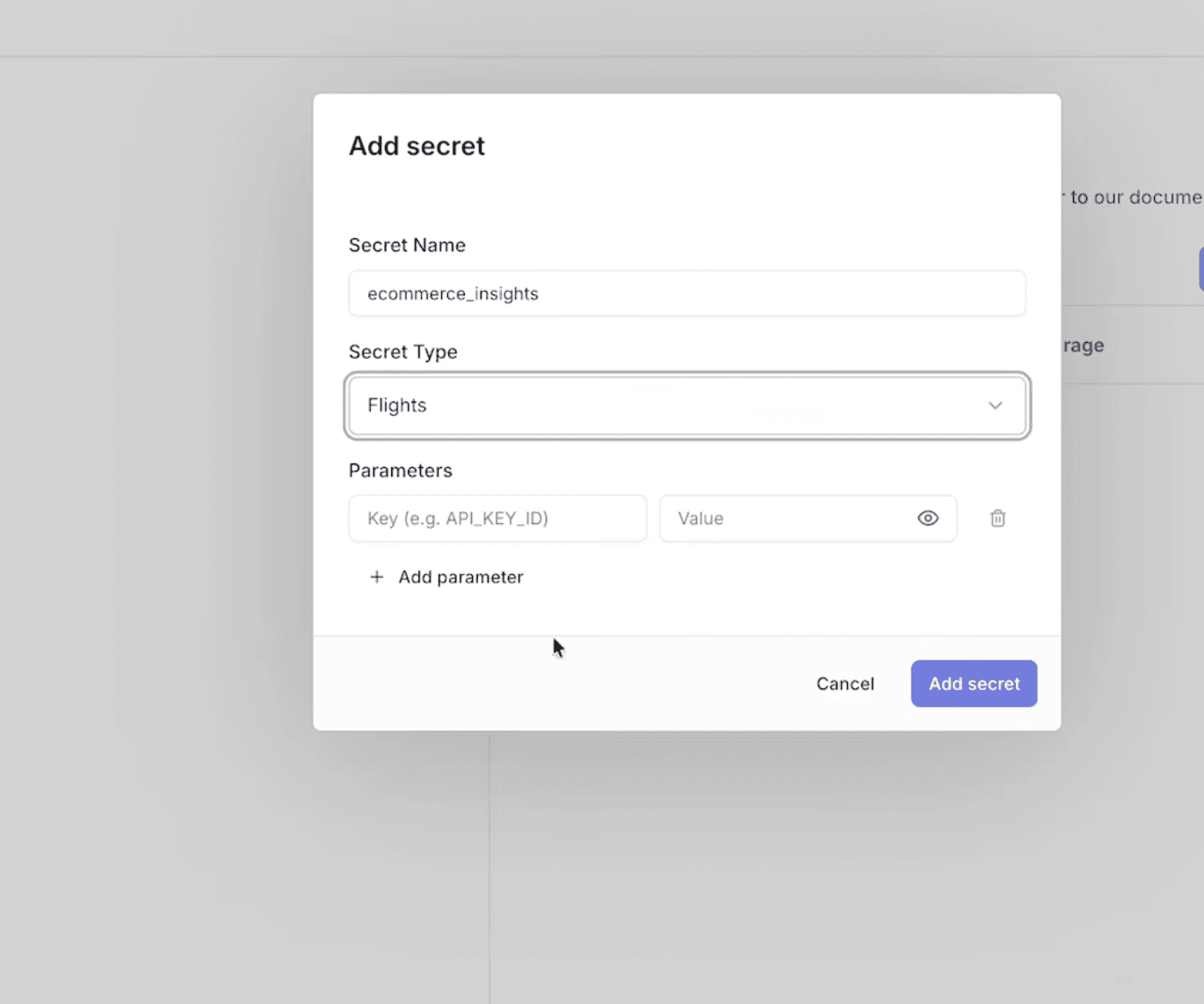
First, the secret. My Postgres connection string should never go through a prompt! Anything you send to a prompt can end up in cloud logs 🙅♂️ So I drop it into the MotherDuck UI under Settings, then Secrets, as a Flight secret. It's stored encrypted, and the prompt only refers to it by name. The Hacker News side is a public API, so nothing to hide there.
Second, the MCP. I connect MotherDuck to my coding agent so it can inspect my databases, create Flights, run them, and read the logs back. I'm on Claude Code with Opus 4.8 here, but any agent works (Codex, Claude in the browser, whatever you reach for).
One prompt
Then I send one prompt. Every part of it tells the agent something specific: what to build, where the secret lives, how far back to backfill, and when the job is actually done.
Use the MotherDuck MCP to set up two daily flights plus a Dive for visualization of the results. Ingest my Postgres e-commerce data, orders and related tables, into MotherDuck and refresh it daily. The connection string is already stored as a Flight secret named e-commerce-insights. Follow the cookbook in the docs for production-ready pipeline patterns. For the other flight, each day pull what Hacker News is saying about DuckDB and MotherDuck, the stories and the comments. Backfill over the past two weeks. Run both flights and make sure they succeed.
Two bits in there pull a lot of weight. The cookbook hint sends the agent to our docs, which ship a bunch of Flight recipes, so it copies patterns that already work instead of inventing its own. And "make sure they succeed" is the part that makes this hands-off. The agent runs each Flight, reads the logs through the MCP, and fixes its own code when the first run breaks.
Then I hit enter.
What the agent did
It used the MCP to inspect what was there, wrote the Python for both Flights, deployed and scheduled them, and ran them, looping until they passed.
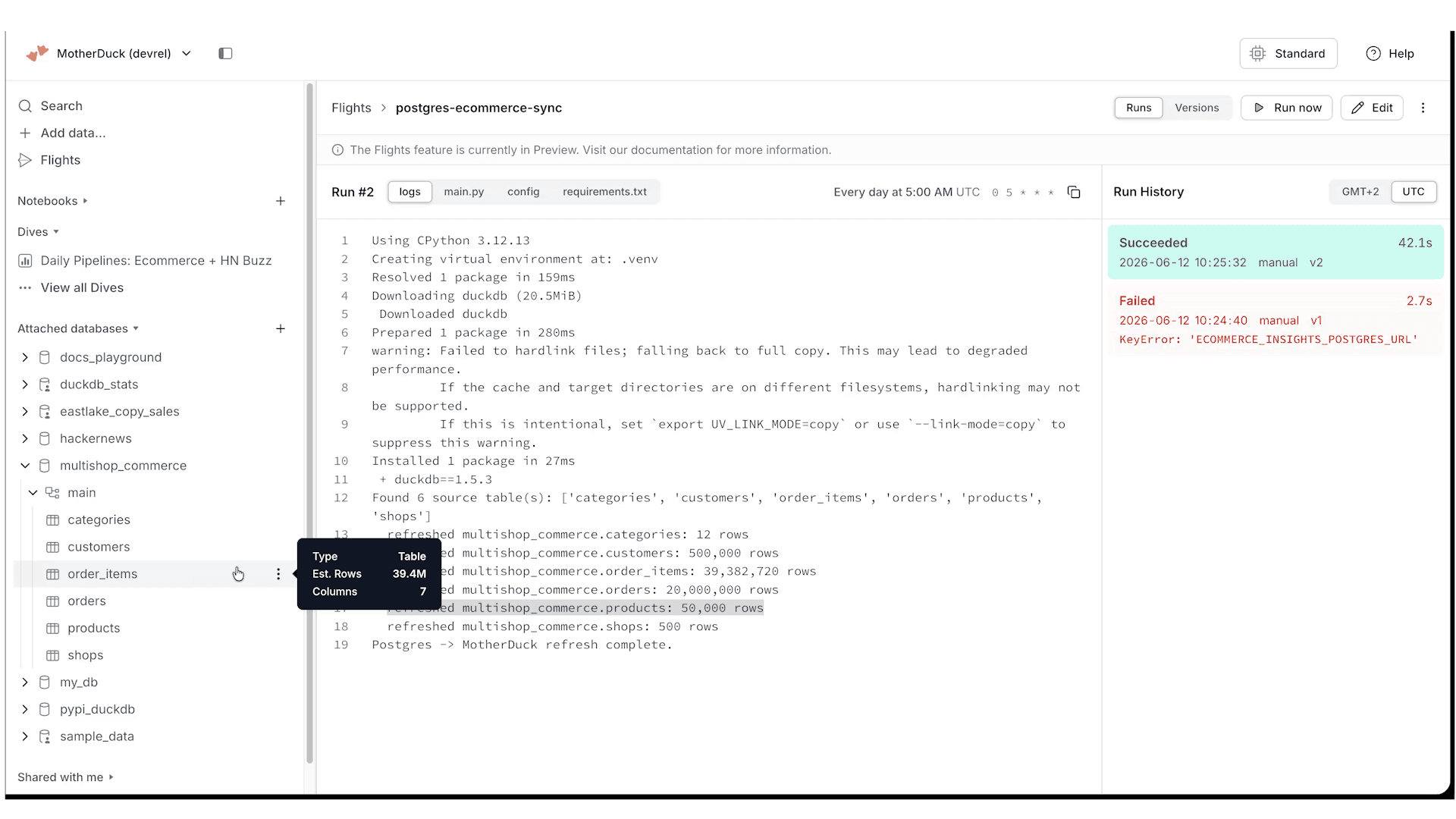
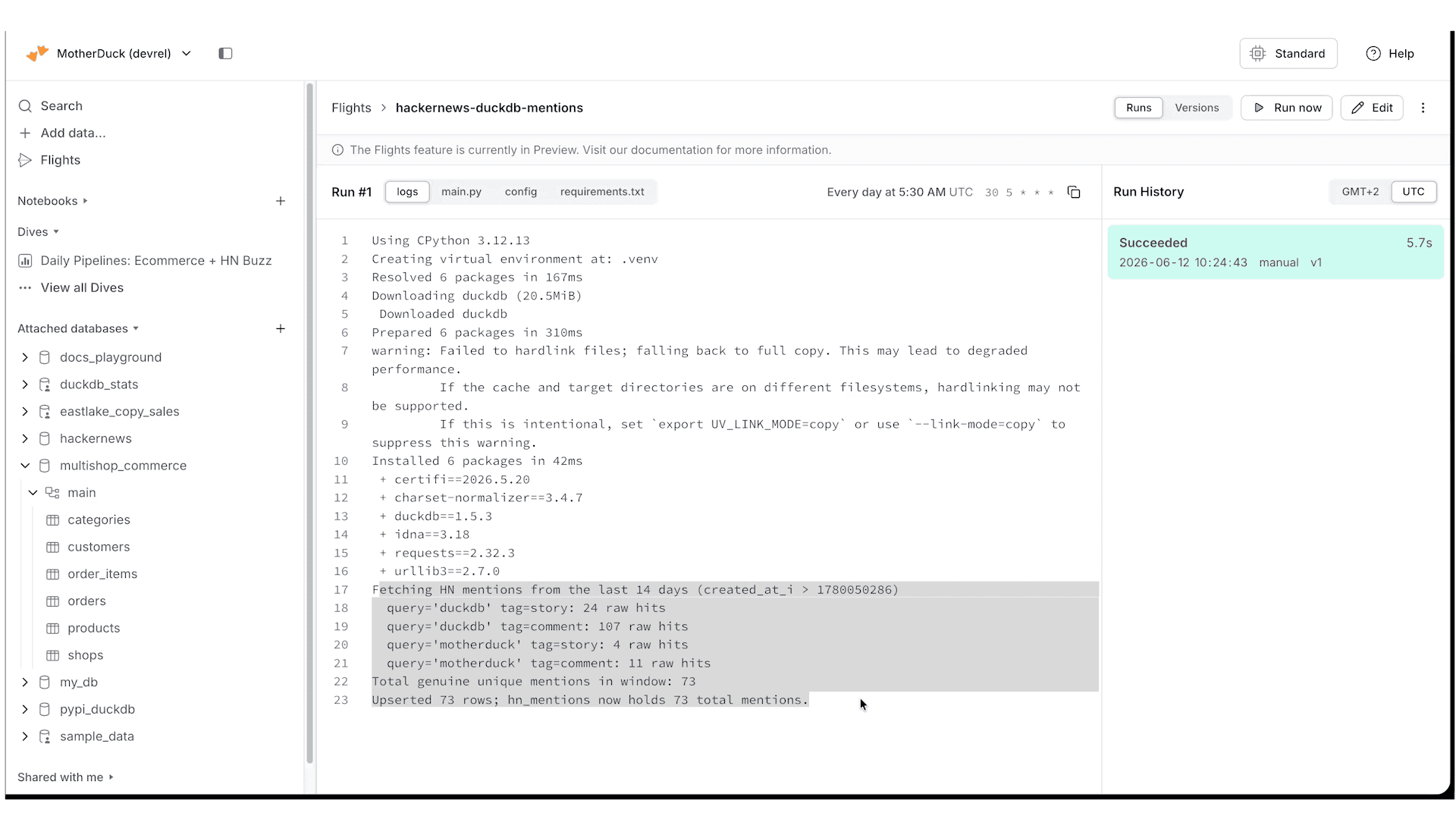
The Postgres flight mirrors the tables into MotherDuck. The first run failed, which is kind of the point: the agent read its own log, fixed the code, and the next run pulled tens of millions of rows in about a minute. Every table from Postgres showed up with the right counts.
The Hacker News flight is small and quick. It worked out the public Hacker News API, queried for stories and comments mentioning DuckDB and MotherDuck, backfilled the last two weeks, and dropped the results into their own database. That run finished in a few seconds.
Then it built the Dive. I never told it which metrics to show. It read the schema and picked them: revenue, gross merchandise value, customers, and shops on the e-commerce side, and mention counts, top stories, and mentions over time on the Hacker News side.
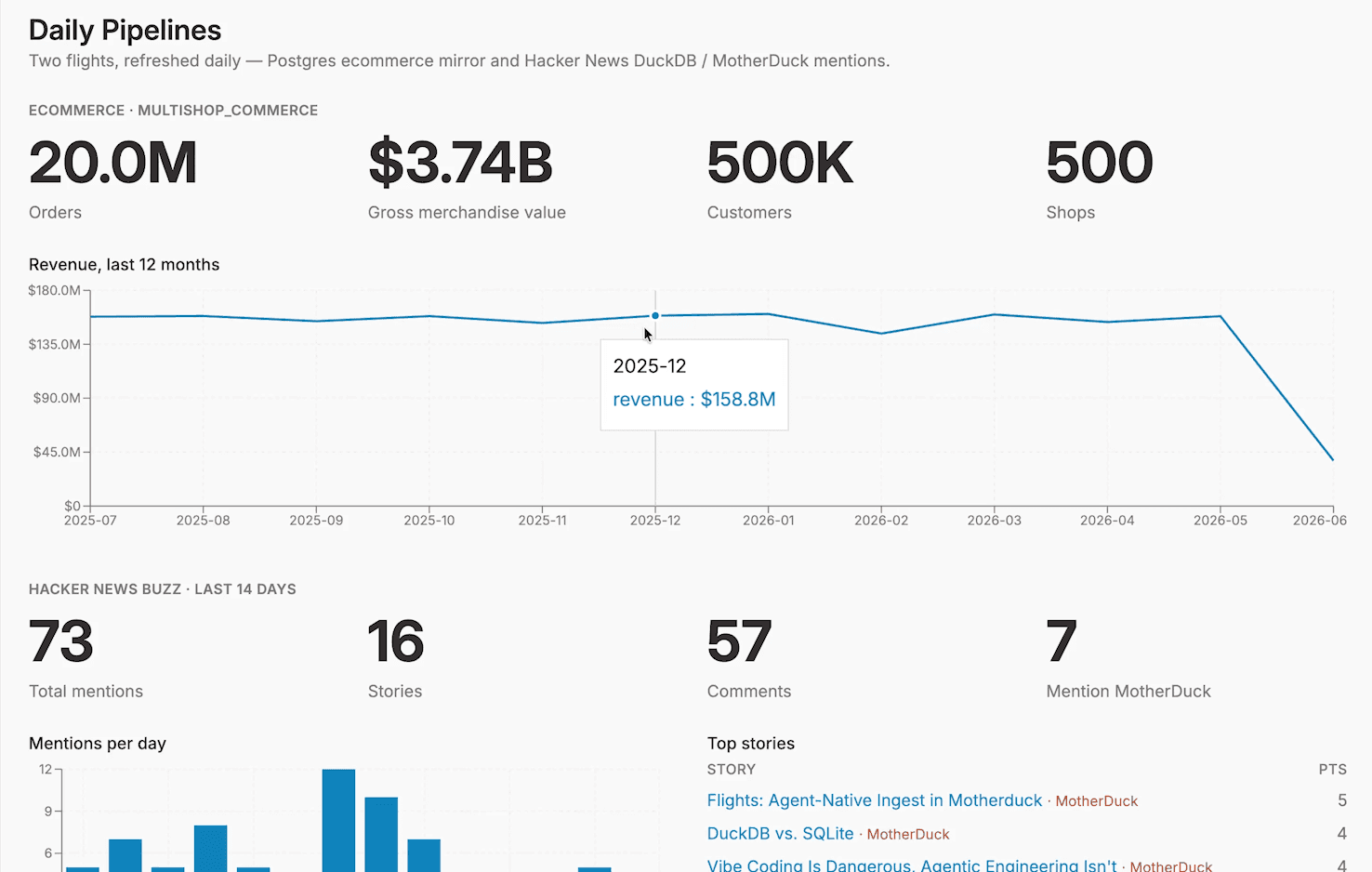
Start to finish, under three minutes. One prompt to two deployed, scheduled pipelines and a live dashboard, all running on MotherDuck.
Try it yourself
My prompt was pretty vague, and the agent still gave me something useful. In practice you can be a lot more precise, or just iterate on the first result until it's what you want.
Want to reproduce it with the same data? We used the multishop_commerce dataset from our postgres-vs-motherduck Labs project, which can seed a throwaway Postgres for you to ingest from. The full walkthrough is in the docs guide, including how to set up the Postgres connection safely.
As we've put real effort into making these one-shot builds repeatable, here's another prompt to try, pointed at a public dataset with no setup on your end:
Use a daily MotherDuck Flight to import the latest day of Wikipedia pageviews, then build an interactive Dive showing how pageview counts by language shift through the day.
Have a safe flight, and let me know what you build.
Table of contents