Why web developers should care about analytical databases
· 6 min read
If you’re building web apps—whether frontend or backend—you’re probably fine using Postgres or another transactional database for most use cases. But as soon as your app needs data-intensive features, like an analytics dashboard for users or insights on product usage, things can slow down. That’s because transactional databases aren’t built for complex analytical queries.
In the past, you would often hand this off to a separate team with a specialized setup, but today, infrastructure is more straightforward, and SQL has become the go-to tool for analytics.
In this blog, we’ll quickly cover what analytical databases are, when to use them, how to move data from your OLTP database, and a practical examples of using an OLAP cloud service like MotherDuck, directly in your Vercel application.
If you prefer watching over reading :
What are analytical databases
Analytical databases, or OLAP (Online Analytical Processing) databases, are designed for querying and analyzing large datasets. Unlike transactional databases like Postgres, which is excellent at handling fast, small-scale operations like creating or updating records, OLAP databases are optimized for heavy, read-intensive operations.
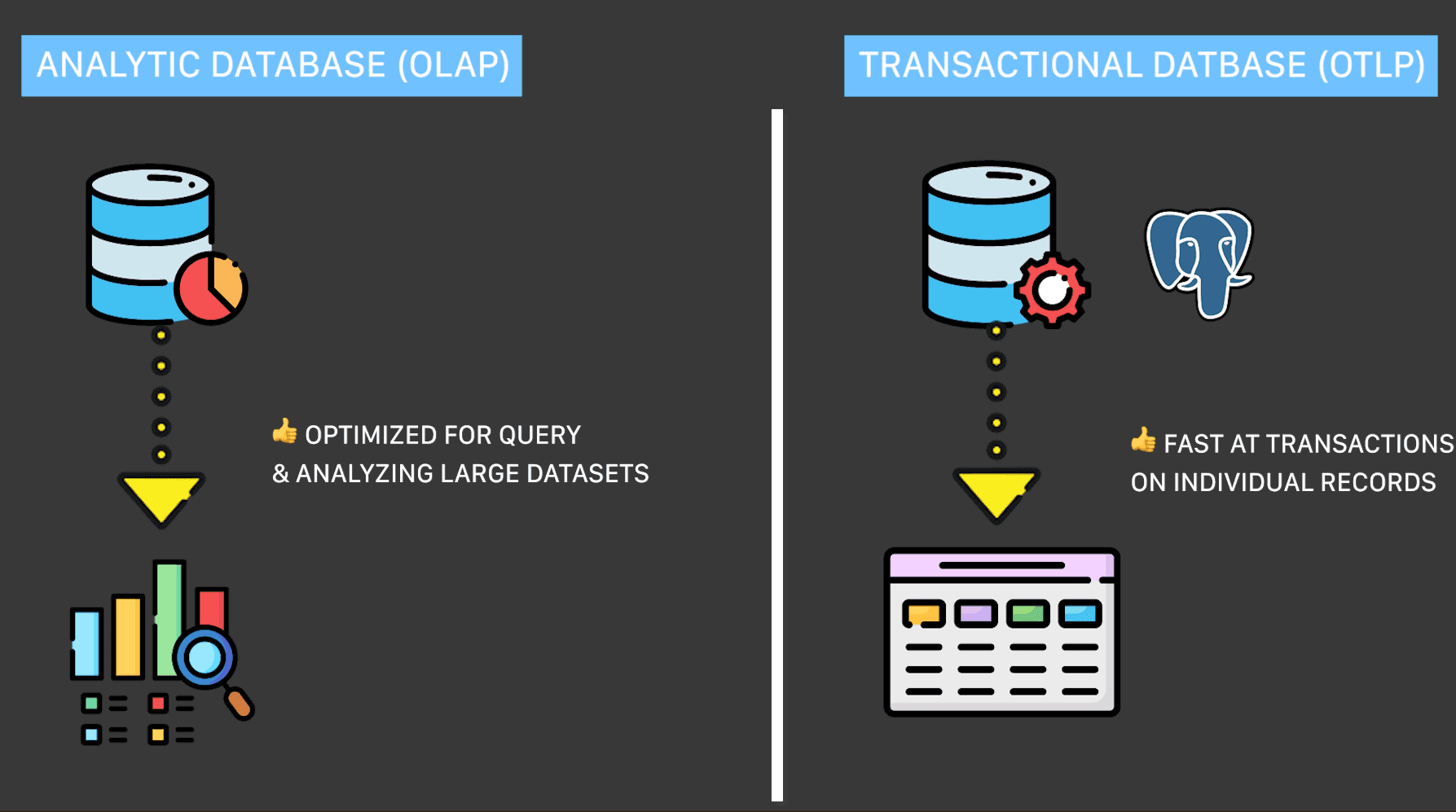
They’re built for complex queries, like calculating averages across millions of rows, filtering data by multiple criteria, or aggregating metrics over time. They’re also much faster at these operations because they store and process data differently, typically using columnar storage.
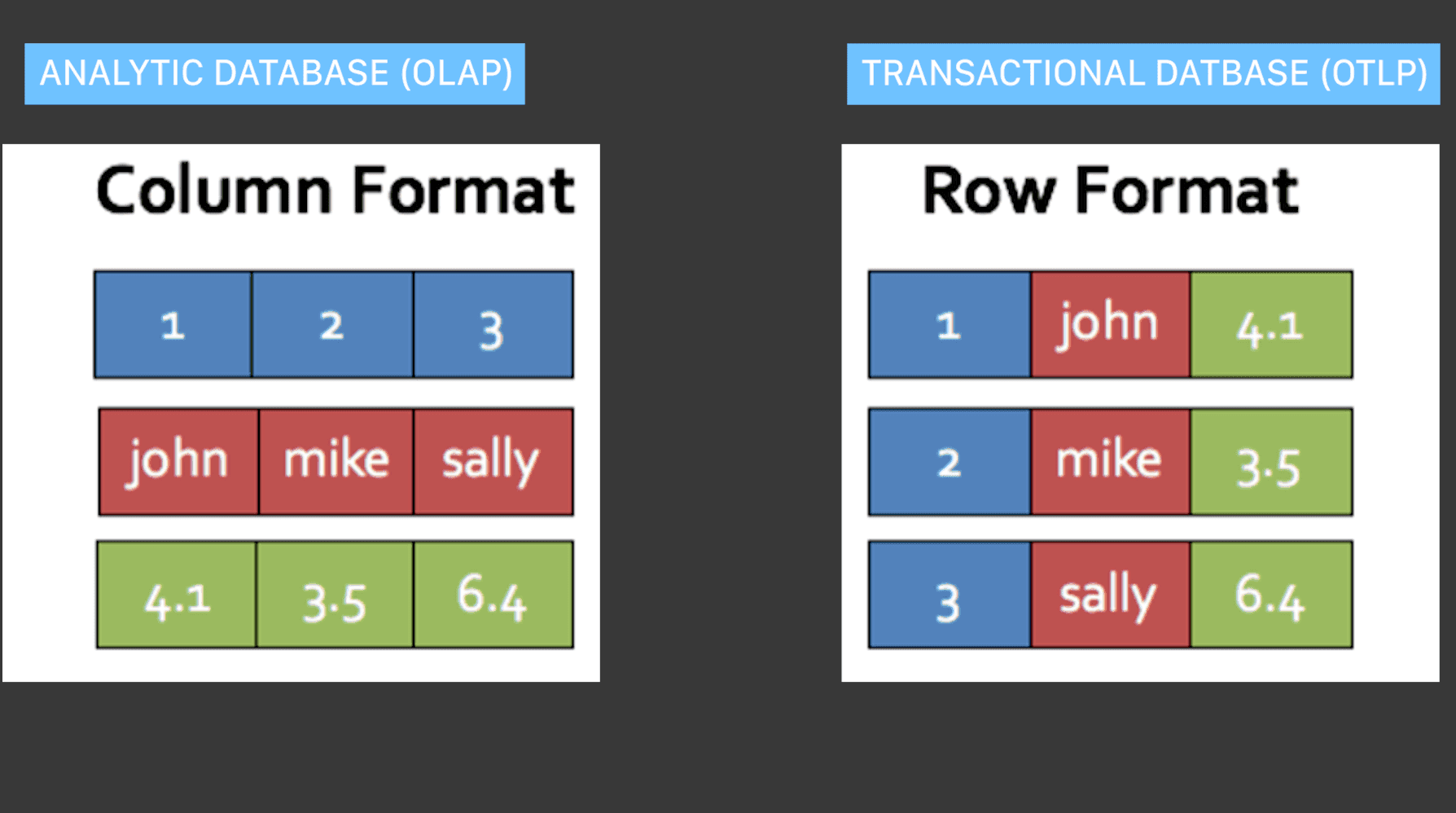
In short, OLAP databases are ideal for scenarios where you need to crunch large datasets to find trends, patterns, or insights.
When to use analytical databases
First, it’s important to note that it’s perfectly fine to start prototyping your analytics use cases on your current transactional database, like Postgres. Many analytical projects begin like that, especially for smaller datasets or simple reporting.
However, as your app grows and the complexity or volume of data increases, you’ll likely hit performance bottlenecks. That's a clear sign you are outgrowing Postgres for analytics, as you don't want these analytical queries consuming your entire database's resources. This doesn't mean replacing your existing systems; instead, many teams adopt a two-tier architecture with a lean, modern data warehouse that acts as a high-performance serving layer for live applications.
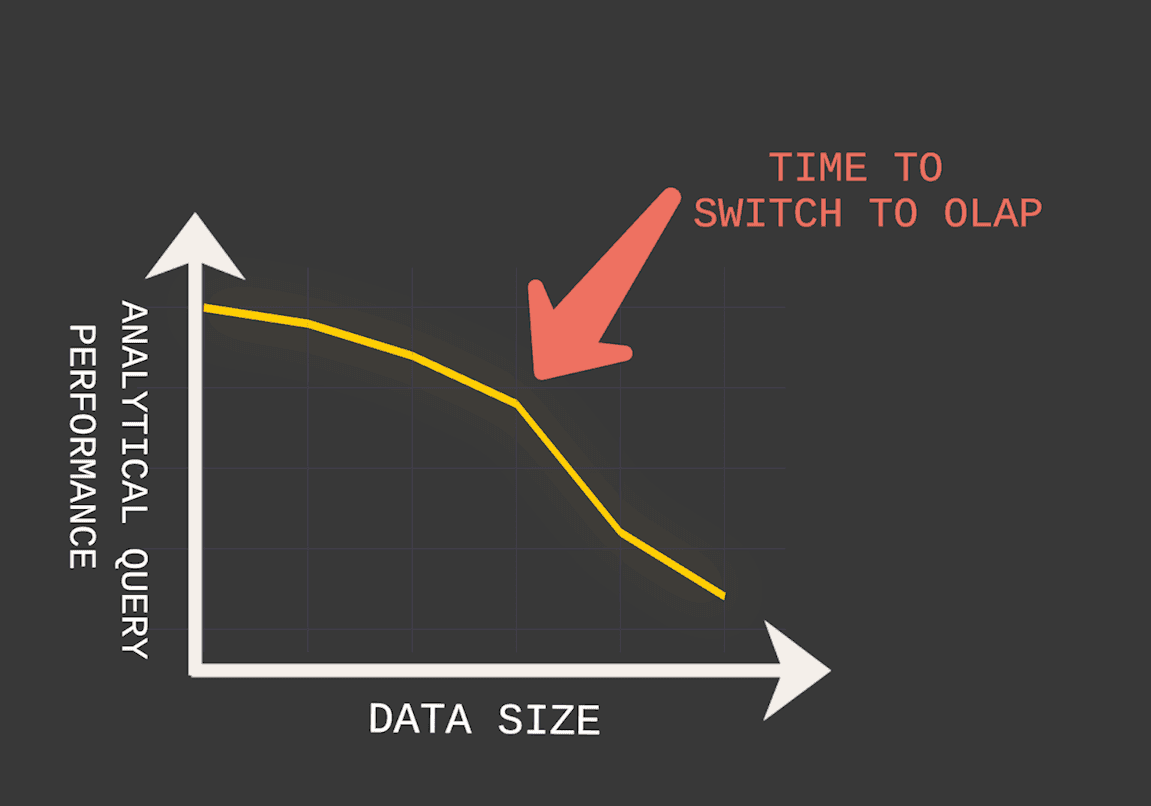
Here are some common scenarios for analytical databases:
- User-Facing Analytics Dashboards: If your app needs to show users detailed analytics, like tracking usage trends or performance metrics, OLAP databases make it easy to generate fast, interactive reports.
- Product Insights: If you want to understand how users are interacting with your app—like which features are most popular or what leads to churn—OLAP databases let you run exploratory queries efficiently.
- Combining Data Sources: If you need to merge data from multiple systems—like CRM data with app usage data—an analytical database simplifies this process by handling large, diverse datasets.
These are not exclusive use cases but the most common ones you might see.
How to move data to your analytical database
There are three common methods.
1. ETL Pipelines
ETL stands for Extract, Transform, Load. This is a common approach to move data. You extract it from your OLTP database, clean or reformat it, and load it into your OLAP database. You typically have a process (in Python or whataever have you), that would move the data. There are two classic approaches:
- Directly to OLAP system: You can process and load your data directly into the analytical database.
- Offload to Object Storage: You can write your data to an object storage system like S3. This gives you more flexibility to process the data later , be free on the processing tool you wanna use instead of leveraging the OLAP database directly.
2. Real-Time Streaming:
If you need live updates for dashboards or analytics, you can use real-time streaming tools like Kafka or AWS Kinesis to move data continuously. These event streaming services often integrate with Change Data Capture (CDC) tools to track and stream changes in real time. They are excellent for capturing incremental updates and syncing them efficiently into your OLAP database.
3. Direct Querying
Some OLAP systems allow direct queries on your transactional database without moving data or relying on another process.
For example:
- DuckDB’s Postgres Scanner: DuckDB can connect directly to Postgres to run analytical queries on your existing data.
- pg_duckdb Extension: This is a new Postgres extension that embeds DuckDB directly inside Postgres, allowing you to leverage DuckDB’s analytical capabilities without additional infrastructure and to connect to MotherDuck.
Each method depends on your app’s needs. Real-time streaming is ideal for live dashboards, ETL is great for batch analytics, and direct querying works well for smaller-scale use cases, as it's really easy to get started.
Using MotherDuck (OLAP database) directly in Vercel
Let’s dive into an example of connecting your web application to an OLAP database in your data stack using Vercel and its native integration with MotherDuck, which runs DuckDB in the cloud.
In this use case, we’ll hydrate analytical data stored in MotherDuck to feed directly into your application.
With the native integration, you can create a MotherDuck account without ever leaving Vercel, streamlining the process with a single platform for both setup and billing.
Simply head to the template listing, where you can easily deploy a ready-made template with just a few clicks or install the integration into an existing project.
In this demo, we’re showcasing a Vercel data dashboard—and as you’ll notice, it’s incredibly fast and responsive.
Here’s why:
- It leverages MotherDuck Cloud for handling larger queries.
- It uses DuckDB Wasm, enabling an analytical database to run directly in the browser. This approach takes advantage of the client’s processing power, reducing extra I/O traffic.
The result? It provides a smoother experience for users and lower computing costs for developers.
Conclusion
To wrap up, analytical databases unlock a world of possibilities for web developers. They help you handle data-intensive features like customer-facing analytics and user dashboards, gain deeper insights into your product, and combine data from multiple sources—all without overloading your transactional database.
With modern tools and SQL as a common language, setting up these workflows has never been easier. So, the next time your OLTP database is struggling, think about OLAP. If you want to push application speed even further, learn how DuckDB Wasm brings analytical SQL directly to the browser.
Start using MotherDuck for free today, and explore our documentation on the Vercel integration!
Keep quacking and keep coding.
Table of contents