Ducktober Recap: 8 days of shipping
· 5 min read
TL;DR: We shipped eight launches in eight days. You can now run MotherDuck in your own AWS account, filter rows and mask columns on a Share for each customer, run your biggest queries on Giga, act on data from inside a Dive, buy us on AWS Marketplace, watch every Flight run step by step, ask Agent Chat to build Flights and Dives for you, and do all of it in dark mode.
For the last two weeks, we've opened a new launch every weekday. We called it Ducktober: a spooky advent calendar with something new behind each door, from October 26 to November 4. If you missed a day, no problem - we are recapping here!
Day 1: Bring Your Own Compute
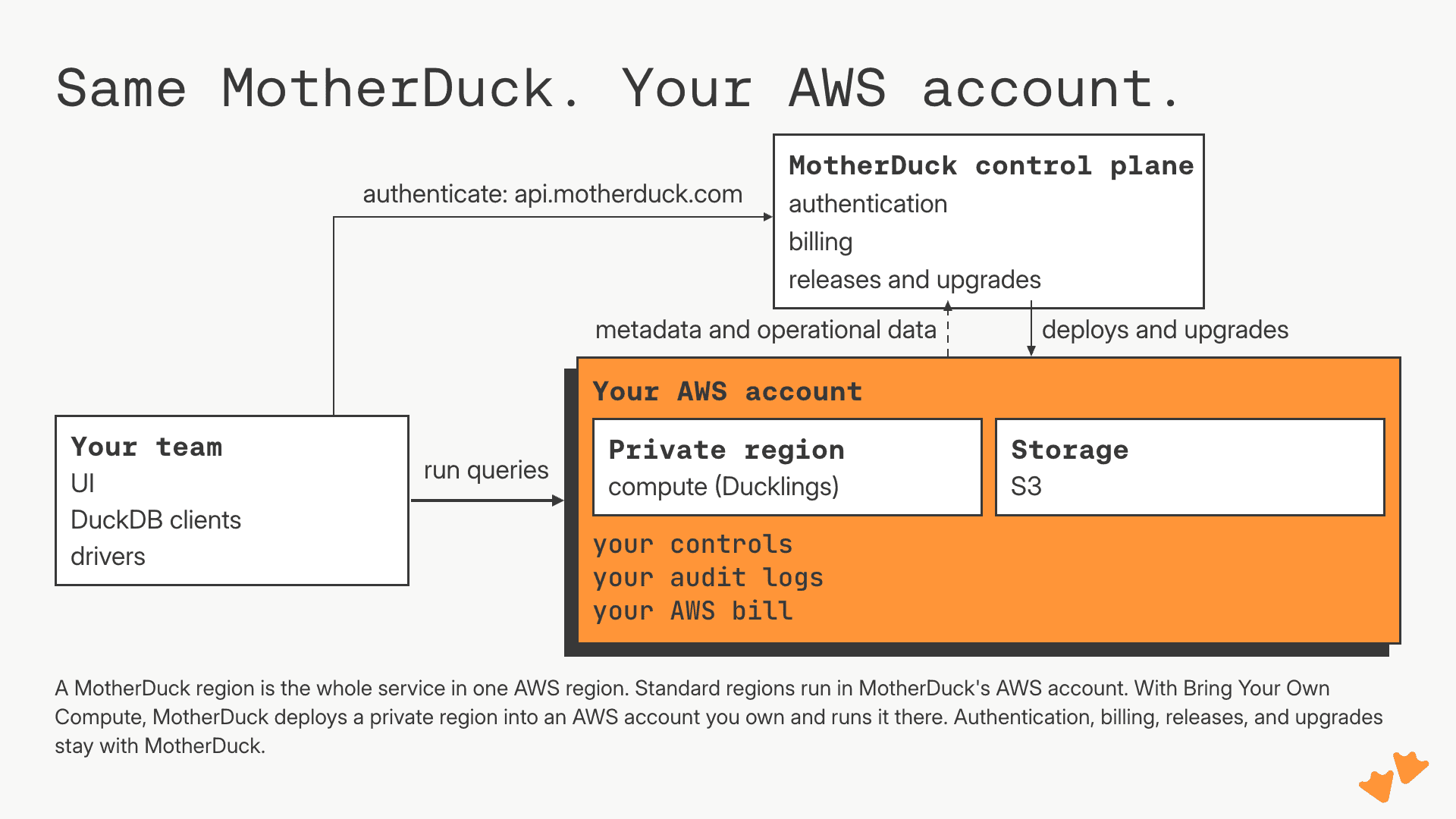
Some teams can't send their data to someone else's cloud account, however good the security page is. For them we built Bring Your Own Compute: a private MotherDuck region in an AWS account you own. Your Ducklings run there and your data sits in your own S3 buckets, native storage and DuckLake alike. What still reaches us is operational metadata: logs, metrics, query history.
It's the whole product: Ducklings, Flights, Guides, Dives, DuckLake and the MCP server, operated and upgraded by us on the same schedule as every other region, at the same app.motherduck.com. Enterprise, on AWS. Talk to us or read the docs.
Day 2: Secure views (row and column security on Shares)
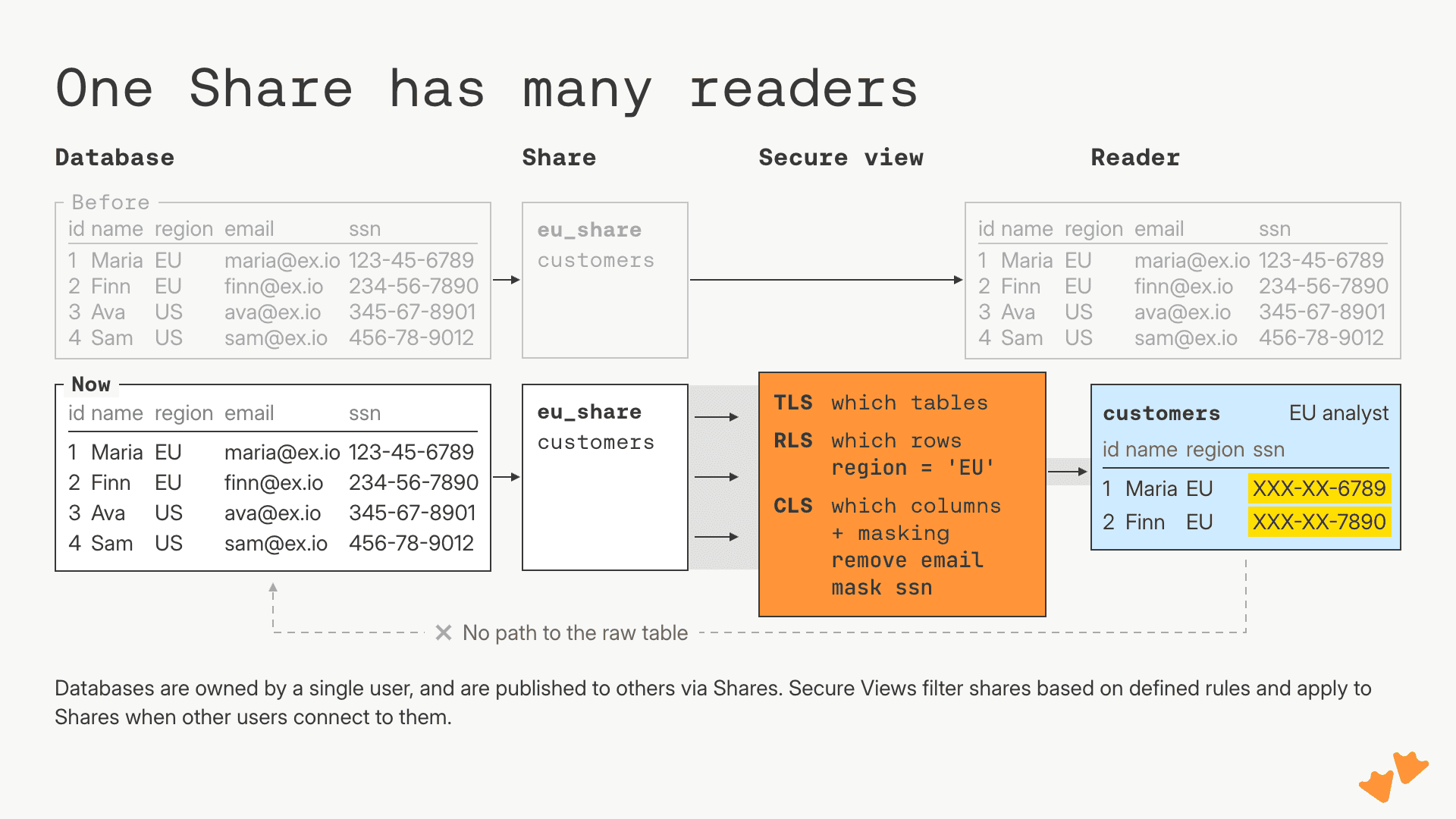
Attach a Secure View to a Share and MotherDuck enforces it on the server for every consumer: a WHERE clause filters rows, leaving a column out hides it, and an expression masks it. Using current_user in the filter means that each consumer sees different rows from the same Share. It's supported on native MotherDuck storage and managed DuckLake; Business and Enterprise plans, including free trials. See the docs for the syntax.
Day 3: Giga, one very big duck
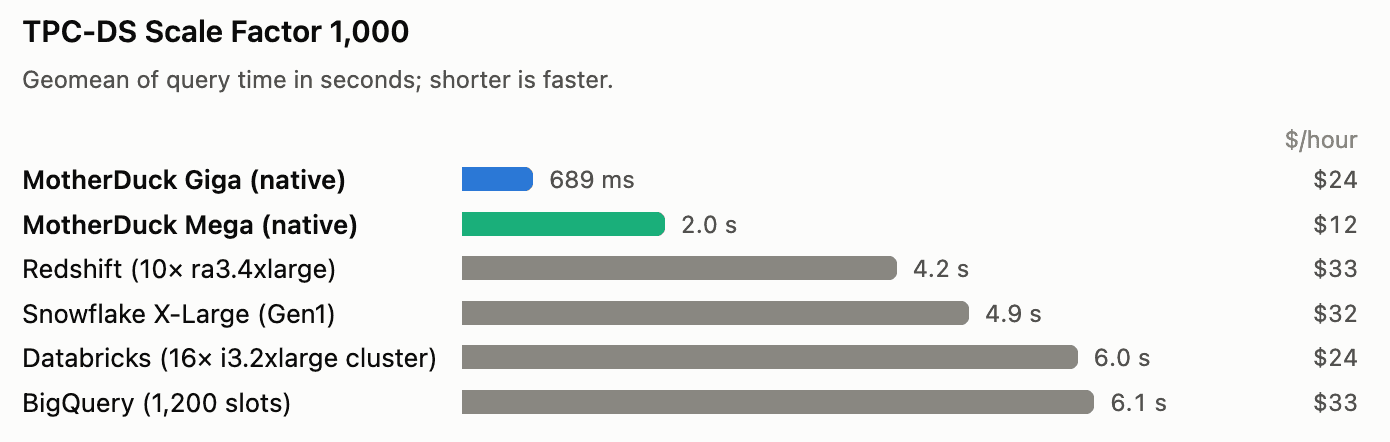
Giga is our largest Duckling: roughly 192 cores and 1.5 TB of RAM, about as much CPU and memory as a Snowflake 3XL. Our Giga is one machine; Jordan Tigani's post describes the 3XL as 64 smaller instances networked together. We've always held that a query should run on one machine that gets bigger, rather than split across a cluster.
On TPC-DS at 1 TB, Giga's hot queries came in at a geometric mean of 689 milliseconds, against the 4 to 6 seconds Jordan's post cites for the large distributed warehouses; at 10 TB it held at 5.6 seconds. It's available business plan, and free trials on request; Jordan's post has the results and sources.
Day 4: Dive Apps
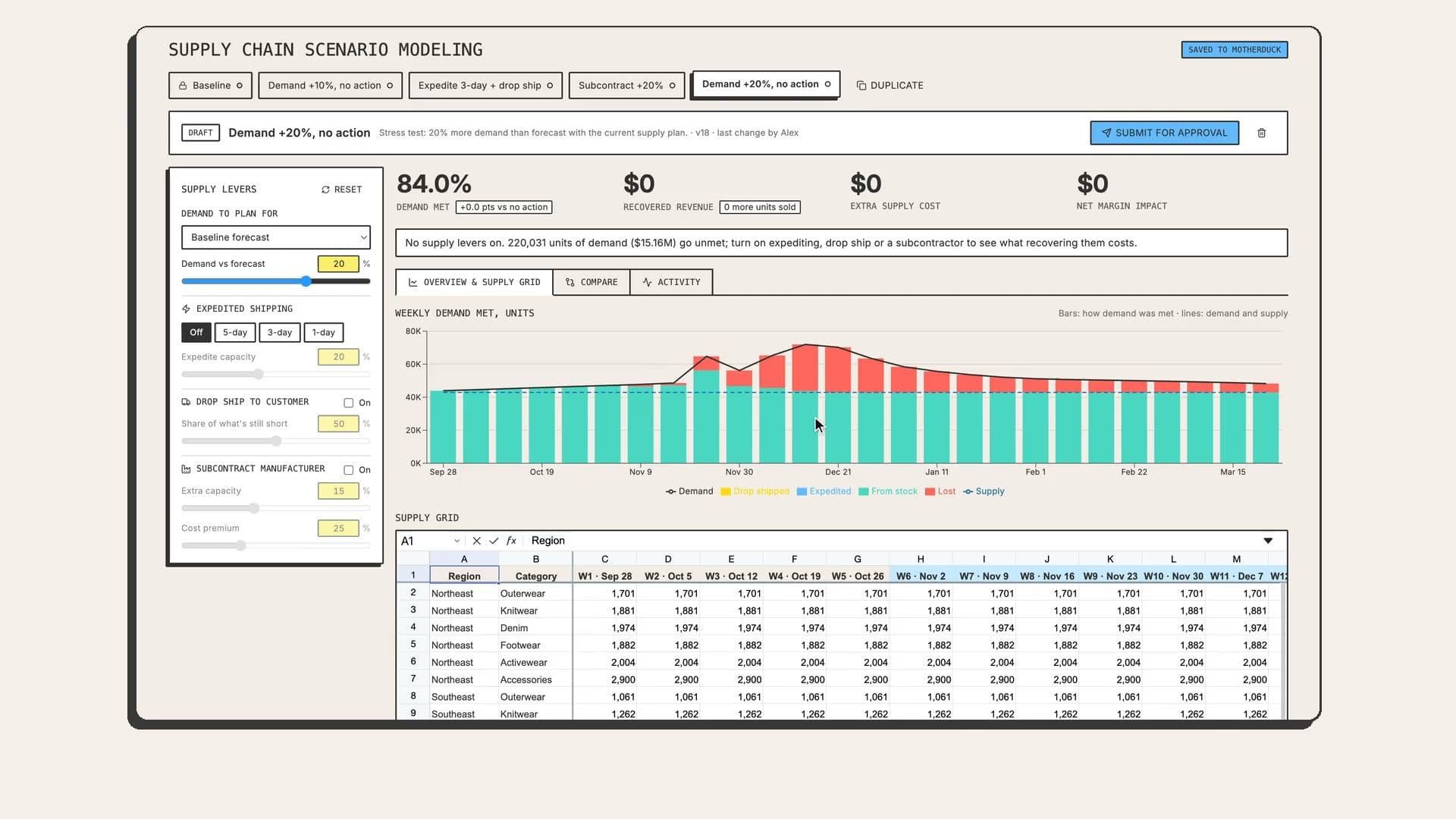
No need to go anywhere else to take action on your data - Dive Apps support write-back to any destination via Flights. You add a button or form in a Dive (a data app you build in MotherDuck) runs a Flight (a Python job MotherDuck runs for you); the Dive refreshes as the data updates. Viewers can update a forecast or correct a record without leaving the page.
The Dives themselves stay read-only; viewers never see the code or credentials, and every run records who started it. Alex has examples and a demo; the docs have specific implementation details.
Day 5: AWS Marketplace
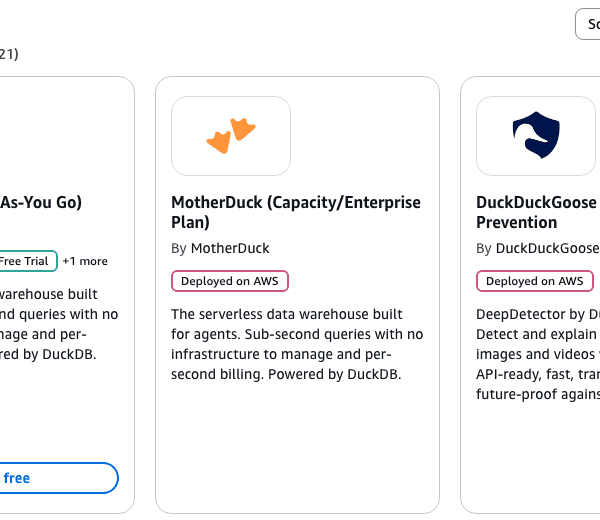
If your company already buys a lot through AWS, a new vendor can take longer to approve than to evaluate. You can now buy MotherDuck on AWS Marketplace, and the charges land on your AWS bill. [VERIFY before publishing: "and they can count against AWS credits or your EDP commit." See the verification queue.]
Subscribe to the public listing and pay as you go on the Business plan, or ask us for a private offer (negotiated pricing, a term or capacity). Either way your org keeps its data, region and users; the core change is who sends the invoice. Find MotherDuck on AWS Marketplace, or talk to sales.
Day 6: Flight Explainer
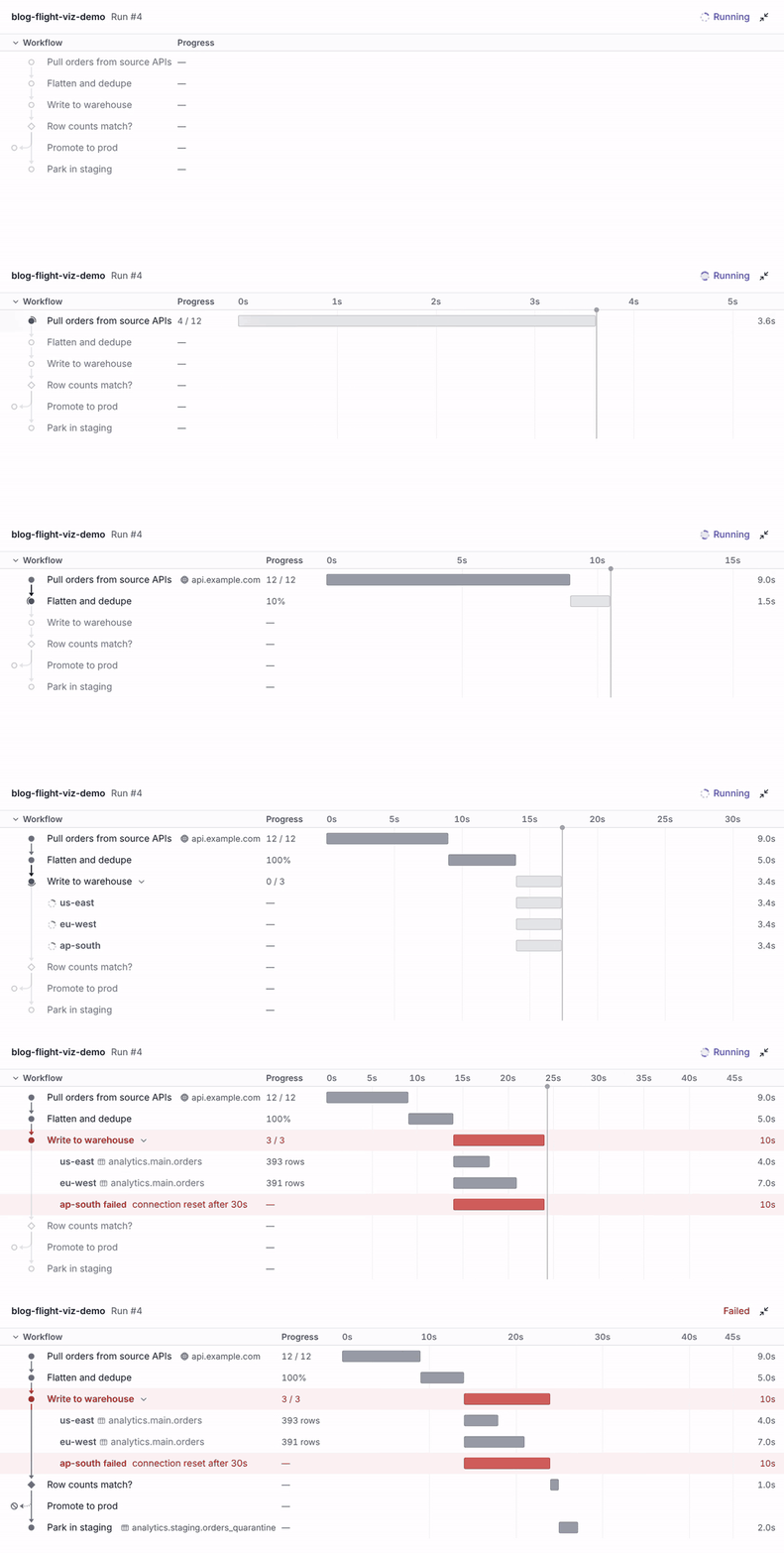
Agents are good at writing pipelines, which creates a new problem. If you didn't write the pipeline, how do you know what it did? Flight Explainer does for a Flight run what EXPLAIN ANALYZE does for a SQL query: a live chart of each step with status, row counts and timing, the step a failed run stopped on, and the tables, files and endpoints it touched. Critically, it also shows when there is drift between the underlying code and the visualization.
To use it: ask your agent to add the instrumentation, then ask it to show you the run. Hamilton & Colin explain it in their post; the docs cover setup.
Day 7: Agent Chat
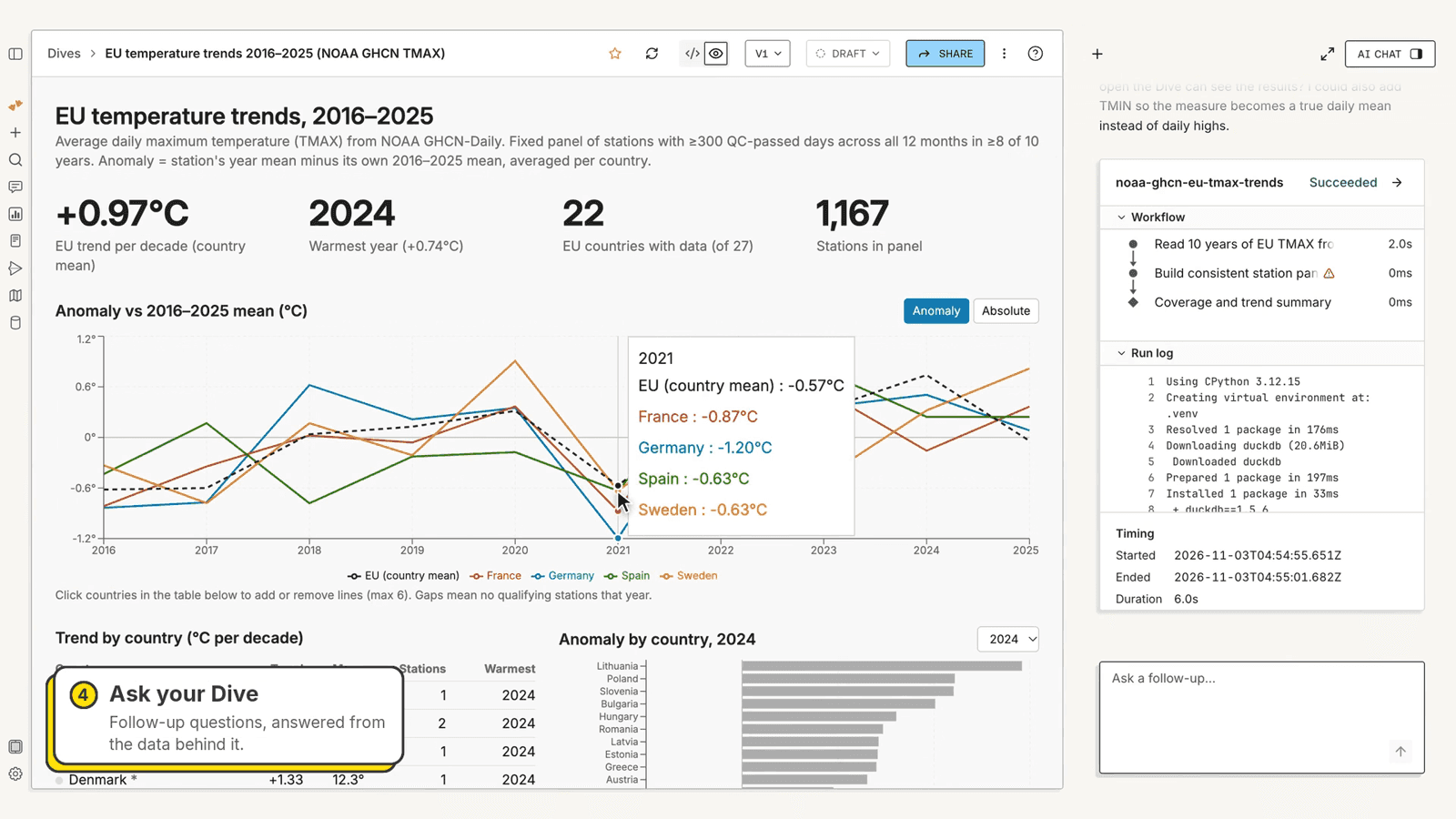
The MotherDuck homescreen has evolved: the first thing you see is a prompt. Agent Chat lives inside MotherDuck, on your data - it writes and runs SQL and Python, builds and schedules Flights, and turns an answer into a Dive.
It works along users, writing to tables only when asked, and explains itself any potentially deletes. Chats are persisted between sessions, and you can open one beside any Dive to ask about the data contained within. It's on for paid plans and free trials; admins can turn it off. Sheila Sitaram and Adithya have the full tour; the docs cover permissions and billing.
Day 8: Dark mode
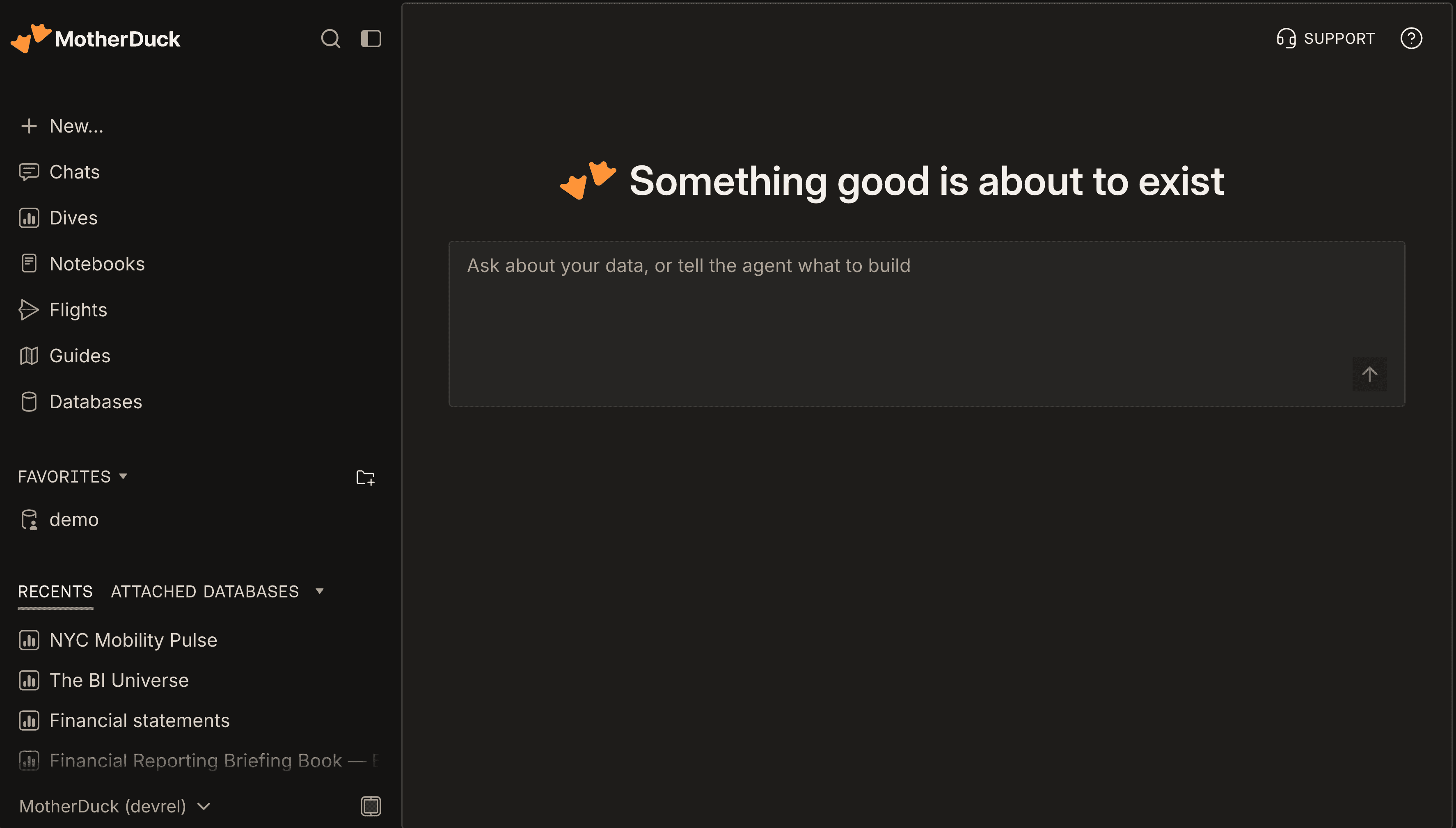
You've been asking for this one for a long time. MotherDuck now has a full dark mode, built on the app redesign that arrived with Day 7, which was built with theming in mind. It follows your system setting by default; to pick one yourself, go to Settings › Preferences. Lights off, ducks on.
That's Ducktober
All of this is live today! Start free, or open MotherDuck and try the prompt on Home. The indulge in the spooky ducks over at motherduck.com/ducktober.
Table of contents